Source — Chosen High-Country Clarity
Appearance reference · unchanged source

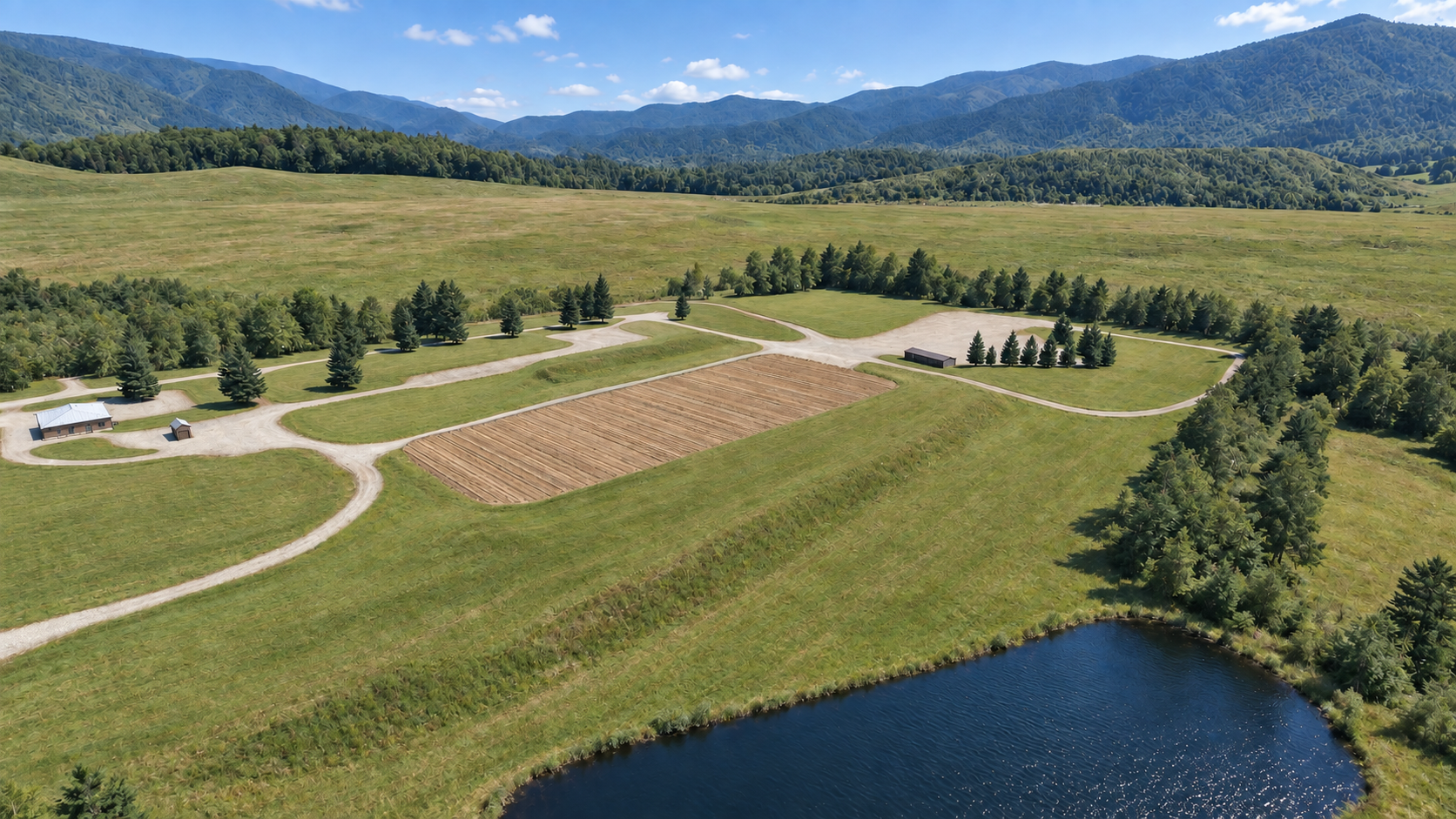
The chosen High-Country Clarity image remains the appearance reference. These three independent dual-reference native image edits explore neutral balance, gentle sun warmth and open shadows—not a new environment design. The chosen image guides appearance; the original simulator screenshot supplies geometry context.
Images are shown in full without display crops or CSS filters. Open any image to compare at full size.
Appearance reference · unchanged source
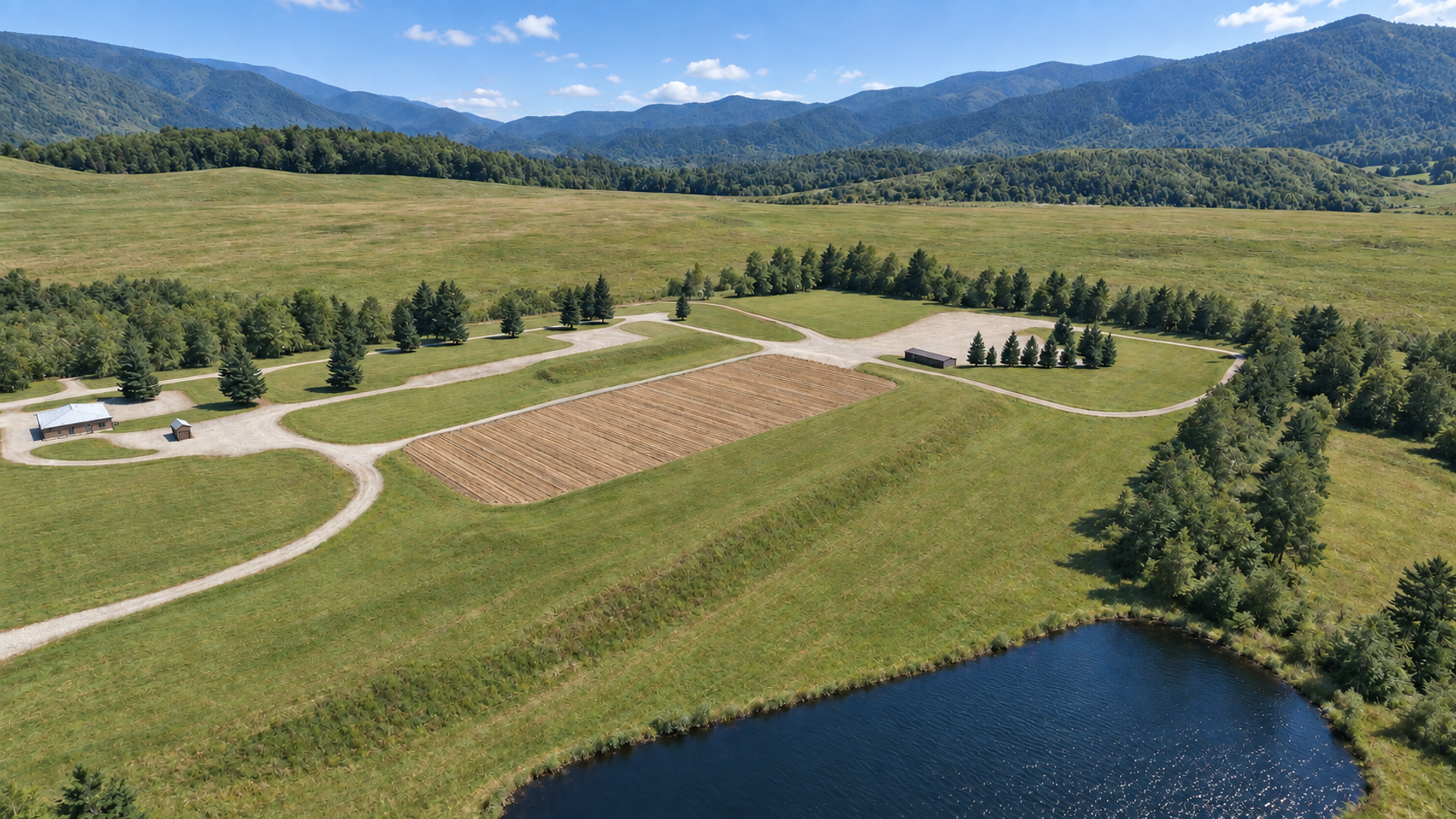
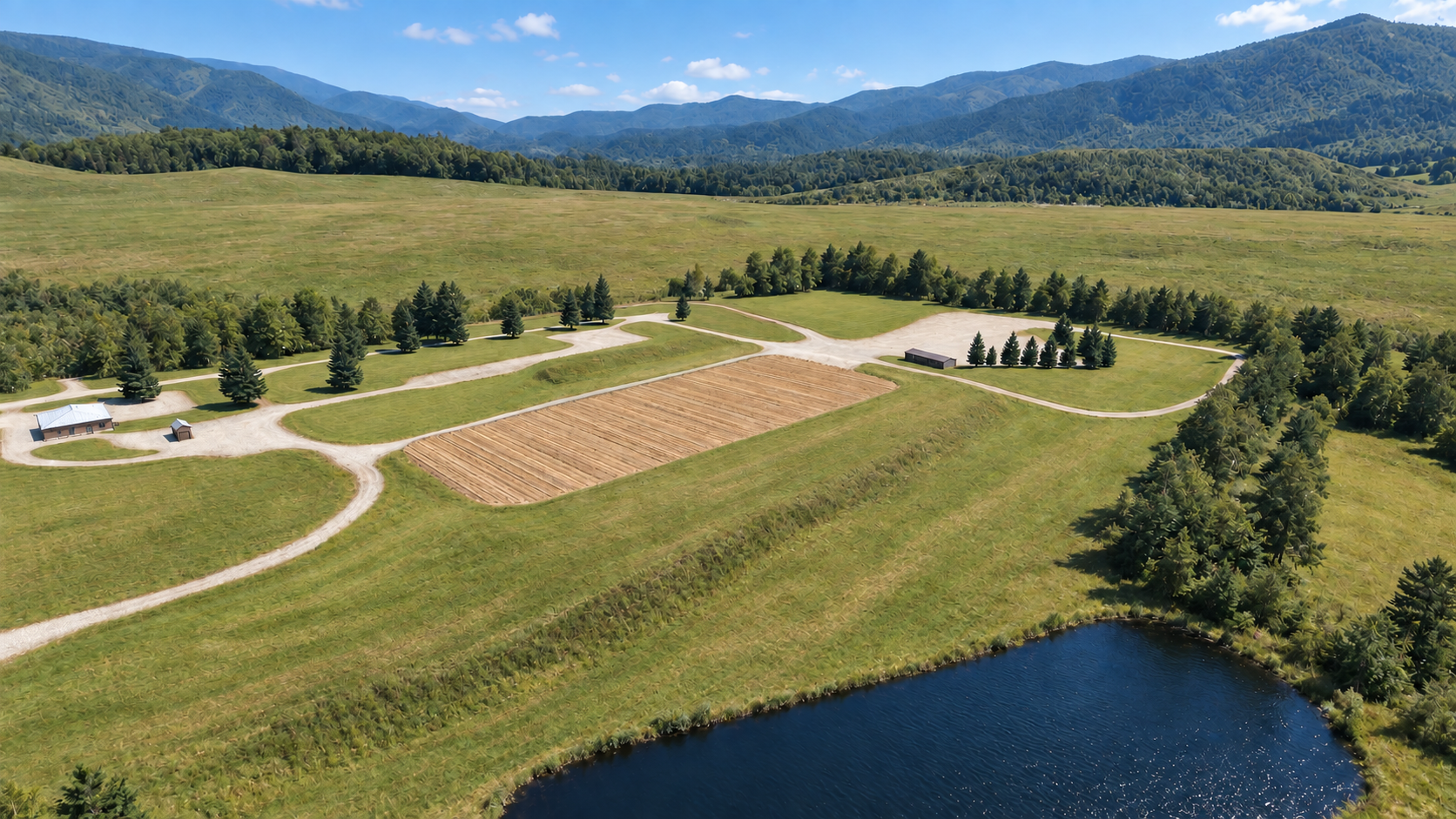
Independent native edit · selection pending
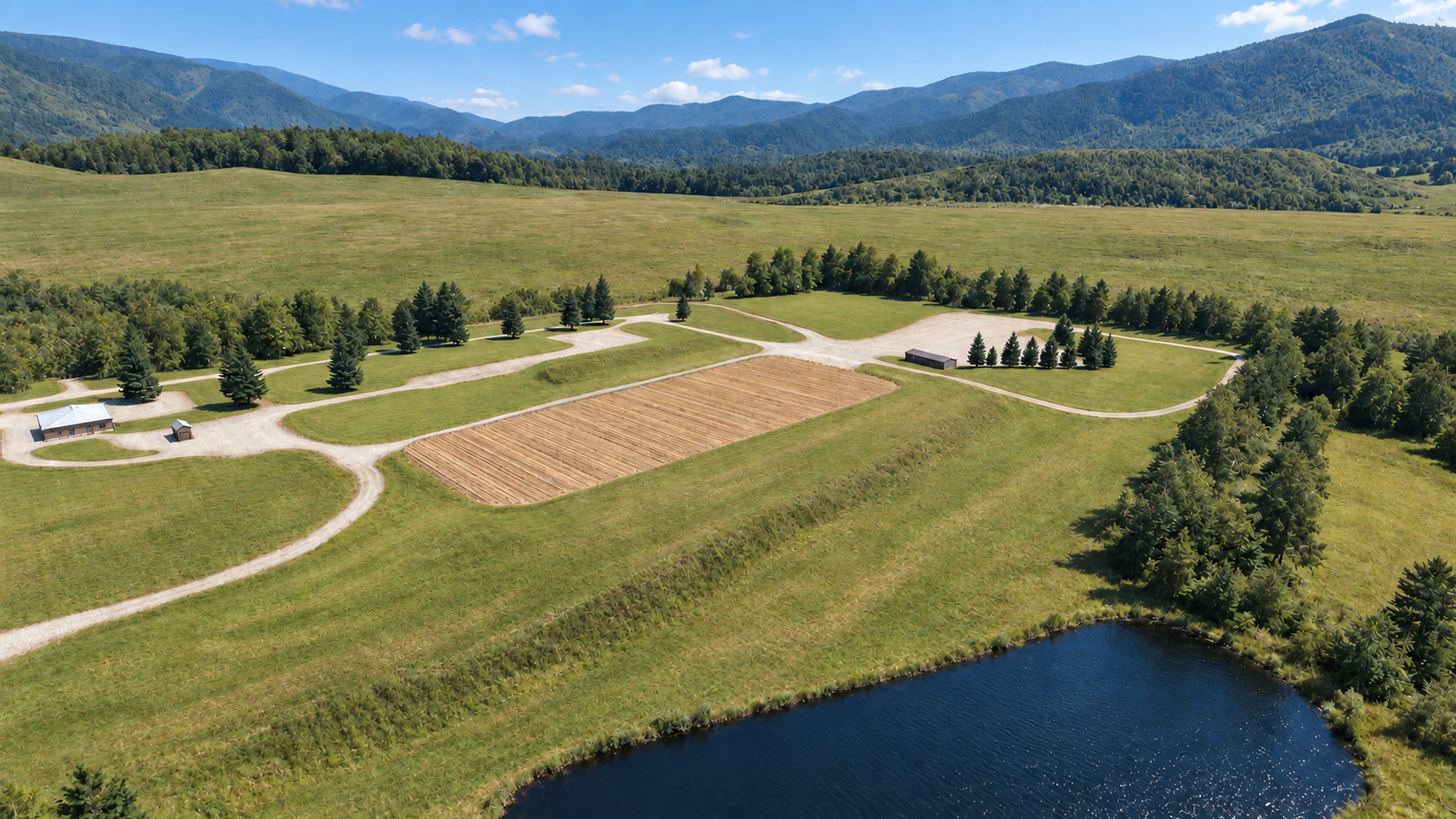
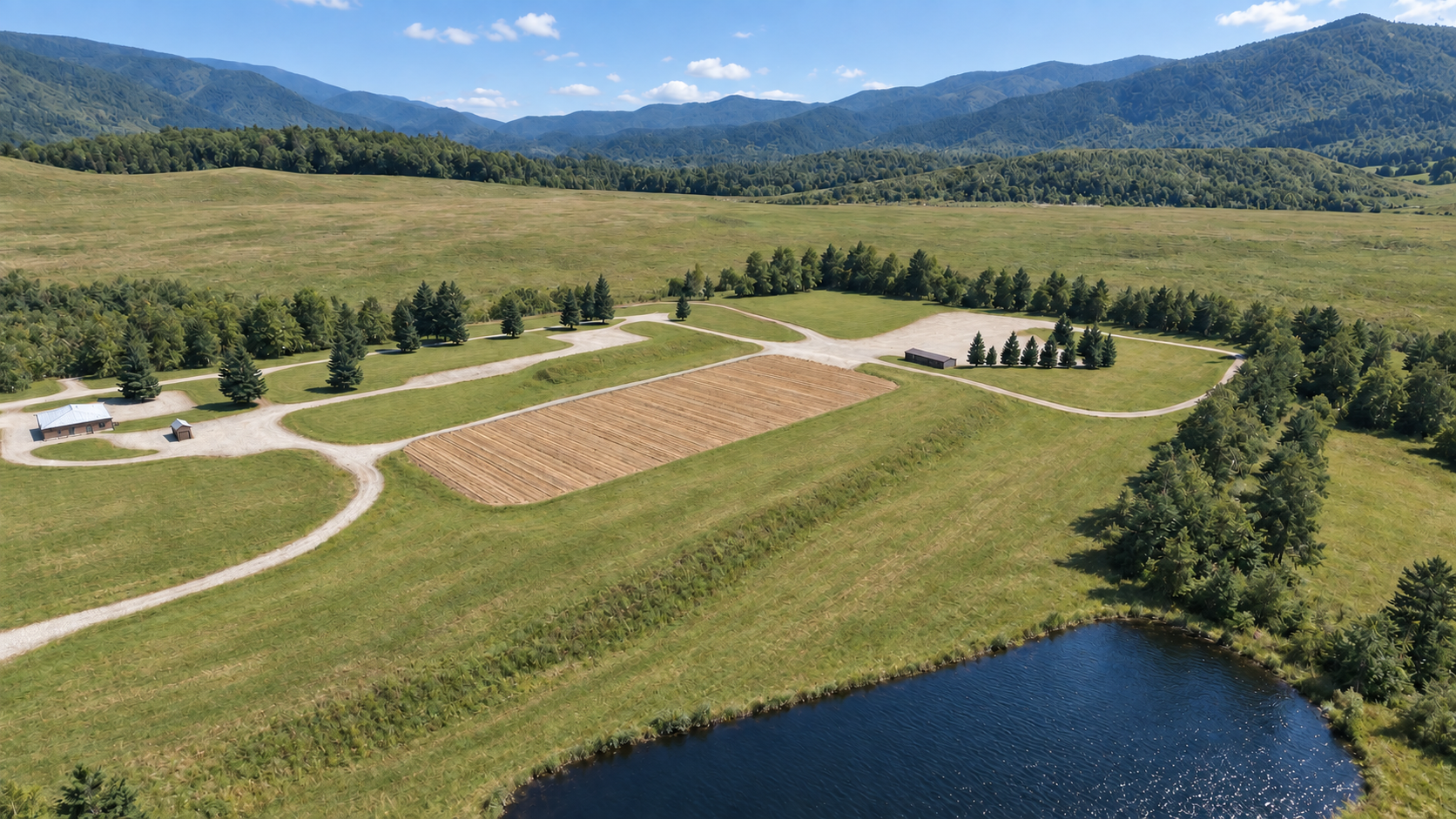
Independent native edit · selection pending
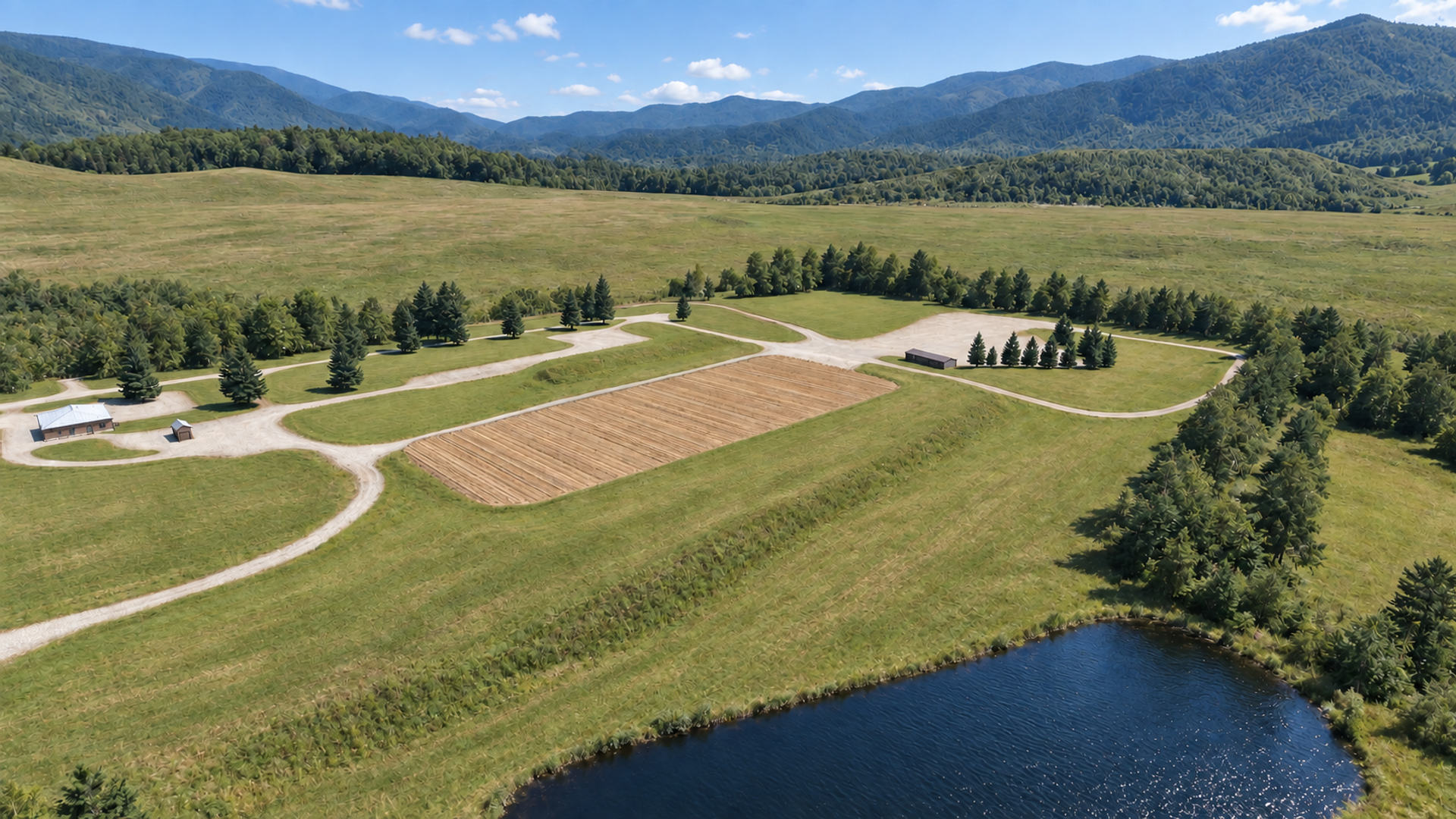
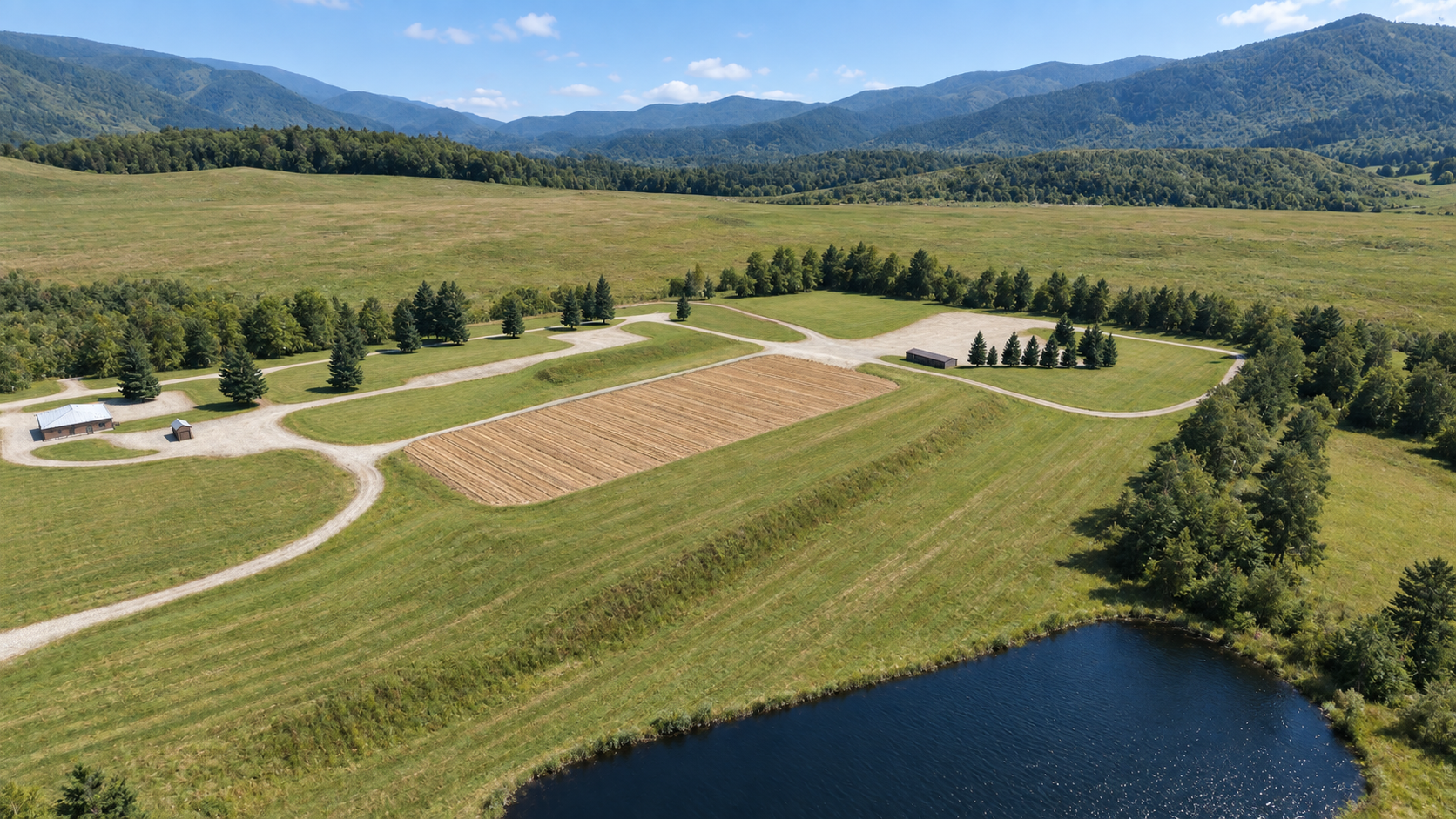
Independent native edit · selection pending
The least opinionated direction: natural blue sky, neutral gravel and readable summer vegetation. It is the safest baseline for judging material color without a strong lighting bias.
Compare gravel at the central junction, the shed roof and the foreground grass. The intent is balance rather than a new mood.
Keep exposure and white balance fixed. Tune grass, soil and gravel albedo independently; use roughness and sky reflection to separate water from ground. Avoid global sharpening.
Use ONLY the native built-in image generation/edit tool, not code, SVG, canvas, external APIs or procedural color filters. Create exactly ONE subtle independent edit of the attached chosen High-Country Clarity image. Keep the same neutral balanced clear daytime illumination. Make only a subtle refinement to natural material separation and neutral white balance; no dramatic contrast change. CRITICAL REPAIR: The source already contains UNWANTED synthetic interlocking V-shaped loops, quilted/cellular embossed strokes across foreground and distant grass, and curly ornamental foliage. These are artifacts, NOT terrain geometry or desirable details. REMOVE and REPLACE that grass surface detail with photographically smooth fine-scale meadow grass, restrained irregular tonal patches and only broad plausible mowing bands; individual blades should be unresolved at this elevated distance. Replace curly foliage decoration with natural coherent crown clusters, preserving each tree silhouette and position. The landscape should look like a clean aerial photograph when viewed at native 100 percent, never a sharpened oil painting. This texture cleanup is required in addition to the subtle lighting adjustment. Reference roles: IMAGE 1 is the chosen High-Country Clarity and controls appearance, clear blue daytime lighting, realistic materials and color palette, NOT its erroneous small texture motifs. IMAGE 2 is the original simulator screenshot and controls scene geometry and layout only. Do not copy its flat low-quality rendering or overly regular mowing stripes. Match the common existing elevated framing and preserve the scene, do not introduce a fictional ground-level viewpoint. This is an aerial appearance study only; the final player camera will later be separately supplied. Preserve the common layout from both references; clean grass is more important than preserving tiny texture details from image 1. Preserve the exact elevated camera, framing, horizon and mountain silhouettes, road curves and junctions, every building and roof, central rectangular tilled field and its rows, pond shoreline, foreground meadow slopes, tree placements and forest borders. No geometry redesign, additions, deletions, camera movement, relocated trees, new roads or buildings. Keep the original high-country summer vegetation, natural blue sky and scattered small clouds. Preserve any tiny existing fixtures and markings. Clean coherent material-specific detail at correct physical scale, smooth gradients, natural irregularity without repeated motifs. No film grain, synthetic micro-noise, crunchy local contrast, embossed terrain, cellular/scaly/paisley texture, halos or oversharpening. Do not add text, borders, logo or UI. Request 1920x1080 landscape if supported, never crop composition. Save the unmodified native generated result as a-neutral-native.png in the current directory. Do not resize or retouch it with code. Report the saved absolute path.
A slightly more welcoming sunlit treatment without changing the season or turning the valley into golden hour. Warm direct light should remain separate from cool sky fill.
Compare sunlit meadow and pale roads against the shaded tree line and pond. Reject any orange cast that reads as evening.
Warm the directional light slightly relative to A, leaving skylight and water response stable. Do not bake the warmth into every material texture or change sun elevation to manufacture the effect.
Use ONLY the native built-in image generation/edit tool, not code, SVG, canvas, external APIs or procedural color filters. Create exactly ONE subtle independent edit of the attached chosen High-Country Clarity image. Make the sunlight subtly warmer on sunlit grass, gravel and roofs only, retaining cool natural sky fill and blue water. This is clear midday daylight, NOT golden hour, sunset, orange grading or autumn. Keep shadows and overall brightness close to the source. CRITICAL REPAIR: The source already contains UNWANTED synthetic interlocking V-shaped loops, quilted/cellular embossed strokes across foreground and distant grass, and curly ornamental foliage. These are artifacts, NOT terrain geometry or desirable details. REMOVE and REPLACE that grass surface detail with photographically smooth fine-scale meadow grass, restrained irregular tonal patches and only broad plausible mowing bands; individual blades should be unresolved at this elevated distance. Replace curly foliage decoration with natural coherent crown clusters, preserving each tree silhouette and position. The landscape should look like a clean aerial photograph when viewed at native 100 percent, never a sharpened oil painting. This texture cleanup is required in addition to the subtle lighting adjustment. Reference roles: IMAGE 1 is the chosen High-Country Clarity and controls appearance, clear blue daytime lighting, realistic materials and color palette, NOT its erroneous small texture motifs. IMAGE 2 is the original simulator screenshot and controls scene geometry and layout only. Do not copy its flat low-quality rendering or overly regular mowing stripes. Match the common existing elevated framing and preserve the scene, do not introduce a fictional ground-level viewpoint. This is an aerial appearance study only; the final player camera will later be separately supplied. Preserve the common layout from both references; clean grass is more important than preserving tiny texture details from image 1. Preserve the exact elevated camera, framing, horizon and mountain silhouettes, road curves and junctions, every building and roof, central rectangular tilled field and its rows, pond shoreline, foreground meadow slopes, tree placements and forest borders. No geometry redesign, additions, deletions, camera movement, relocated trees, new roads or buildings. Keep the original high-country summer vegetation, natural blue sky and scattered small clouds. Preserve any tiny existing fixtures and markings. Clean coherent material-specific detail at correct physical scale, smooth gradients, natural irregularity without repeated motifs. No film grain, synthetic micro-noise, crunchy local contrast, embossed terrain, cellular/scaly/paisley texture, halos or oversharpening. Do not add text, borders, logo or UI. Request 1920x1080 landscape if supported, never crop composition. Save the unmodified native generated result as b-warm-native.png in the current directory. Do not resize or retouch it with code. Report the saved absolute path.
A readability-first alternative: slightly gentler shadow transitions and more information in the tree line while maintaining bright, clear daytime depth.
Compare tree shadows at the right-hand pond bank and under the central conifers. Look for useful detail without flat, overcast lighting.
Increase plausible indirect sky contribution and light angular size modestly. Keep contact shadows, sun direction and exposure stable; do not solve dark foliage with emissive materials.
Use ONLY the native built-in image generation/edit tool, not code, SVG, canvas, external APIs or procedural color filters. Create exactly ONE subtle independent edit of the attached chosen High-Country Clarity image. Subtly soften shadow edges and slightly open the darkest tree shadows with plausible blue-sky ambient fill, retaining clear directional sunlight, crisp blue daytime sky and good depth. NOT overcast, foggy, flat or hazy. Keep sunlit colors neutral and close to source. CRITICAL REPAIR: The source already contains UNWANTED synthetic interlocking V-shaped loops, quilted/cellular embossed strokes across foreground and distant grass, and curly ornamental foliage. These are artifacts, NOT terrain geometry or desirable details. REMOVE and REPLACE that grass surface detail with photographically smooth fine-scale meadow grass, restrained irregular tonal patches and only broad plausible mowing bands; individual blades should be unresolved at this elevated distance. Replace curly foliage decoration with natural coherent crown clusters, preserving each tree silhouette and position. The landscape should look like a clean aerial photograph when viewed at native 100 percent, never a sharpened oil painting. This texture cleanup is required in addition to the subtle lighting adjustment. Reference roles: IMAGE 1 is the chosen High-Country Clarity and controls appearance, clear blue daytime lighting, realistic materials and color palette, NOT its erroneous small texture motifs. IMAGE 2 is the original simulator screenshot and controls scene geometry and layout only. Do not copy its flat low-quality rendering or overly regular mowing stripes. Match the common existing elevated framing and preserve the scene, do not introduce a fictional ground-level viewpoint. This is an aerial appearance study only; the final player camera will later be separately supplied. Preserve the common layout from both references; clean grass is more important than preserving tiny texture details from image 1. Preserve the exact elevated camera, framing, horizon and mountain silhouettes, road curves and junctions, every building and roof, central rectangular tilled field and its rows, pond shoreline, foreground meadow slopes, tree placements and forest borders. No geometry redesign, additions, deletions, camera movement, relocated trees, new roads or buildings. Keep the original high-country summer vegetation, natural blue sky and scattered small clouds. Preserve any tiny existing fixtures and markings. Clean coherent material-specific detail at correct physical scale, smooth gradients, natural irregularity without repeated motifs. No film grain, synthetic micro-noise, crunchy local contrast, embossed terrain, cellular/scaly/paisley texture, halos or oversharpening. Do not add text, borders, logo or UI. Request 1920x1080 landscape if supported, never crop composition. Save the unmodified native generated result as c-soft-native.png in the current directory. Do not resize or retouch it with code. Report the saved absolute path.
Use the original simulator scene as the authority for camera transform, terrain, road centerlines, buildings, pond shoreline and tree positions. The chosen image controls the look. Do not remodel the scene to match incidental AI detail.
Render the same fixed camera for A, B and C. Lock exposure, sun direction, season, sky framing and material set. Change one lighting variable at a time; compare both full-frame composition and 100% crops of gravel, foliage and water.
Review grass scale, tree LOD transitions, pond specular stability and shadow shimmer during a slow camera move. A still image cannot verify simulator frame rate, physical material values or temporal stability.
Each finalist was generated independently using two references: the chosen High-Country Clarity for appearance and the original simulator screenshot for geometry context. Generation used the native Codex image tool under ChatGPT login, with API-key routes excluded. The first pass was rejected for amplified synthetic texture; the dual-reference repair still retains visible texture artifacts. They are not chained edits and are not procedural color-filter substitutes. Exact native tool prompts are reproduced above.
These are generative art-direction studies, not pixel-locked retouches or verified 3D renders. Major scene landmarks remain the review target; fine vegetation, grass, water, cloud and small structure details may be reconstructed. Subtle lighting differences should not be mistaken for validated engine settings. Exact geometry preservation is not guaranteed.
The source is 1672 × 941 px. Delivery images are 1920 × 1080 px; native dimensions are recorded per option. A no-crop resize can introduce a slight aspect adjustment when native proportions differ. No image is claimed as native 4K.
Review status: three choices prepared; no master selected. Tell the project team A, B or C, plus any final lighting adjustment. This page does not record votes or selections.