FORGEFX SIMULATIONS

1
Steel Casting
Training SIMULATOR
A Virtual Reality Steel Casting Training Simulator

FORGEFX SIMULATIONS
2
3
5
7
39
45
52
61
65
71
Project Overview
Why ForgeFX
Project Features
Lesson Content
Price Options
Development Process
In Conclusion
Appendix A: About ForgeFX
Appendix B: Recent Projects

Contents
New! Invisible links are on top of the item names and page numbers. If you need to turn them off to edit the text, don’t forget to turn them on again. Thanks!
FORGEFX SIMULATIONS
3
PROJECT OVERVIEW
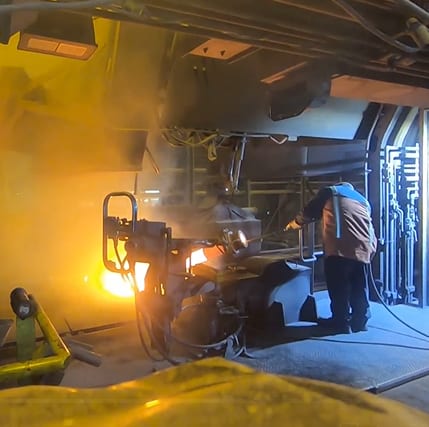
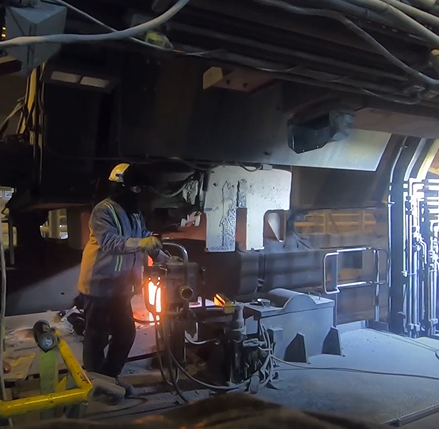
ForgeFX Simulations proposes to design and develop a custom SSAB Continuous Casting VR Training Simulator, beginning with the ladle-operator platform, ladle exchange, and mold-filling process. The simulator will combine realistic equipment interaction, guided instruction, operational scenarios, and performance-based assessment to strengthen workforce readiness, preserve critical process knowledge, and establish an expandable platform for SSAB’s broader training vision.
SSAB Iowa seeks to develop an immersive Virtual Reality training simulator that will bring critical continuous casting procedures to life for both new and experienced operators. The solution will allow trainees to enter a realistic recreation of the caster work area, interact with virtual equipment, and build practical decision-making experience without interrupting production or exposing personnel, molten steel, or equipment to unnecessary risk.
FORGEFX SIMULATIONS
4
ForgeFX Simulations is excited to propose the development of the (company name Operator and Maintenance) Training Simulator. This simulator will transform MVTA’s approach to workforce development by providing a safe, scalable, and engaging training solution that supports recruitment and long-term skill growth.
Application Feature Highlights
§Immersive simulation of (equipment) operation and servicing within lifelike VR environments, delivering engaging hands-on interaction, intuitive controls, and enhanced spatial awareness.
§Scenario-based learning experiences that reflect specific job requirements, paired with built-in performance tracking to provide meaningful feedback and measurable progress.
§Optional support for real-world control hardware and wireless headset-only deployments to suit different use cases.
§Scalable content architecture, enabling future growth through new scenarios, diagnostics modules, and lesson authoring tools.
Implementation and Results
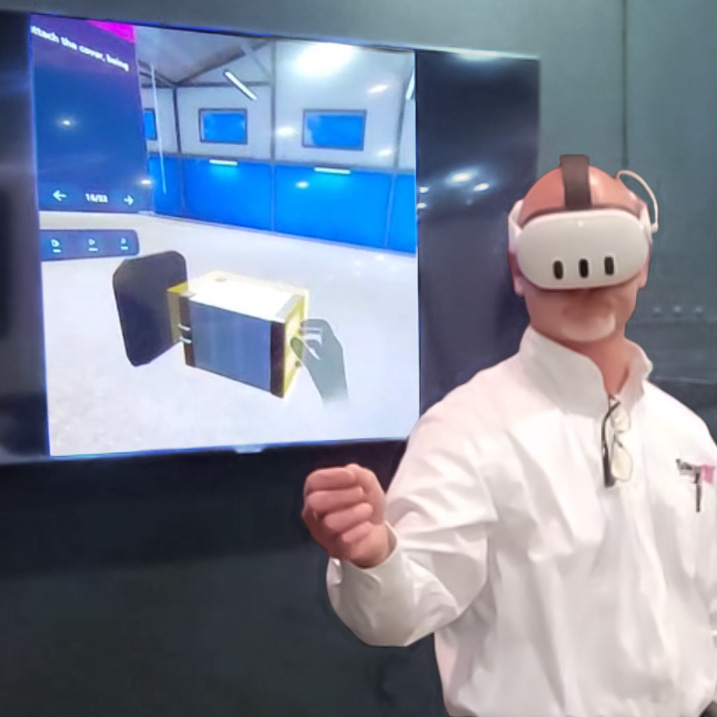
ForgeFX will collaborate closely with (Company) to define key training objectives and identify the most relevant tasks for their operator and maintenance personnel. Built upon our trusted ForgeSIM™ framework and established development process, we will deliver a targeted prototype that supports (Company) ‘s training goals.
The result will be a flexible, future-oriented platform that strengthens (company) training infrastructure, improves safety, enhances workforce readiness, and lays a strong foundation for sustained operational excellence.
Project Overview
Expertise and attention
to detail
FORGEFX SIMULATIONS
5

Why
ForgeFX

Industry Reputation
Extensive Experience
ForgeSIM™ Framework


FORGEFX SIMULATIONS
6
A Legacy of Excellence
ForgeFX Simulations offers a uniquely qualified and strategically advantageous solution for simulation-based training development. Their proprietary technology, proven track record, and industry partnerships distinguish them from competitors and justify a sole-source procurement.
Why ForgeFX
ForgeSIM™ Framework – Proven, Proprietary Technology
ForgeFX has developed a proprietary simulation framework, ForgeSIM™, over the past 20 years. Built atop the Unity game engine, this robust code library enables the rapid development of high-quality, custom simulation applications—offering clients a lower-risk, cost-effective solution with reduced development timelines and enhanced technical stability.
Unity Game Engine Experts
ForgeFX’s development team brings deep technical expertise in Unity, the most widely adopted engine for immersive content development. Their mastery ensures optimal performance, seamless hardware integration, and compelling user experiences across VR, AR, and MR platforms.
Meta Technology Partner
As an official Meta Technology Partner, ForgeFX is uniquely positioned to access early platform innovations, tools, and support from Meta. This relationship ensures ForgeFX delivers cutting-edge solutions that are future-ready and aligned with the evolving capabilities of mixed reality hardware.
Trusted by Industry Leaders
ForgeFX has delivered successful training simulations for many Fortune 500 companies—including FedEx, Caterpillar, and GE Healthcare—addressing critical workforce challenges across logistics, heavy equipment, and medical industries. Their work is validated by repeat business, cross-industry referrals, and sustained client relationships.
Pioneers in Virtual Reality Training
With roots in traditional desktop-based simulation, ForgeFX was an early adopter of VR and has been delivering immersive training solutions since the inception of modern VR hardware. Their experience spans the full evolution of XR technologies, giving them unmatched insight into best practices for effective learning in virtual environments.
FORGEFX SIMULATIONS
7
REDEFINING REALITY


Economical
Engaging
Safe

FORGEFX SIMULATIONS
8
Where what is possible, becomes what is next
ForgeFX stands at the cutting edge of simulation technology, blurring the lines between real-world operations and virtual training environments. As rapid advancements make these tools increasingly accessible, organizations are transforming their training aspirations into strategic investments. Modern simulation technology has transcended traditional virtual reality, becoming an integral extension of our physical world. ForgeFX excels in navigating the intricate interplay between simulated and physical realities. We partner with your company to identify the most effective simulated features, tailoring solutions that propel your training capabilities into a future rich with possibilities.
§Virtual Reality (VR) is an immersive simulation experience that places users in a computer-generated environment. It is used for training, gaming, and virtual tours, such as pilots simulating flights, soldiers training in virtual combat, and medical professionals practicing surgeries.
§Mixed Reality (MR) is a hybrid environment where physical and digital objects coexist and interact in real-time. It is ideal for scenarios requiring seamless interaction between real and virtual elements, such as engineers manipulating virtual prototypes and educators creating interactive learning experiences.
§Augmented Reality (AR) overlays digital information onto the real world, enhancing the user's perception. It is often used in medical training with anatomical overlays and industrial settings where assembly instructions are displayed on machinery.
§Extended Reality (XR) is an umbrella term for VR, AR, and MR, representing technologies that extend the user’s experience of reality. It encompasses comprehensive training programs and simulation solutions for all.
Redefining reality

FORGEFX SIMULATIONS
9
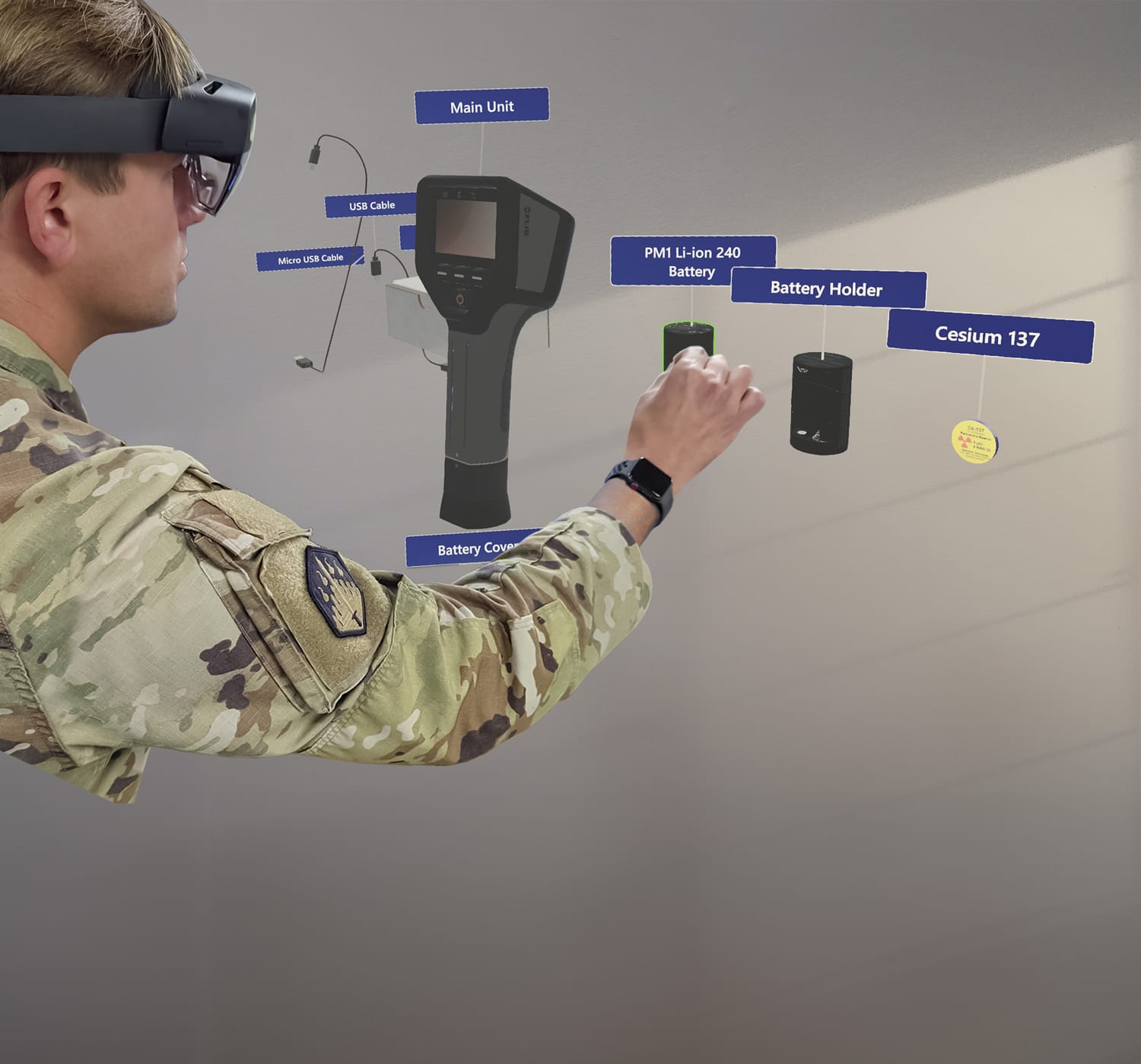
The following pages detail the many aspects of the training simulator that ForgeFX will develop to meet your trainees’ needs.
Project Features
FORGEFX SIMULATIONS
10
SIMULATOR Foundation
These components are integral to a robust, compelling simulator. The following pages describe in more detail how these features work to achieve a rewarding educational experience.
[PROJECT]
LMS Integration
Simulator data can be uploaded to your LMS, providing an easily accessible record of trainees’ progress.

Mixed Reality Training
Pass-through video capability augmented with multimedia information.

PERFORMANCE TRACKING
The trainees’ actions in each session will be tracked, and the results will be displayed in a performance report screen.

Familiarization Tutorial
A brief introduction to the application interface promotes speedy proficiency.

Instruction Modes
Two levels of guidance allow trainees to learn, practice, achieve mastery, and be tested on their knowledge.

Audio Narration
Spoken instructions provide non-visual cues and audio learner support.

User Interface
Utilizing modern best practices in user interaction design ensures an easy and intuitive application.

Hand Tracking
Controller-free technology allows for more natural, hands-on learning.

ForgeSIM™ Framework
A solid, tested code library ensures that the simulator is built efficiently and will support future expansion.

Additional boxes and a template for new boxes is in the Alternates section.
- G
FORGEFX SIMULATIONS
11

FORGESIM™ FRAMEWORK



Performance Tracking
Real-World Integration
Rapid Development
FORGEFX SIMULATIONS
12
Essential
Building Blocks
of the Training Simulator
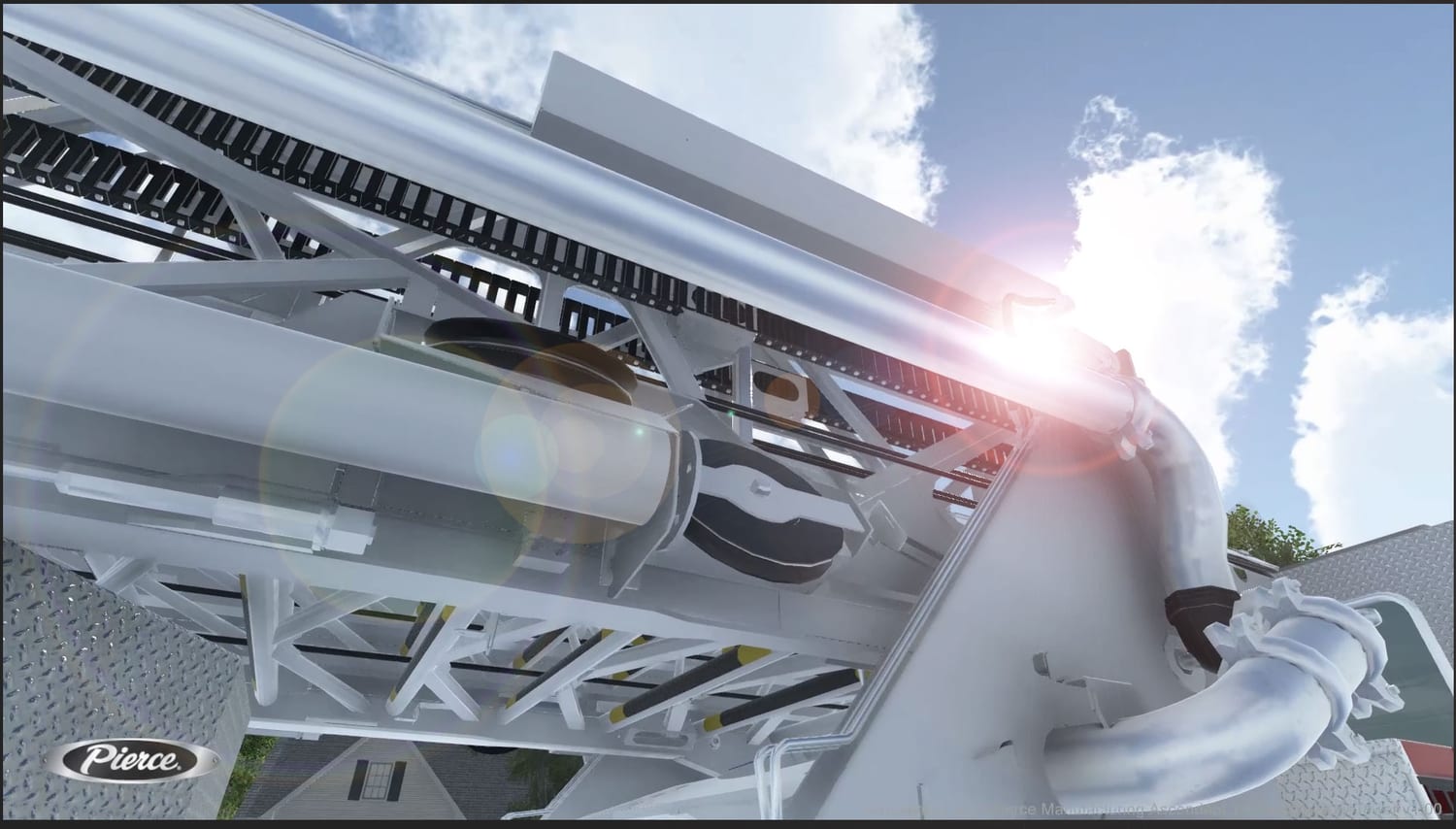
ForgeFX's commitment to innovation and quality is embedded in every layer of our ForgeSIM™ suite. It embodies the best practices and technological advancements we've acquired over numerous successful deployments. Each component is designed to integrate seamlessly, providing clients with a cohesive development experience from concept to execution.
Here are the elements of the framework:
ForgeSIM™ Framework
ForgeSIM™ CORE: Our core re-useable application framework enabling rapid development of fundamental application flows, based on a rock-solid foundation.
ForgeSIM™ CONNECT: Proprietary process and approach to bridge the gap between static machine and equipment CAD files to their interactive counterparts, matching real-world behaviors.
ForgeSIM™ CONTROL: Pre-built system to connect real-world equipment controls to ForgeSIM-based applications. Protocol support includes both custom and standard CAN-BUS systems.
ForgeSIM™ TRACK: Sophisticated system which granularly tracks both raw user actions as well as client-specified higher-level performance assessment and reporting criteria.
ForgeSIM™ GATHER: Time-tested multiplayer framework designed specifically for the team-based practice and instructor/student modalities required for simulation-based training.


FORGEFX SIMULATIONS
13
20+
YEARS EXPERIENCE
Two decades of simulation-based training expertise
8
CORE MODULES
Modular components working together as one framework
600+
DEPLOYMENTS
Proven scalability and real-world deployment value

ForgeFX Simulations’ Modular Framework for Scalable Simulation-Based Training
ForgeSIM is ForgeFX’s production-ready framework for building scalable simulation-based training applications across VR, mixed reality, desktop, mobile, and web platforms. Its reusable architecture accelerates development while supporting the reliability and flexibility required for enterprise deployment.
WHY IT MATTERS
CORE MODULES
PRODUCTION-READY
ForgeSIM has been refined through enterprise training deployments and long-term support engagements. Its architecture is built for scalability, maintainability, performance optimization, and the reliability required for real-world implementation.
BUSINESS VALUE
Modular
by Design

Faster
Development

Enterprise Proven

WHAT IS FORGESIM?
Cross-Platform

ForgeSIM.MRTK
Mixed reality integration for HoloLens and OpenXR devices
§Hand tracking and natural gesture interactions
§Optimized enterprise MR deployment

ForgeSIM.Gather
Multiplayer framework for collaborative training
§Team scenarios with real-time synchronization
§Instructor tools and integrated communication
ForgeSIM.Control
Connects physical controls to simulation applications
§CAN-BUS and custom hardware support
§Unified input across XR, peripherals, & standard devices
ForgeSIM.Core
Reusable foundation for real-time simulations
§Dynamic UI animation and state management
§Localization with Google Sheets workflow
ForgeSIM.Connect
Transforms CAD into interactive simulation assets
§CAD import and asset pipeline
§Real-world behavior matching and equipment modeling
ForgeSIM.Track
Tracks performance, progress, and learning outcomes
§Learner telemetry and performance analytics
§SCORM, LTI, and xAPI support
ForgeSIM.Learn
Structured lesson tools for guided instruction
§Contextual guidance and adaptive feedback
§Objectives, assessment, and lesson progression
ForgeSIM.Tools
Developer tools for debugging and rapid iteration
§In-game developer console and component inspection
§Platform automation and build workflows
Cross Device Deployment







Reduce development risk
Scale solutions over time
Support diverse delivery models
Uses only the systems a project actually needs.
Reusable technology reduces complexity and speeds production.
One shared codebase supports many devices and environments.
Refined through
real-world training deployments and long-term support.

FORGEFX SIMULATIONS
14
20+
YEARS EXPERIENCE
Two decades of simulation-based training expertise
8
CORE MODULES
Modular components working together as one framework
600+
DEPLOYMENTS
Proven scalability and real-world deployment value
ForgeFX Simulations’ Modular Framework for Scalable Simulation-Based Training
ForgeSIM is ForgeFX’s production-ready framework for building scalable simulation-based training applications across VR, mixed reality, desktop, mobile, and web platforms. Its reusable architecture accelerates development while supporting the reliability and flexibility required for enterprise deployment.
WHY IT MATTERS
CORE MODULES
PRODUCTION-READY
ForgeSIM has been refined through enterprise training deployments and long-term support engagements. Its architecture is built for scalability, maintainability, performance optimization, and the reliability required for real-world implementation.
BUSINESS VALUE
Modular
by Design
Faster
Development
Enterprise Proven
WHAT IS FORGESIM?
Cross-Platform
ForgeSIM.MRTK
Mixed reality integration for HoloLens and OpenXR devices
§Hand tracking and natural gesture interactions
§Optimized enterprise MR deployment
ForgeSIM.Gather
Multiplayer framework for collaborative training
§Team scenarios with real-time synchronization
§Instructor tools and integrated communication
ForgeSIM.Control
Connects physical controls to simulation applications
§CAN-BUS and custom hardware support
§Unified input across XR, peripherals, & standard devices
ForgeSIM.Core
Reusable foundation for real-time simulations
§Dynamic UI animation and state management
§Localization with Google Sheets workflow
ForgeSIM.Connect
Transforms CAD into interactive simulation assets
§CAD import and asset pipeline
§Real-world behavior matching and equipment modeling
ForgeSIM.Track
Tracks performance, progress, and learning outcomes
§Learner telemetry and performance analytics
§SCORM, LTI, and xAPI support
ForgeSIM.Learn
Structured lesson tools for guided instruction
§Contextual guidance and adaptive feedback
§Objectives, assessment, and lesson progression
ForgeSIM.Tools
Developer tools for debugging and rapid iteration
§In-game developer console and component inspection
§Platform automation and build workflows
DEPLOY ANYWHERE
A unified foundation for desktop, mobile, immersive VR, mixed reality, and browser-based access.


Reduce development risk
Maintain consistency across projects
Scale solutions over time
Support diverse delivery models
Uses only the systems a project actually needs.
Reusable technology reduces complexity and speeds production.
One shared codebase supports many devices and environments.
Refined through
real-world training deployments and long-term support.
FORGEFX SIMULATIONS
15
Virtual Reality Training
Economical
Engaging
Safe
FORGEFX SIMULATIONS
16
Risk-Free
Skill Building
for Real World Mastery
Virtual Reality (VR) is a revolutionary technology that has transformed operator training. VR offers an immersive experience that makes it an excellent choice for training across a wide range of industries. Here are some of many compelling reasons why:
§Realistic Simulation: VR creates highly realistic and immersive environments that replicate real-world scenarios. This allows trainees to experience situations as if they were physically present, enhancing the effectiveness of the training.
§Safe Environment: Virtual reality provides a safe space for trainees to make mistakes and learn from them without real-world consequences. This benefit is particularly valuable in high-risk industries.
§Cost-Effective: While traditional training methods often involve expensive equipment, materials, and facilities, VR training eliminates the need for physical props and allows for the reuse of virtual assets.
§Accessibility: VR training can be conducted remotely, making it accessible to a wider audience. Trainees can participate from different locations, reducing the need for travel and associated expenses.
§Engagement: The immersive nature of VR captivates trainees, increasing their engagement and motivation to learn. Leveraging positional tracking allows users to feel a greater sense of presence in the simulated environment, which leads to better retention of information and skills.
§Repeatability: VR simulations can be repeated as many times as needed without wear and tear on physical equipment. Trainees can practice until they achieve proficiency.
Virtual Reality Training
FORGEFX SIMULATIONS
17
Virtual Environment


Terrain
Objects
Structures
Indoor environment is in the Alternates section.
- G
FORGEFX SIMULATIONS
18

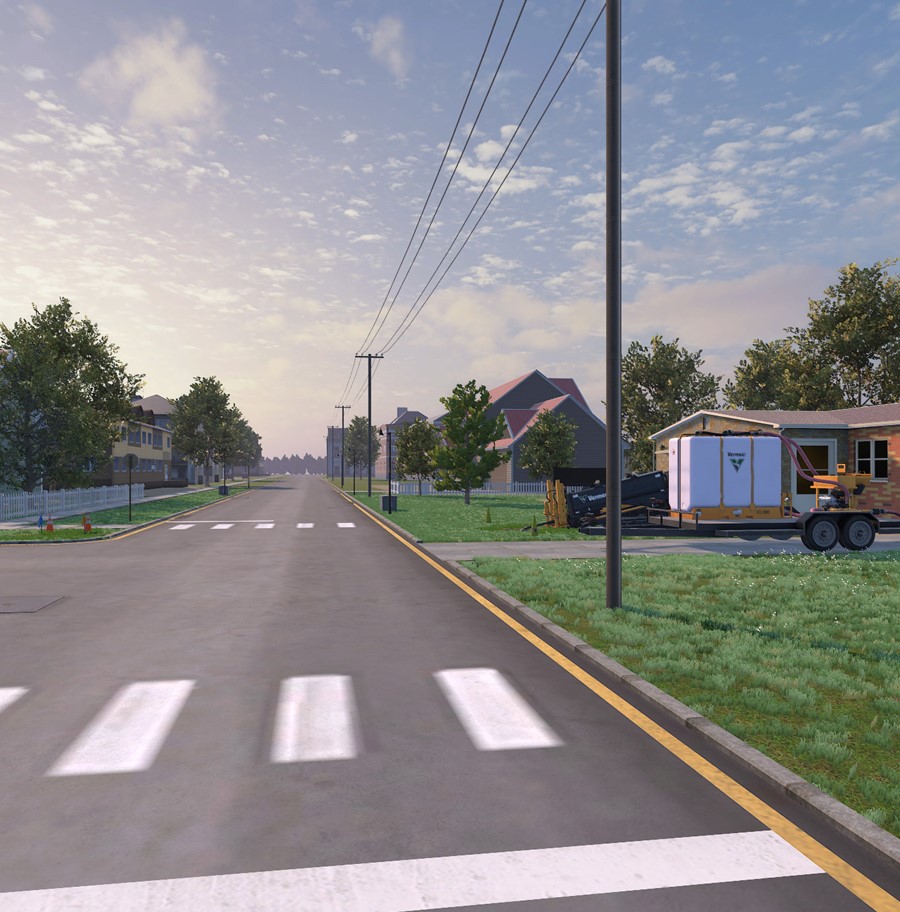
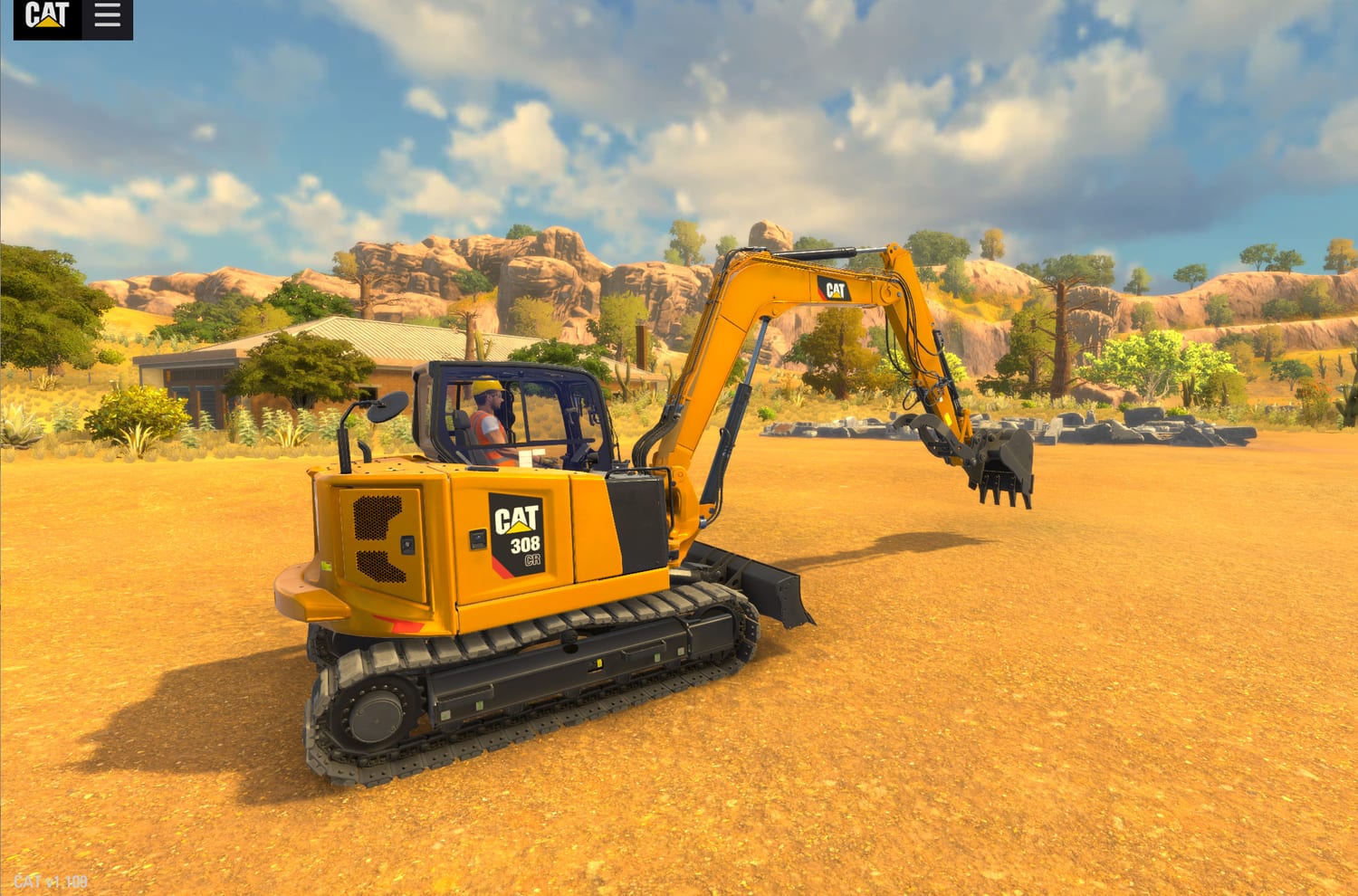
The All-Access Pass Experience Simulator that ForgeFX developed for Caterpillar includes both North America and Mexico terrains, allowing the user to train with different environmental conditions, visibility factors, and construction material.
Case Study: Caterpillar
The Warehouse and workspace
The simulator will immerse users in a visually rich, fully rendered 3D warehouse environment that mirrors the everyday spaces where forklift operations occur. Every structure, surface, and object will be purposefully modeled to heighten realism and create a sense of presence that supports meaningful, task-based learning.
§Authentic Warehouse Layout: From pallet zones to staging areas and industrial structures, the environment will reflect the flow and scale of (company’s) facilities, providing a practical layout that reinforces spatial logic and operational flow.
§Visual and Spatial Immersion: Proportions, lighting, and texture details will enhance depth perception and spatial awareness, helping users orient themselves naturally while remaining focused on the task at hand.
In collaboration with (Company’s) training team, we’ll ensure the environment includes key features and visual markers that reflect real-world training conditions, reinforcing safety, awareness, and operational readiness from day one.
Virtual Environment
FORGEFX SIMULATIONS
19
The Job Site and Training Context
Once inside the headset, learners are placed in a realistic, immersive 3D environment that mirrors the look and feel of the real-world jobsite. Carefully crafted lighting, textures, and spatial details provide the visual grounding for the simulated training, while layout and architectural cues ensure the environment feels instantly relatable.
Example virtual environments include:
Warehouse Safety Fault Finding
A broad, industrial-scale environment designed to evoke the busy visual texture of a working warehouse, open bays, stacked inventory, overhead piping, and ambient worksite clutter. Sightlines are intentionally layered, with nooks, overhead structures, and varied surface materials that create a rich, spatially complex environment for visual orientation and environmental realism.
PPE & Welfare Station
A thoughtfully staged interior space that mirrors the comfort and utility of on-site welfare areas. This room may feature rows of lockers, benches, mounted PPE stations, and day-to-day details such as signage or posted instructions, subtle touches that make the space feel immediately familiar to trainees upon entry.
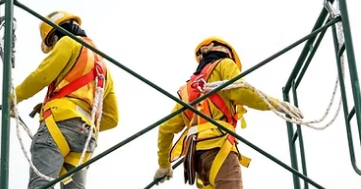
Working Safely At Height
A dramatic vertical training setting that recreates the height, exposure, and structural geometry of a multi-level scaffold system. With open skies above, guardrails at the edge, and distant site vistas on the horizon, this setting reinforces the psychological sensation of elevation and spatial awareness—key elements for trainees preparing for work at height.
Virtual Environment

multi enviro
FORGEFX SIMULATIONS
20
Virtual Equipment


Dynamic
Interactive
Detailed
FORGEFX SIMULATIONS
21

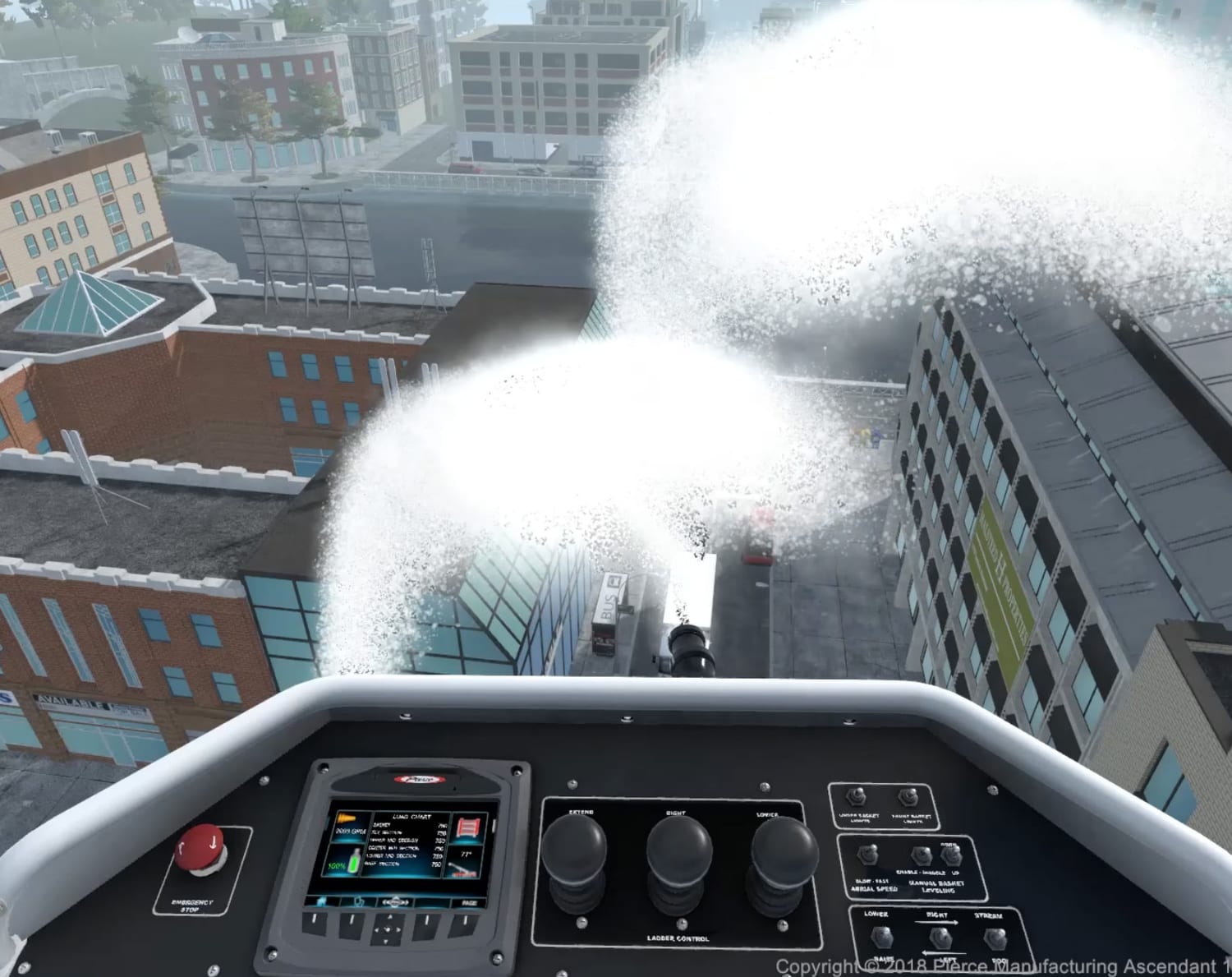
Virtual machine
The proposed simulator’s centerpiece will be a fully interactive 3D (equipment/ machine). This digital replica will be developed to industry-standard scale and functionality using CAD references, photo documentation, and walkthroughs. While not modeled after a single OEM, the simulator will maintain broad realism and operator familiarity, supporting a wide range of internal training use cases.
§True-to-Scale Layout and Visibility
Built at full scale, the (machine) model will reflect the spatial relationships between operator seating, controls, and surrounding zones, supporting natural posture and environmental awareness inside VR.
§Accurate to the Detail
To reinforce real-world recognition, the (machine) will be modeled to emphasize structural accuracy, with clearly defined parts, surface details, and texturing.
§Operationally Responsive Features
All primary control elements (machine components) will be rigged for animation and interaction, allowing users to interact directly with the machine to support inspection routines, basic maneuvering, and safety-related actions.
Virtual Equipment
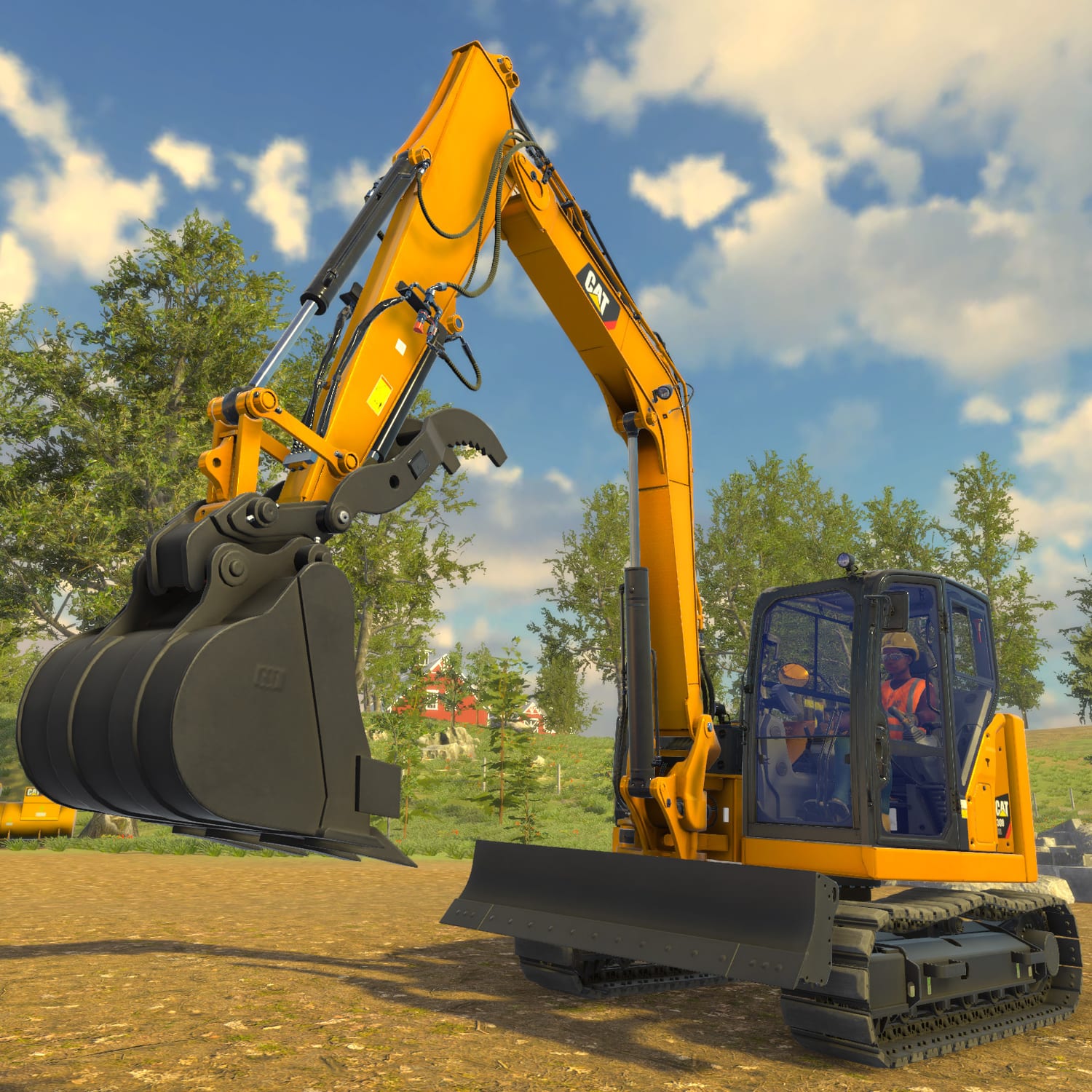
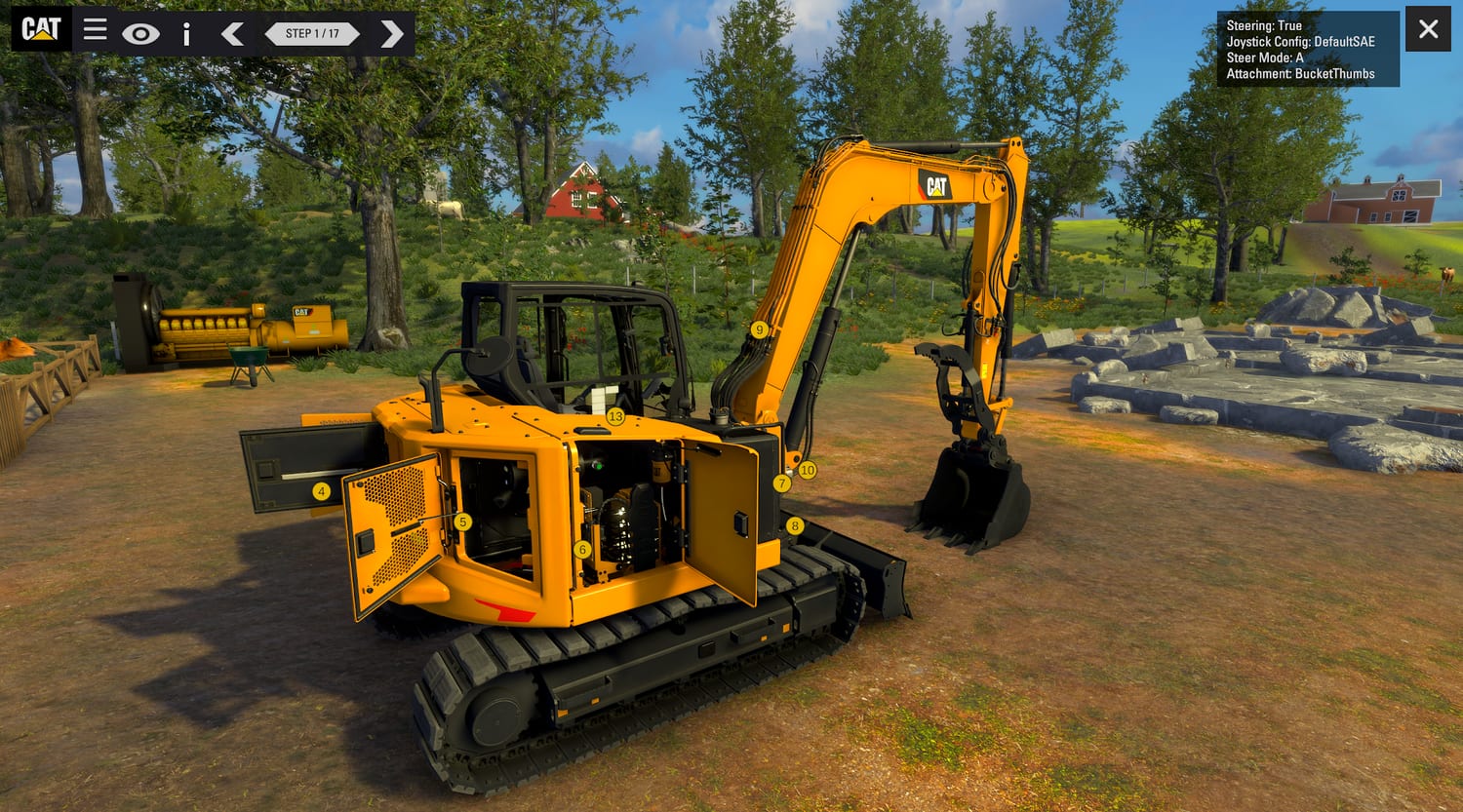
CASE STUDY: CATERPILLAR
ForgeFX’s experience and expertise is highlighted in a previous project with Caterpillar. The excavator operator training simulator improves safety and efficiency by providing an engaging learning platform, offering hands-on experience with machine controls and operations.
FORGEFX SIMULATIONS
22

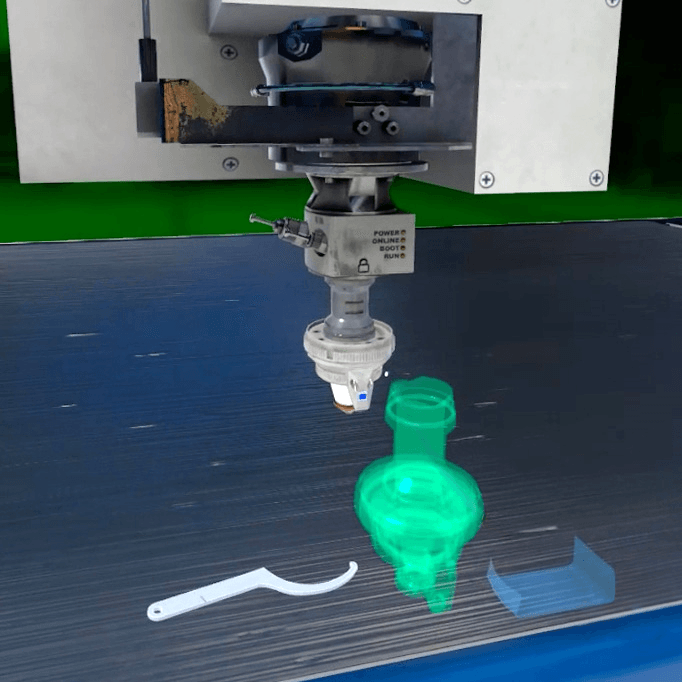
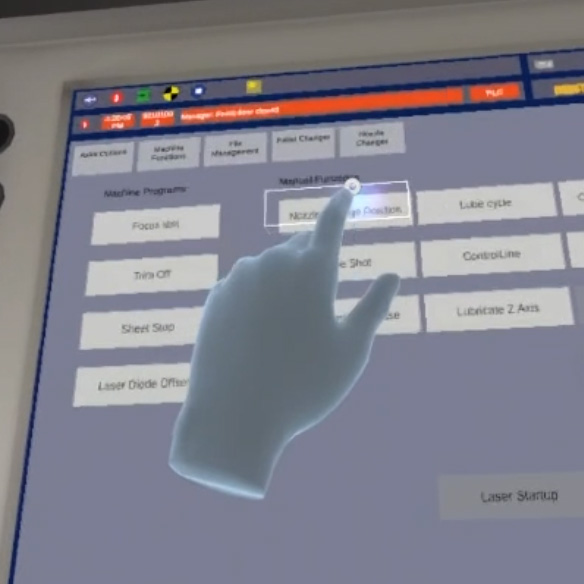
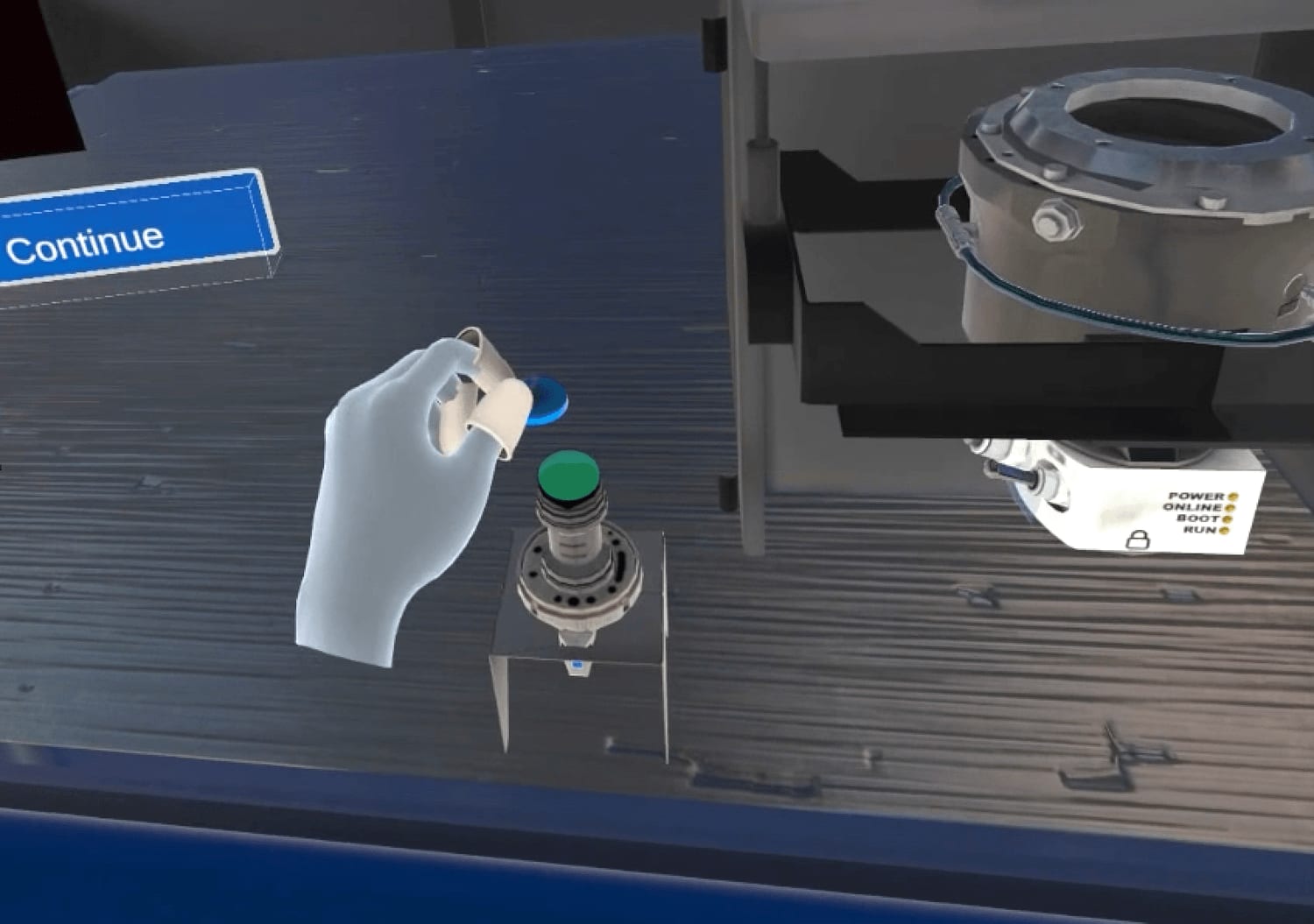
In the training simulator ForgeFX developed for the TRUMPF Group, hand tracking plays a crucial role by allowing the trainee to employ precise hand movements to manipulate small machine components.
Case Study:
TRUMPF TruLaser 2030
Engagement Redefined:
Hands-On Experience
Our simulator transforms (process) into a memorable, muscle‑memory moment by surrounding trainees with realistically crafted, interactive assets. Whether clipping a safety harness, stabilizing a scaffold plank, or powering up a handheld tool, each item appears at true scale with lifelike textures and intuitive responses. Learners grip, lift, latch, and operate equipment exactly as they would on‑site, only inside a risk‑free, data‑rich virtual environment, building real‑world confidence long before they step onto the job.
§Natural Interaction: Harness Safety Routine (VR Scaffold): Using natural hand‑tracking, learners clip a virtual carabiner to a scaffold anchor, watch the lanyard tighten, and step forward only when the system confirms full tie‑off, building instinctive compliance at height.
§Realistic Environment: Smart Lift Challenge (VR Warehouse): Trainees scan a box’s weight tag and proceed to follow the instructions to safely lift the selected box or choose an approved virtual tool to assist with moving the box correctly.
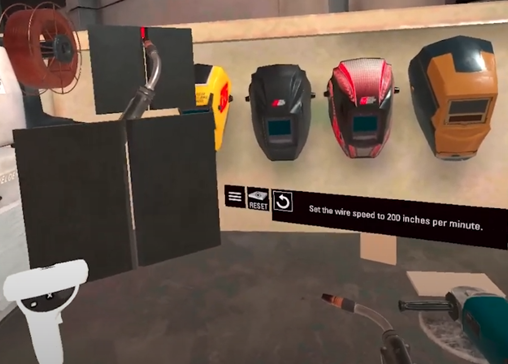
§Enhanced Engagement: Power‑Tool Safety Check (VR Tool Bay): Learners pick up the virtual electric drill, inspect the cord, secure the workpiece in a virtual clamp, and are prompted with the same precautions as one would using the physical drill.
By focusing on tactile components and replicating the natural physical interactions, the simulator ensures that skills learned virtually translate directly to on‑the‑job performance, accelerating competency while driving incident rates toward zero.
Virtual Equipment
multi machine/process
FORGEFX SIMULATIONS
23
User Interface


Accessible
Relevant
Intuitive
FORGEFX SIMULATIONS
24
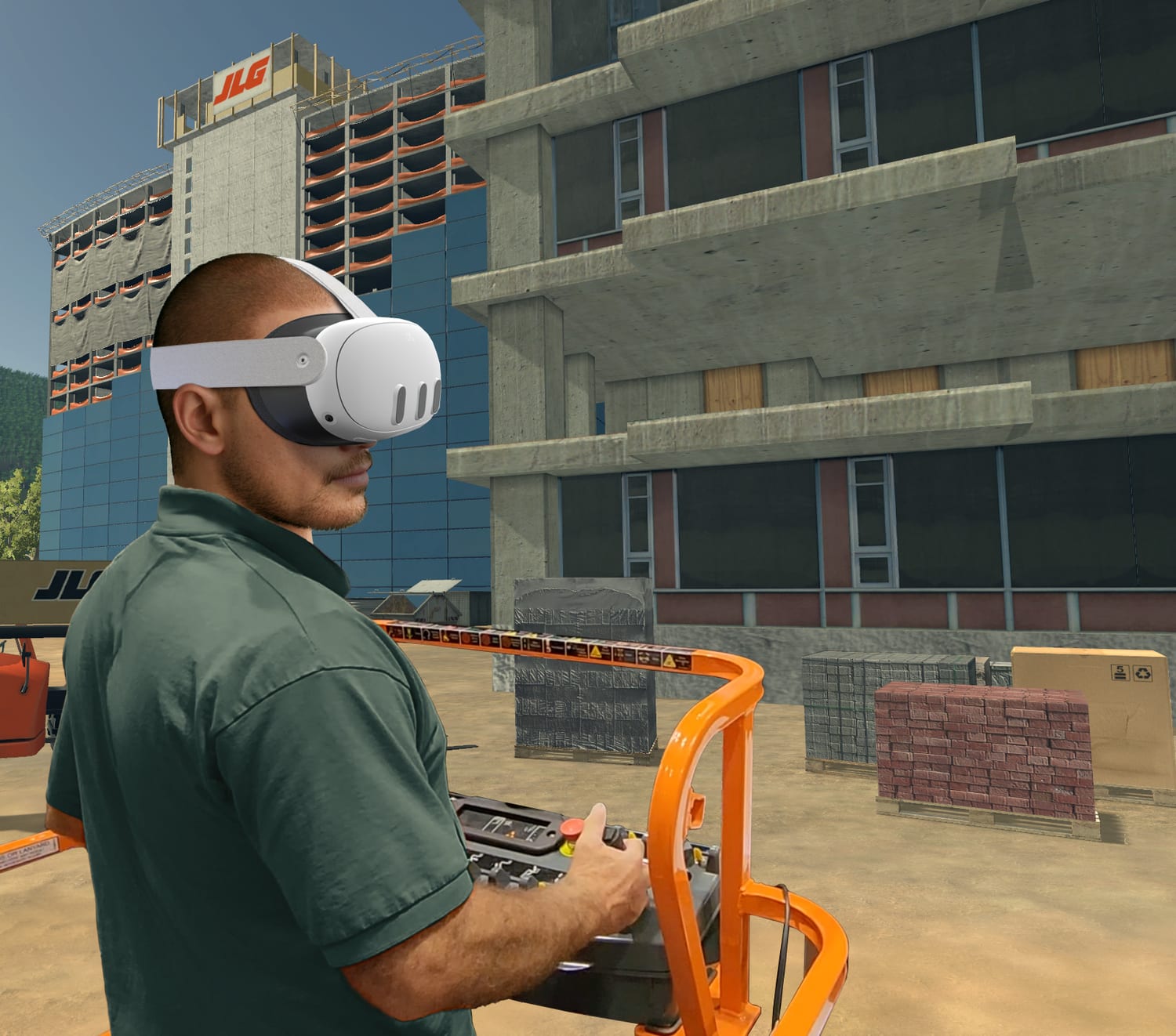
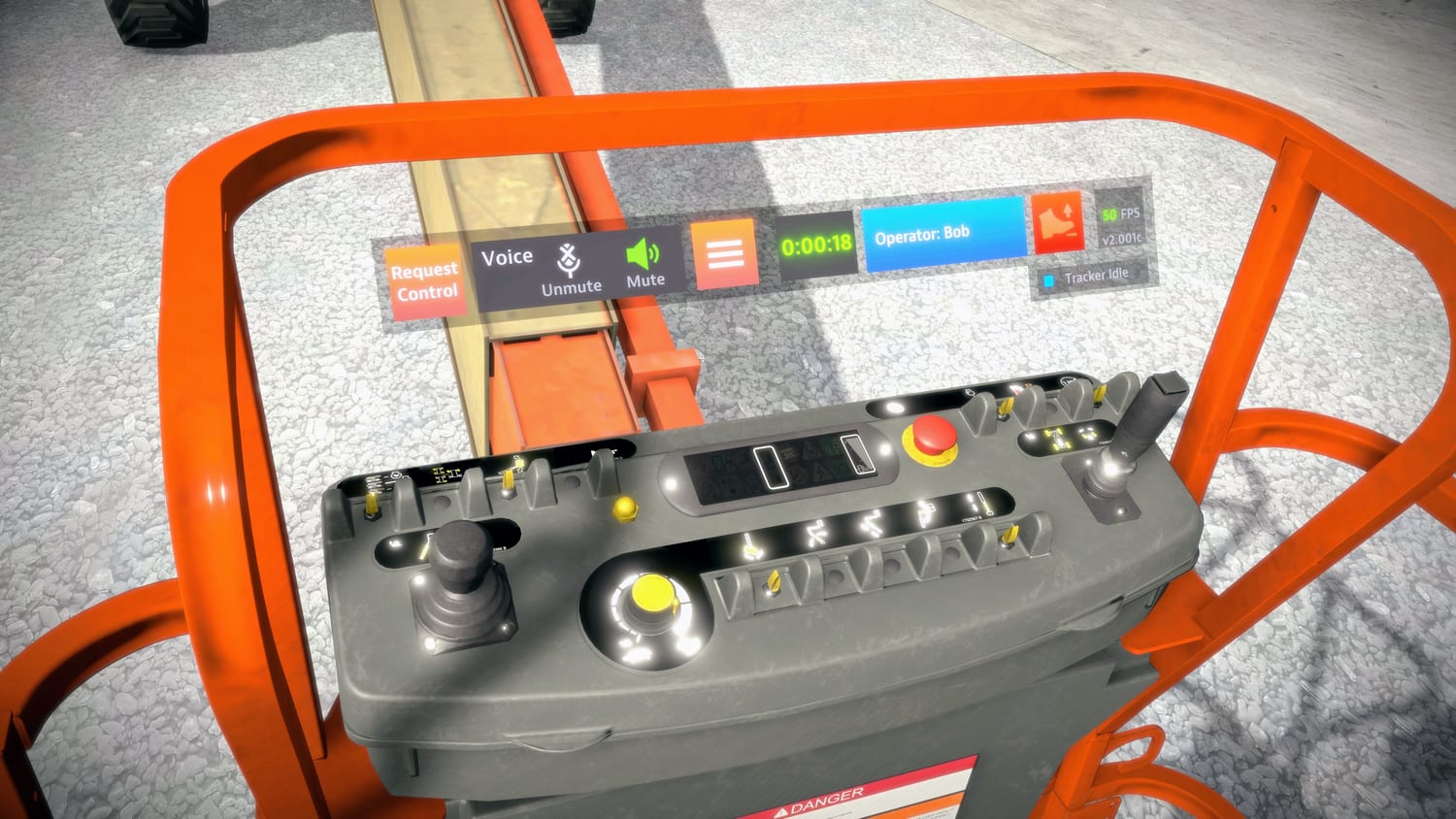
In the several training simulators developed for JLG Industries, the virtual controls were conveniently placed in an otherwise unused space, scaled to be easily reached in MR, and designed to coordinate with the machines‘ real controls.
Case Study: JLG
Enhancing Engagement
The ways in which people interact with various computing devices have evolved a great deal, and ForgeFX stays current with the best practices of user experience (UX) design. Our goal is to craft intuitive interfaces that allow users to focus on the content of simulator lessons. Venturing into UX for a MR environment is a pioneering endeavor, one which ForgeFX has consistently been at the forefront to driving innovation as we advance the use of mixed reality training simulators.
An intuitive interface and experience not only boosts engagement but ensures that learners stay motivated, navigating seamlessly through the virtual curriculum. The user interface is crucial in MR training as it dictates how trainees interact with lessons. Ultimately, an exceptional interface fosters a rewarding user experience, enhancing learners‘ enjoyment and information retention.
User Interface
FORGEFX SIMULATIONS
25

Hand Tracking


Effective
Natural
Easy
FORGEFX SIMULATIONS
26
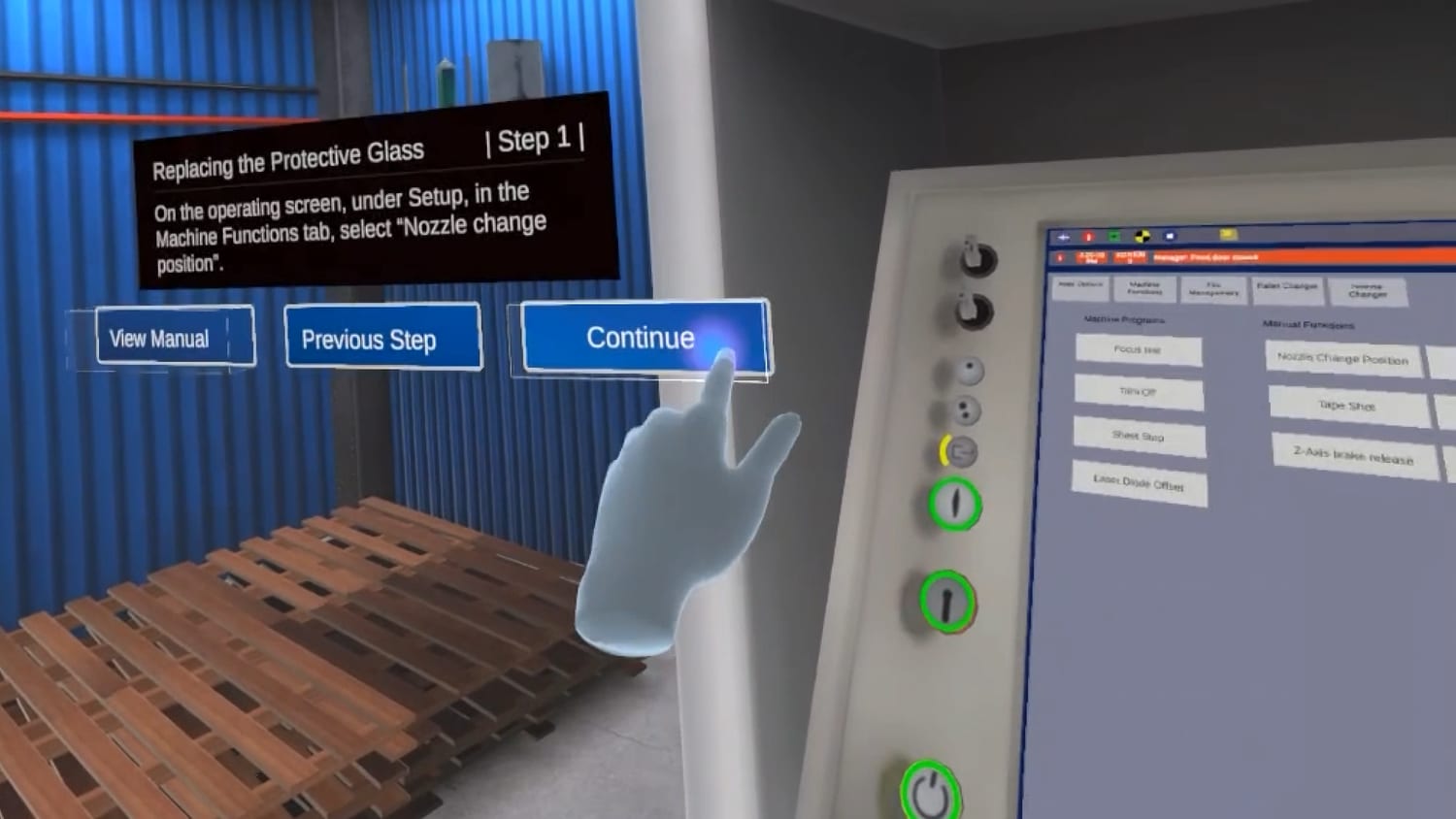
In the training simulator ForgeFX developed for the TRUMPF Group, hand tracking plays a crucial role by allowing the trainee to employ precise hand movements to manipulate small machine components.
Case Study:
TRUMPF TruLaser 2030
Engagement Redefined:
Hands-On Experience
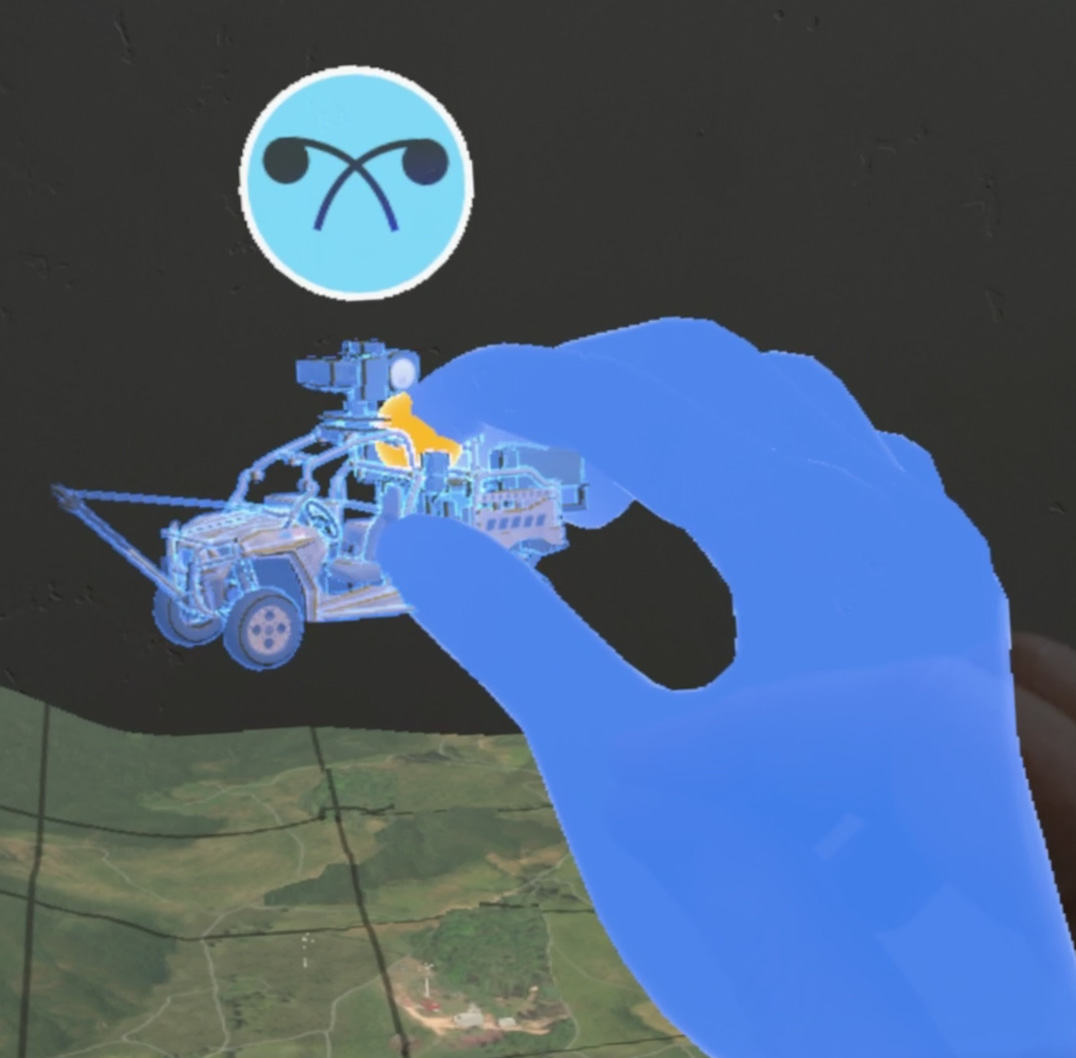
Hand tracking is the detection of user hand movements in the virtual reality (VR) environment. Included with all modern mixed reality devices, this technology allows for direct and natural manipulation of virtual objects, as opposed to clicking on them with a controller device, thereby providing an immersive and realistic training experience.
In the proposed simulator, hand tracking will play a pivotal role in enhancing trainee engagement and knowledge retention. The following are key benefits of this feature:
§Natural Interaction: The ability for trainees to use their hands to move and manipulate virtual objects just as they would in real life enhances immersion, stimulates muscle memory, and makes the training more intuitive.
§Realistic Environment: By enabling trainees to interact directly with virtual products, hand tracking creates a training environment that closely mirrors real-world scenarios.
§Enhanced Engagement: The ability to interact naturally with the VR environment increases trainee engagement, giving them a great sense of presence and agency in the virtual world.
Finally, hand tracking technology also unlocks unique options for performance analysis. For example, to track fine-grained trainee interactions during the session, providing valuable insights into their understanding and proficiency.
Hand Tracking
FORGEFX SIMULATIONS
27
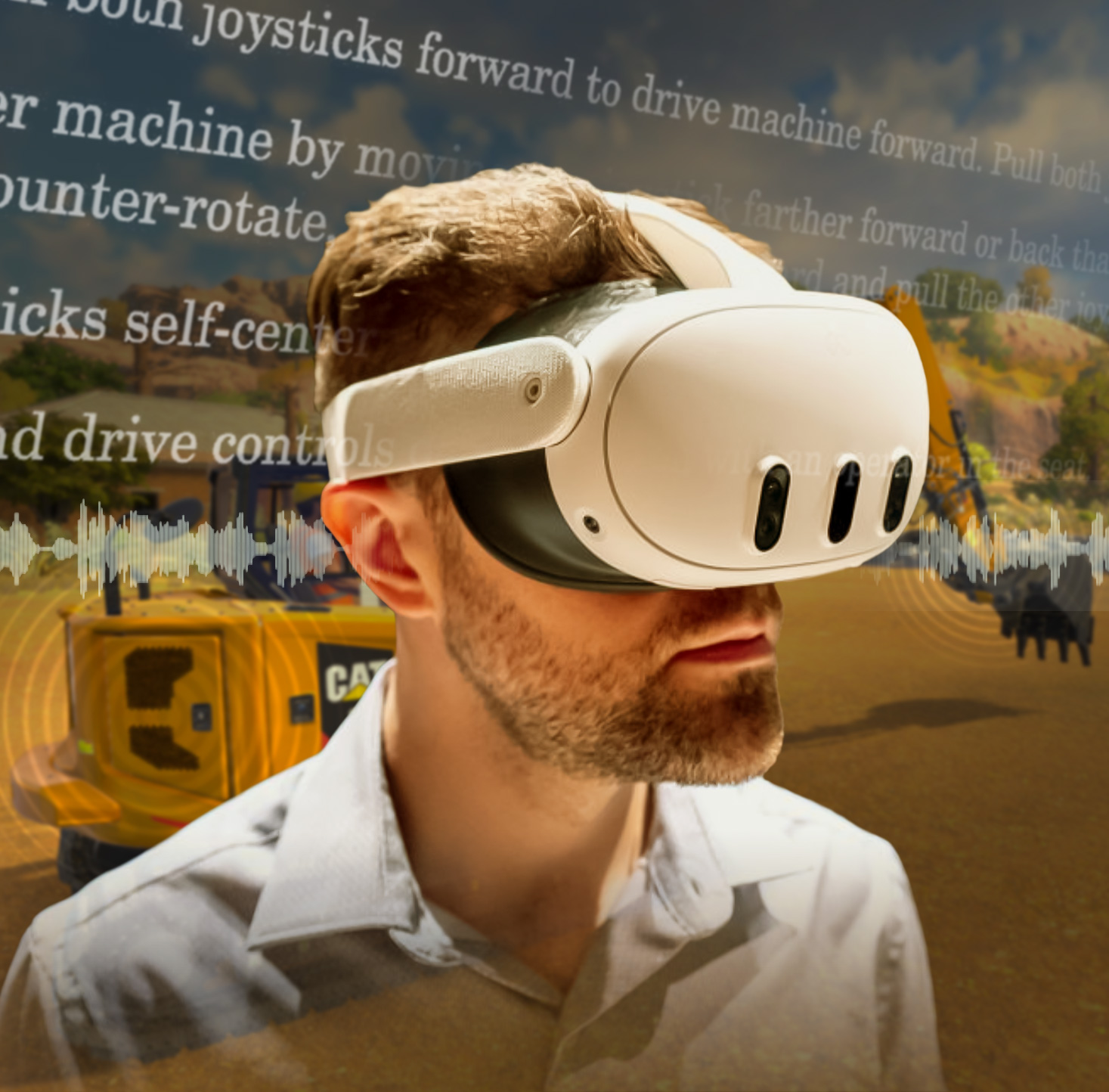
Audio Narration
Focused Instruction
Accommodates Learners
Enhances
Realism


FORGEFX SIMULATIONS
28
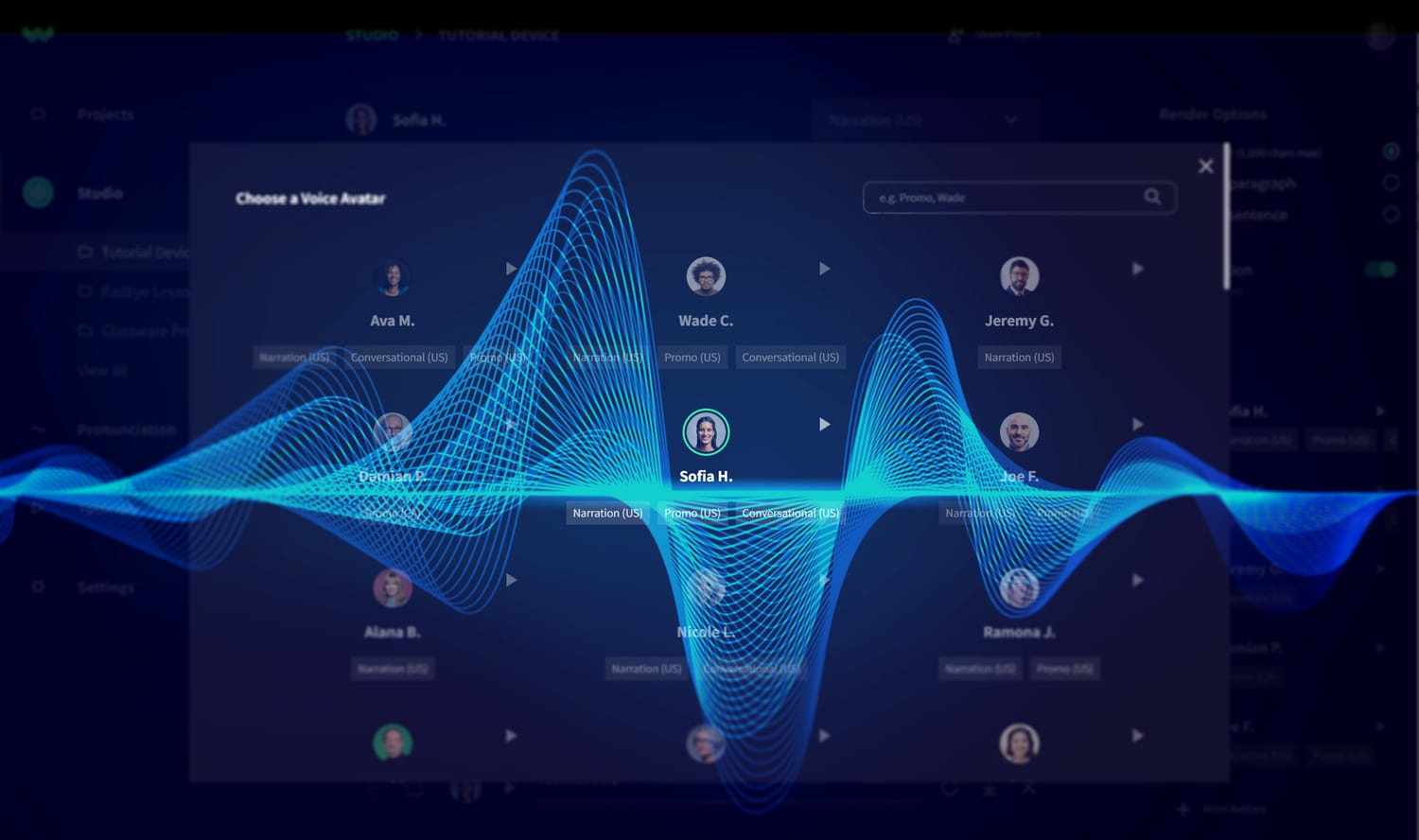
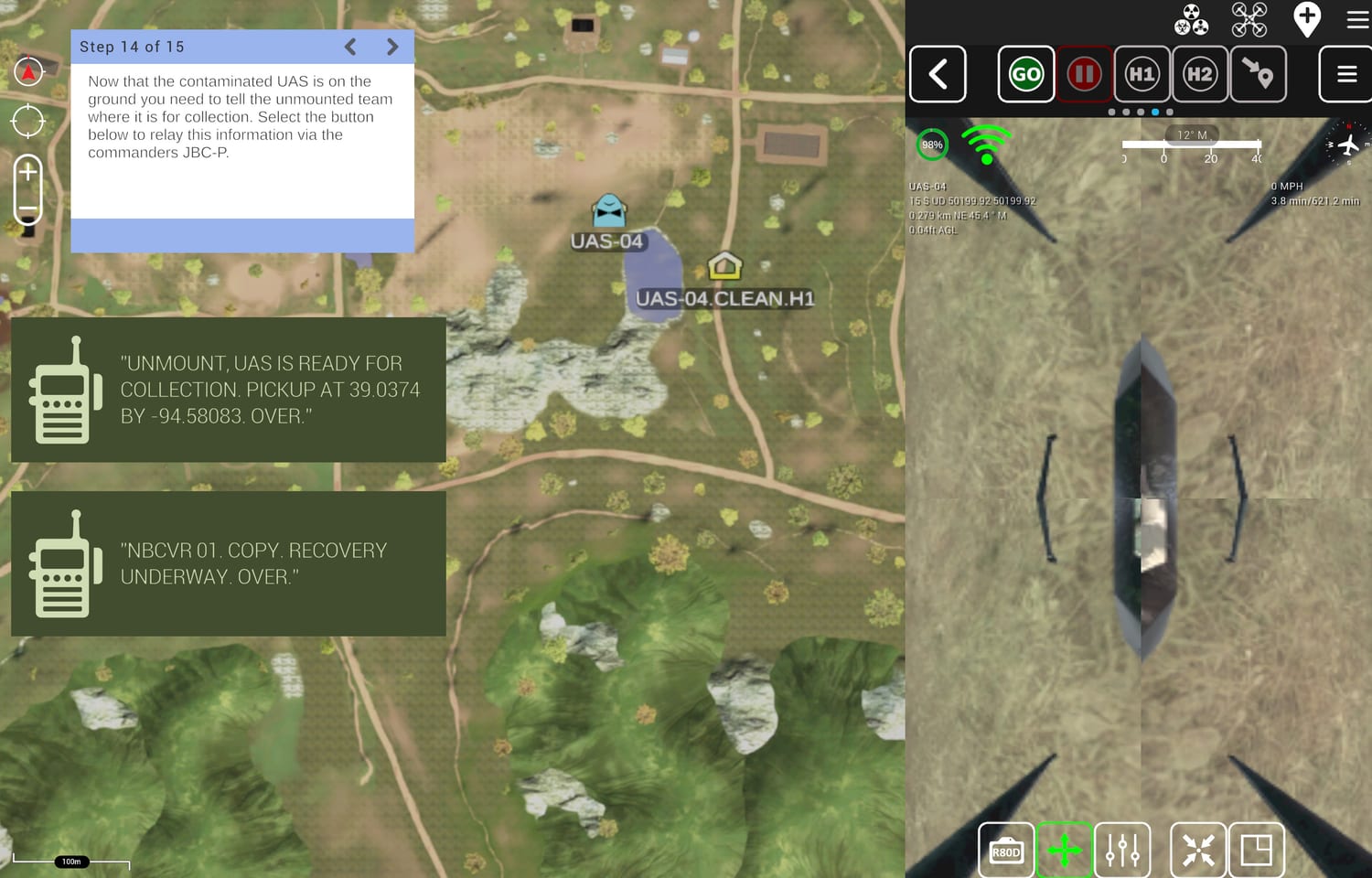
In this UAS training simulator for the JPEO, ForgeFX not only provided a choice of male or female narration options, but also emulated real-world radio communications between squad members to provide context and verisimilitude for the lesson.
Case Study:
Tele-Op Simulator
Boosting
the Gain of Training
Recent advances in realistic AI-generated voices have made audio narration of lesson content affordable and easy to produce. ForgeFX frequently turns to the services of WellSaidLabs to create custom narration of our clients’ lessons. Clients can choose from a range of genders, ages, and narrative styles for spoken content. When a script is uploaded, the audio narration is generated within seconds, which makes it easy to revise and update lesson content.
Providing optional audio narration to trainees can greatly boost engagement and knowledge retention. Many people can find learning challenging when content is delivered via written text but have no problem understanding it in audio form. In addition, audio reinforcement can overcome reading difficulties such as dyslexia or language unfamiliarity.
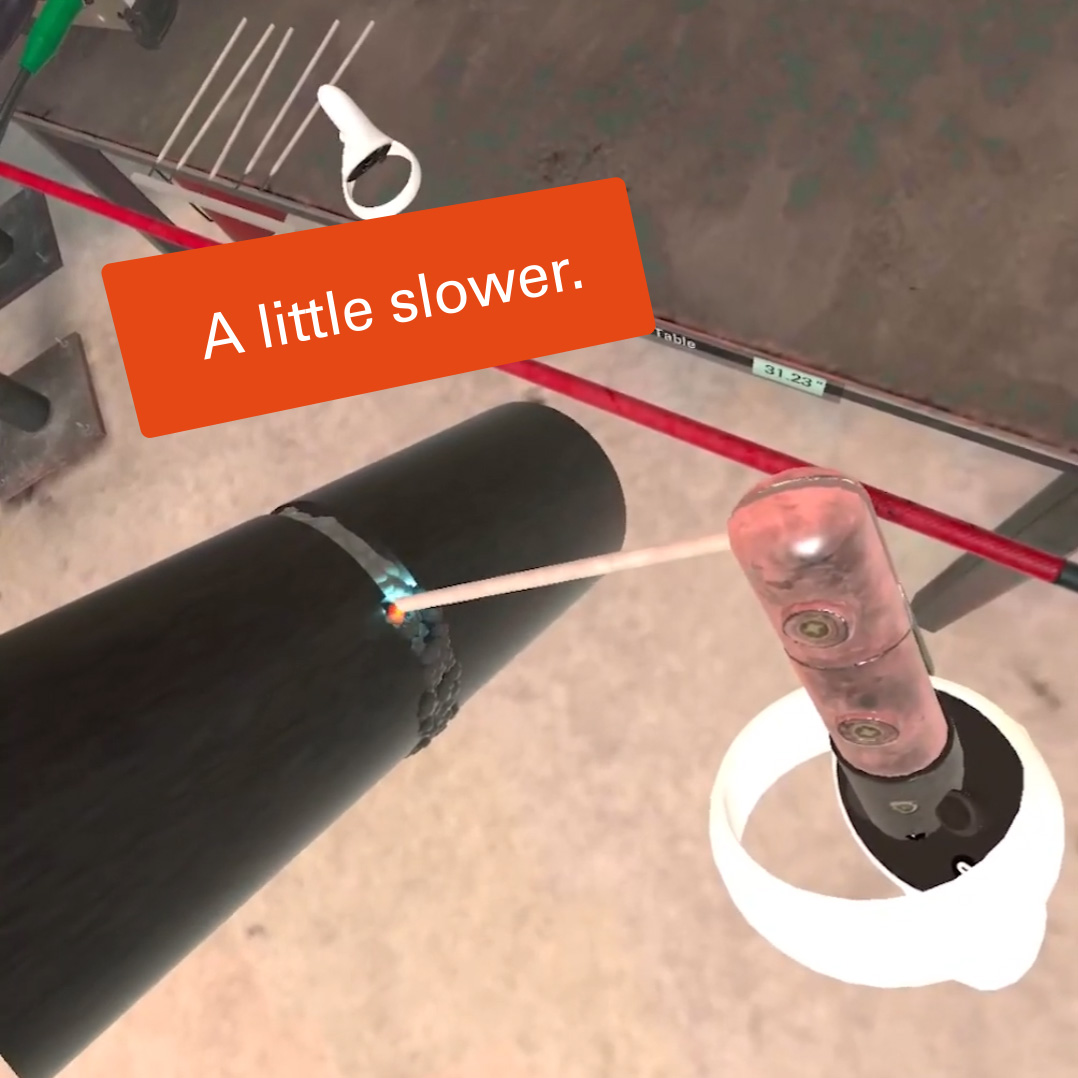
Another use of audio feedback is to provide over-the-shoulder coaching to the trainee while they’re engaged in a task. Prompts such as “that’s too fast” lets them focus on what they’re doing without having to look away to read text.
When delivering critical information that can affect expensive equipment or even lives, it’s important to accommodate different learning styles and provide several types of information to teach as effectively as possible.
Audio Narration
FORGEFX SIMULATIONS
29

VOICE COMMANDS
Hands-Free Operation
Contextual Understanding
Natural Language Processing


FORGEFX SIMULATIONS
30
NATURAL
LANGUAGE
PROCESSING
As a complement to the applications traditional user interface, the proposed simulator will feature an innovative voice command system driven by a state-of-the-art large language model (LLM). LLMs are practical artificial intelligence systems that can understand and respond to human language with remarkable accuracy. This feature will enable trainees to control the simulator with their voice using natural language, allowing them to focus on the learning experience.
Key features of this capability include:
§Natural Language Processing: The simulator will understand and respond to an array of verbal commands related to navigation, module selection, and lesson control, even if they are imprecisely expressed. For example, trainees can use commands like "Start the engine," "Open the maintenance module," or "Pause the lesson" to control the training application.
§Context and Intent Understanding: This is the ability to consider context to help infer intent, allowing the simulator to accurately interpret and execute trainee commands.
§Hands-Free Operation: By utilizing voice commands, trainees can focus on the simulator's visuals and controls without the need to manually navigate menus.
The incorporation of an LLM-driven voice command system lays a solid groundwork for the future evolution and refinement of the simulator and unlocks up a range of exciting possibilities, such as broadening the scope of voice commands, tailoring learning experiences to individual needs, and integrating virtual expert guidance within the application.
x
VOICE COMMANDS
FORGEFX SIMULATIONS
31
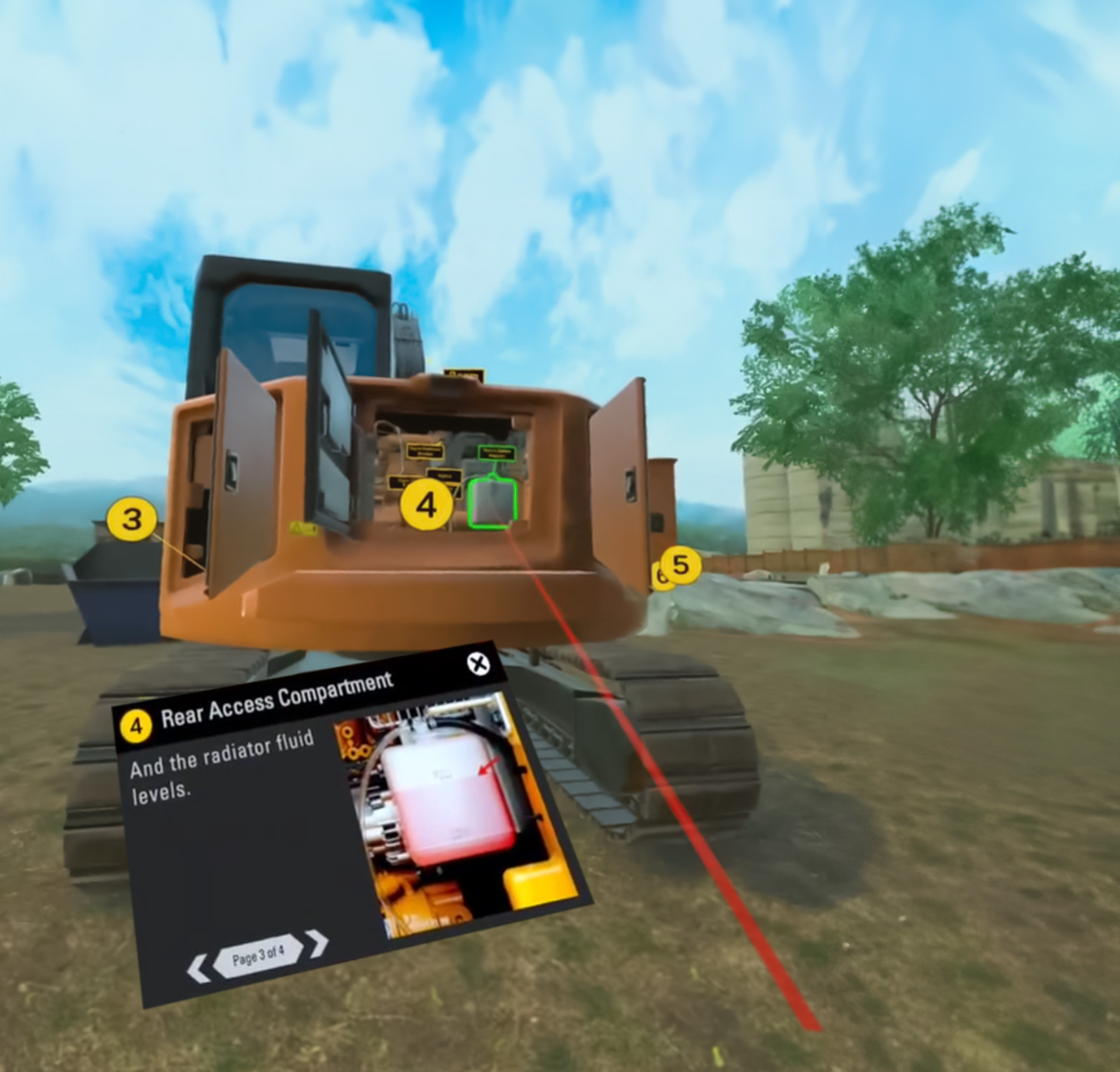
Instruction Modes
Guided
Unguided


FORGEFX SIMULATIONS
32
Guided and Unguided
Training
Modalities
The simulator will feature two distinct instructional modes: “Guided” and “Unguided.” These modes are designed to provide a comprehensive learning experience, catering to different stages of the training process.
Guided Mode
This mode is intended for initial learning phases, where trainees are still familiarizing themselves with basic operations. In this mode, students will be provided with step-by-step instructions and hints to help them navigate through various tasks. The guided mode will:
§Provide real-time feedback and support to ensure correct understanding and application of procedures.
§Enable trainees to practice in a low-pressure environment while they gain confidence.
Unguided Mode
Once trainees have gained sufficient knowledge and confidence from the guided mode, they can transition to the unguided mode. This mode serves as an assessment tool where students apply their learned skills without any assistance. This mode will:
§Challenge trainees to perform tasks independently, reinforcing their understanding of operations.
§Generate after-session performance reports that highlight areas of strength and those requiring improvement.
Incorporating both modes into the simulator ensures a comprehensive training approach that caters to varying levels of expertise among operators. It allows beginners to learn at their own pace in a supportive environment, while more experienced operators can test their skills and knowledge in realistic scenarios.
Instruction Modes
FORGEFX SIMULATIONS
33
Familiarization Tutorial
Boosts Confidence
Ensures Proficiency
Practical Experience


FORGEFX SIMULATIONS
34
Quickly
Mastering
the Virtual Interface
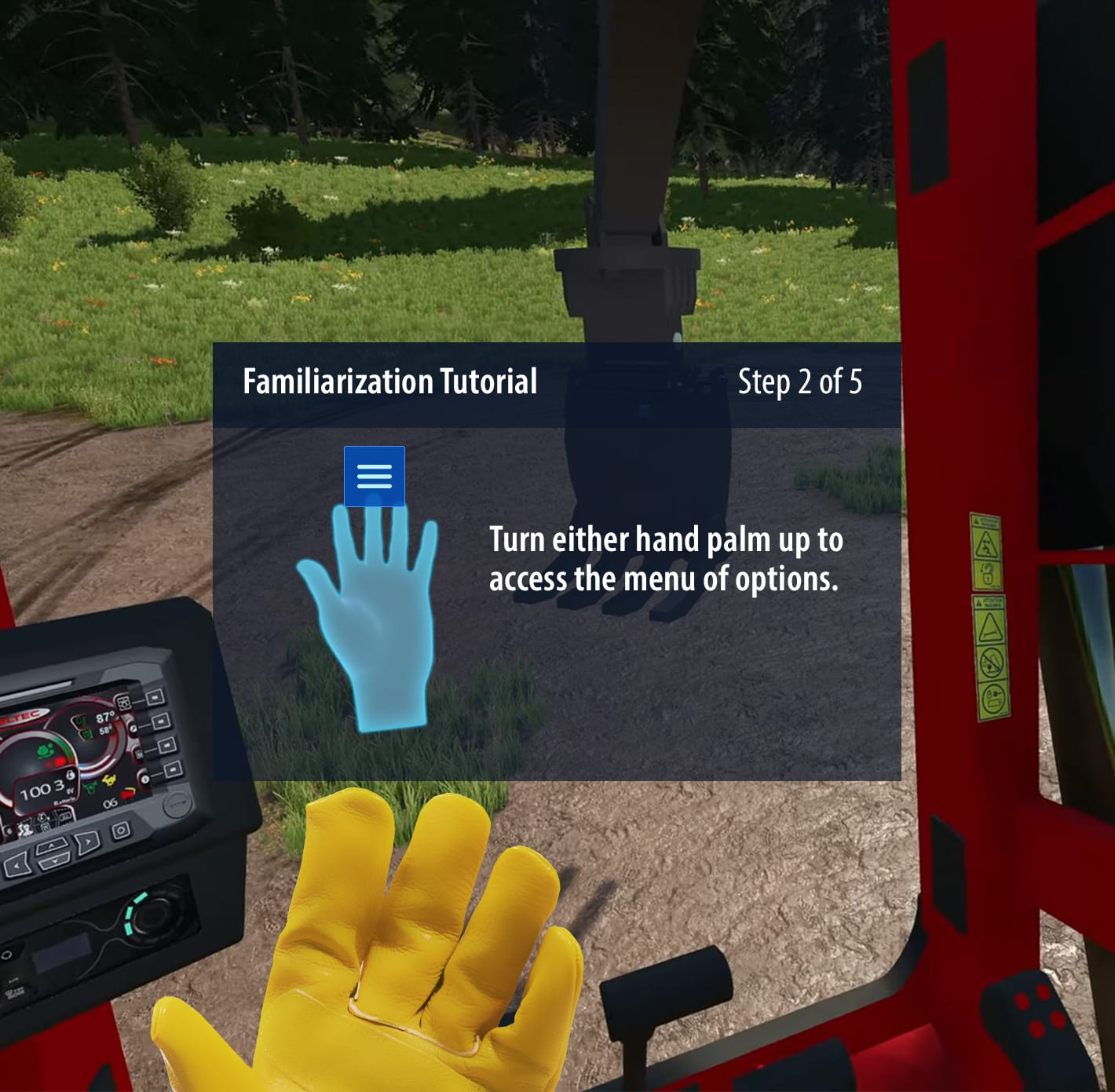
Our training simulators include a Familiarization Tutorial which is designed to ensure users quickly adapt to and excel in a virtual environment. Here’s what it includes:
§Intuitive User Interface Navigation: Our tutorial begins with an in-depth guide on navigating the user interface. This feature is crucial for empowering users to move seamlessly within the virtual world, boosting their confidence and efficiency from the start. The intuitive design reduces the learning curve, enabling users to focus on training objectives rather than mechanics.
§Practical Experience with an Example Model: We introduce an example model for hands-on practice. This model is representative of real-world scenarios, providing users with a safe and controlled environment to apply their skills. This practical approach not only reinforces learning but also enhances the users’ ability to handle complex tasks in real situations, bridging the gap between simulation and actual application.
§Training in Hand or Control Interaction: The tutorial trains users in interacting with virtual models using their hands or provided controls. This training is vital for developing fine motor skills and precision in a virtual setting. Users gain the ability to perform intricate tasks with accuracy, greatly enhancing their operational competence in real-world applications.
Our Familiarization Tutorial is designed not just to acquaint users with the VR system, but to equip them with the skills and confidence needed for proficient operation in their respective fields, ensuring a smooth transition from virtual to real-world applications.
Familiarization Tutorial
FORGEFX SIMULATIONS
35

Performance Tracking
Customize
Goals
Monitor
Progress
Individualize Learning


FORGEFX SIMULATIONS
36
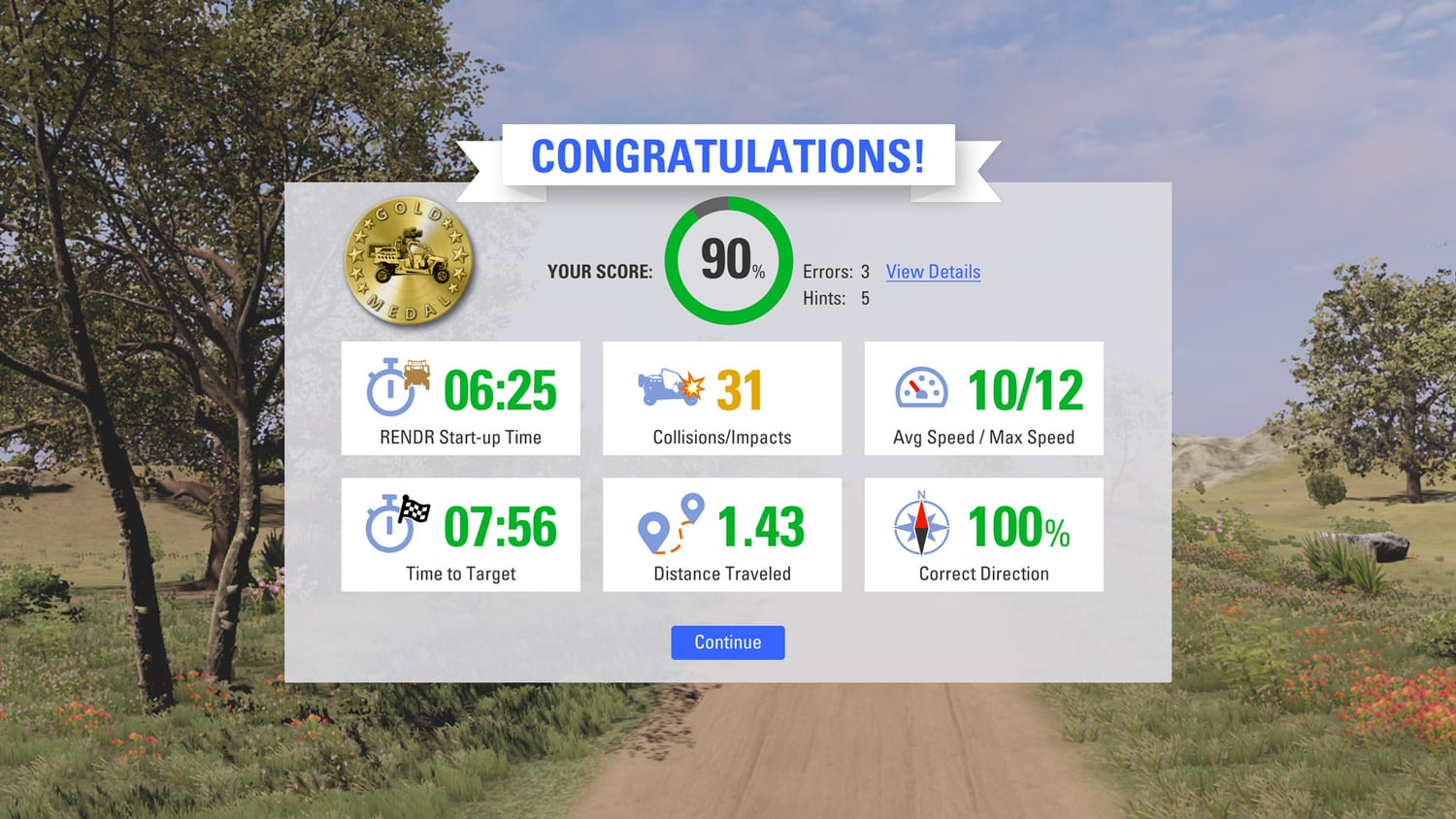
In the RENDR Tele-Op Simulator developed for the JPEO-CBRND, ForgeFX displayed trainees’ performance data in a graphic, gamified style to increase readability and engagement while reporting precise real-world-based measurements.
Case Study: Rendr Tele-Op
Monitoring
Trainee
Proficiency
The proposed simulator will incorporate a robust system for tracking trainee performance. This feature is designed to provide valuable insights into the progress of each trainee, enabling trainers to identify areas of strength and improvement.
§Performance Tracking: The simulator will track actions taken by the trainees during their training sessions, time spent on each task, and correct and incorrect actions taken.
§Data Analysis: The collected data will be analyzed in real-time to provide immediate feedback to the trainees. This instant feedback mechanism is designed to reinforce correct actions and rectify mistakes promptly, enhancing the learning process.
§Reporting: At the end of each training session, a performance analysis report will be generated. Available as a downloadable text document, this report could potentially integrate with an existing Learning Management System (LMS) for tracking and analysis across multiple training modules.
Trainers will be enabled to monitor trainee progress, provide timely feedback, and make data-driven decisions to enhance the effectiveness of their training programs overall.
Performance Tracking
FORGEFX SIMULATIONS
37
Multi-User Training


Shared Environment
Collaborative Learning
Realtime Communication
FORGEFX SIMULATIONS
38
Networked Training for Collaborative Learning
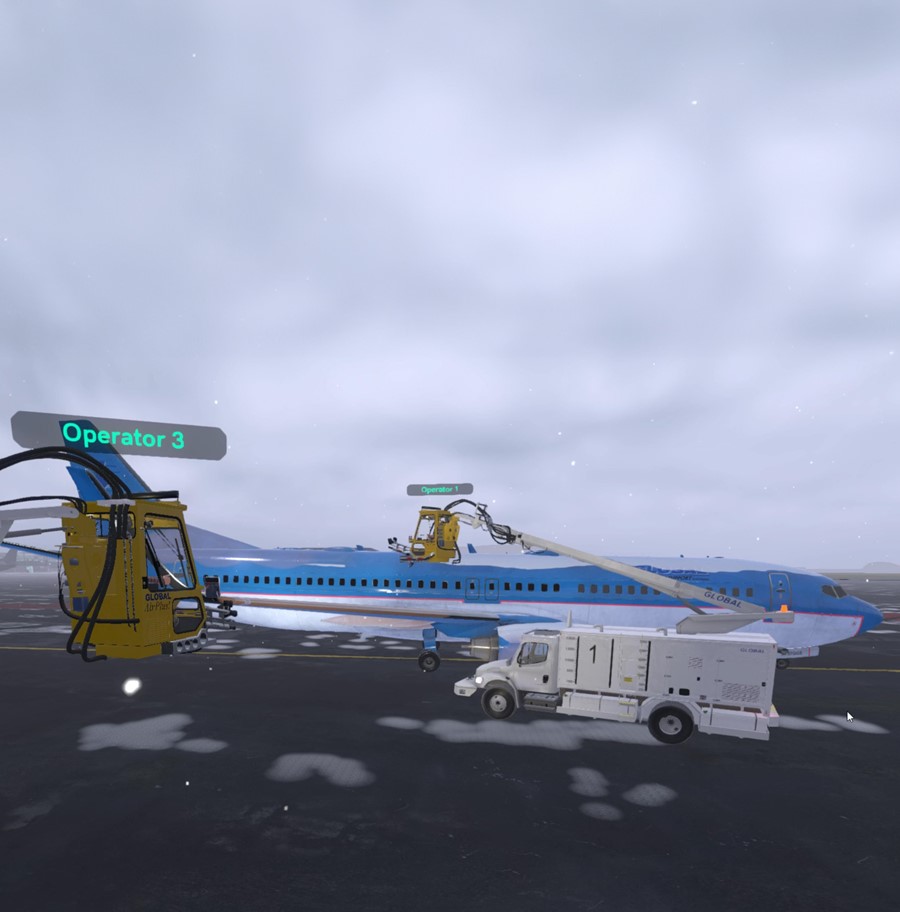
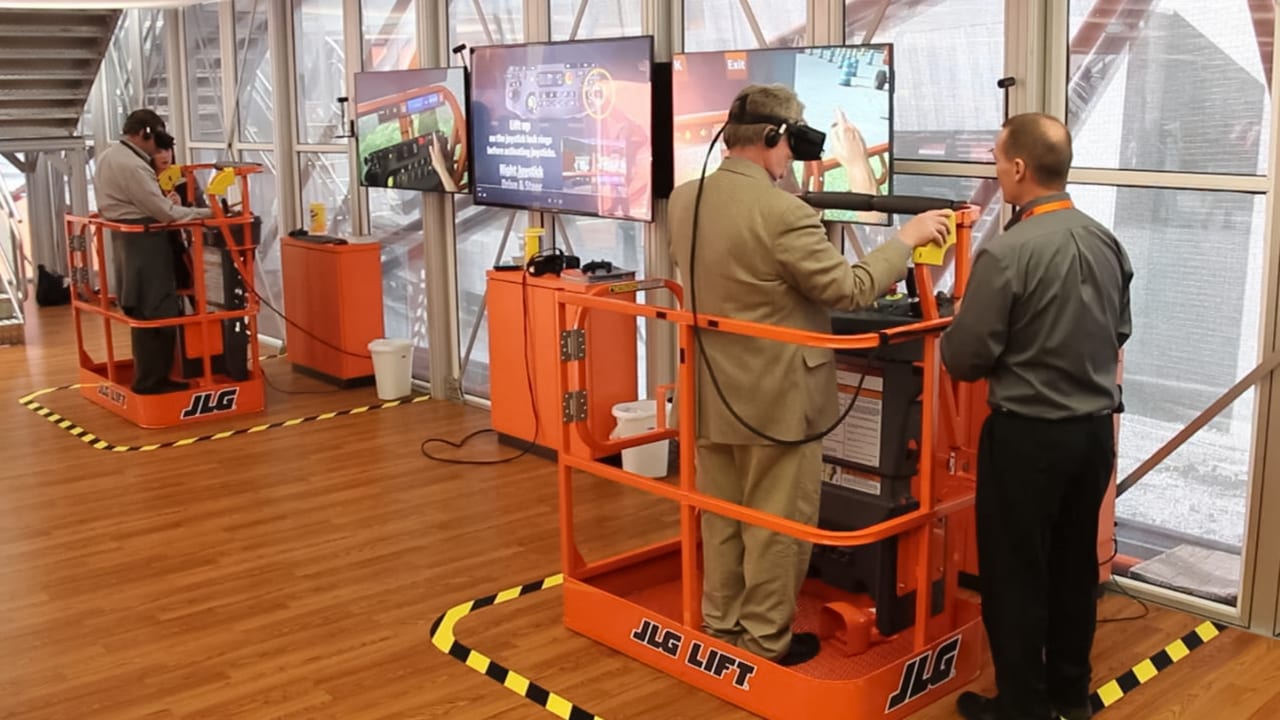
The simulator will succeed in the goal to revolutionize the way training is conducted by providing a networked multi-user training system. This enables simultaneous training of multiple users in a shared virtual environment, fostering collaboration and real-time interaction among both students and trainers. This system is designed to support various types of training structures:
§One-On-One Training: Direct interaction between a single trainee and trainer, allowing for personalized instruction and immediate feedback.
§One-To-Many Training: Instructors can guide multiple trainees simultaneously, promoting an efficient use of resources.
Key features of the system include:
§Real-Time Interaction: Trainees can interact with each other and their instructors in real-time within the virtual environment. This fosters teamwork and enhances development of problem-solving skills.
§Shared Virtual Environment: Allows for both collaboration on tasks or observing others’ actions.
§VoIP Communication: Voice over Internet Protocol (VoIP) technology for natural verbal communication among users.
Leveraging ForgeFX’s extensive experience in developing multi-user VR simulations, the simulator will offer an immersive, interactive platform that enhances engagement and knowledge retention.
Multi-User Training
CASE STUDY:
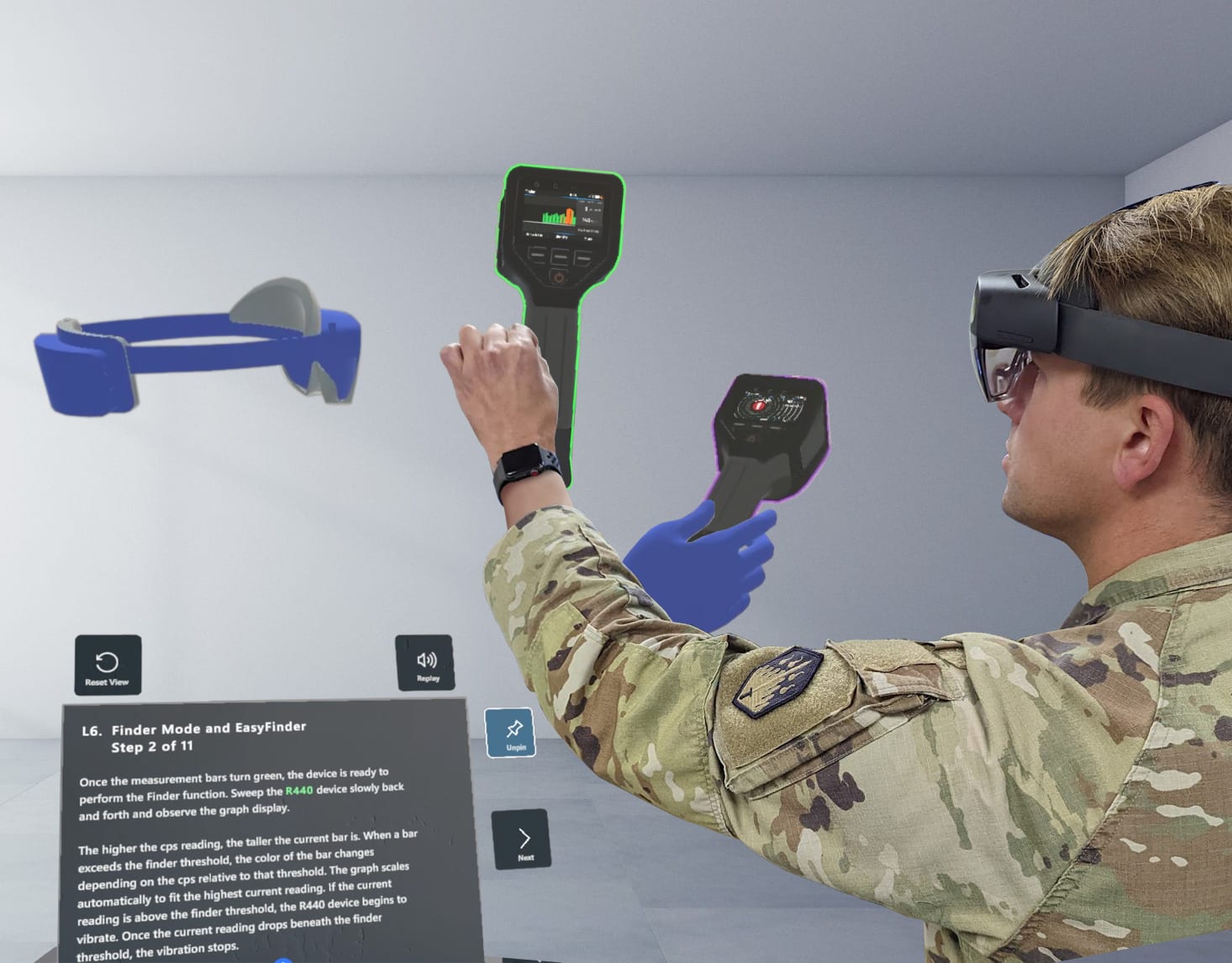
CBRND Holotrainer
Past projects such as the HoloTrainer for JPEO-CBRND, which includes multiuser telepresence functionality, ensure that ForgeFX is well-equipped to deliver on this aspect of the project.
Note: Multi-user functionality will require a yearly support subscription. Please see the Scope & Cost Options page for details.
FORGEFX SIMULATIONS
39

LmS Integration
Familiar
Motivating
Efficient


FORGEFX SIMULATIONS
40
CASE STUDY:
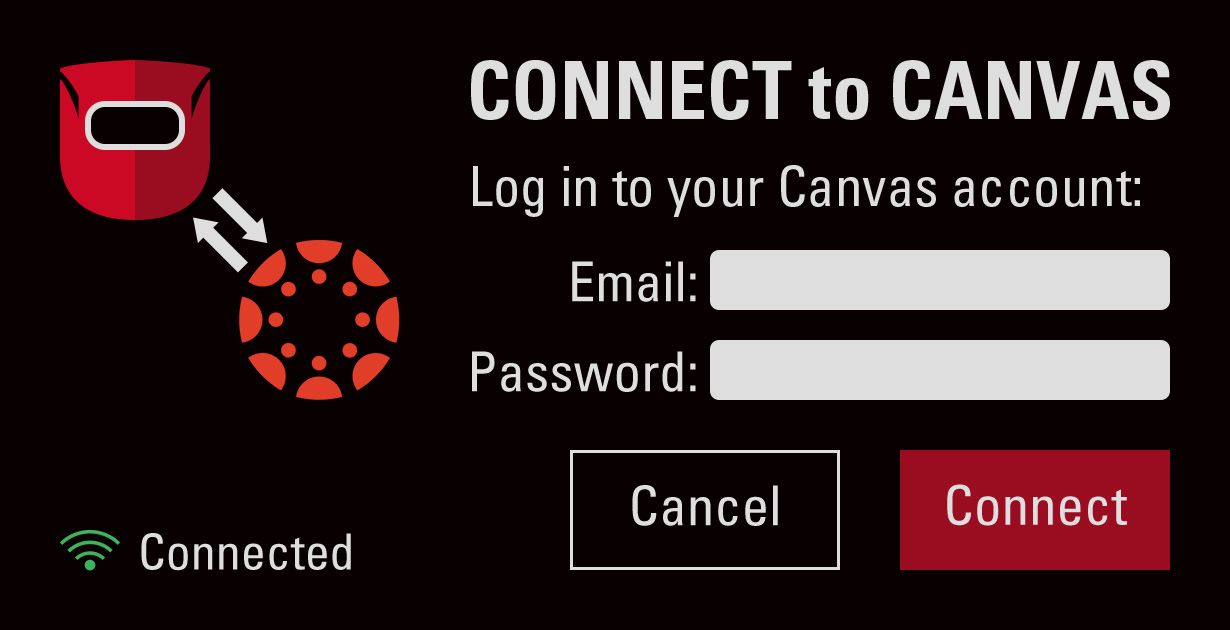
CANVAS FOR OCUWELD
Using Data
to shape
the perfect curriculum
Learning Management System Integration
ForgeFX has proven expertise in developing simulators that integrate effectively with existing systems, as exemplified by StrataTech’s OcuWeld project which allows trainees to login to their Canvas LMS account.
ForgeFX recognizes the importance of integrating our training applications with Learning Management Systems (LMS) for our clients.
§Web-based performance monitoring offers trainers a user-friendly, and familiar, web-based portal to monitor trainees’ performance and progress.
§Efficient learning management: LMS integration facilitates the management of training activities, reducing the administrative burden of manual tracking and reporting.
§Increased engagement and motivation: Progress-over-time tracking introduces an element of gamification, enhancing engagement and motivation levels.
Key features of this potential integration will include:
§User Authentication: The simulator will utilize either the LMS’s user authentication system or an independent authentication system to ensure secure access to training sessions. This flexible approach allows for a tailored solution that aligns with specific requirements and preferences.
§Training Session Records: Upon completion of each training session, a detailed performance analysis report will be generated by the simulator. This report can then be uploaded to the LMS, providing an easily accessible record of each trainees’ progress over time.
§Progress Tracking: The integrated system will allow trainers to monitor trainee progress over time, identifying areas of strength and areas needing improvement. This data-driven approach can inform future training strategies and contribute to continuous improvement in training outcomes.
FORGEFX SIMULATIONS
41

Multi-Language Support


Immersive
Collaborative
Inclusive
FORGEFX SIMULATIONS
42
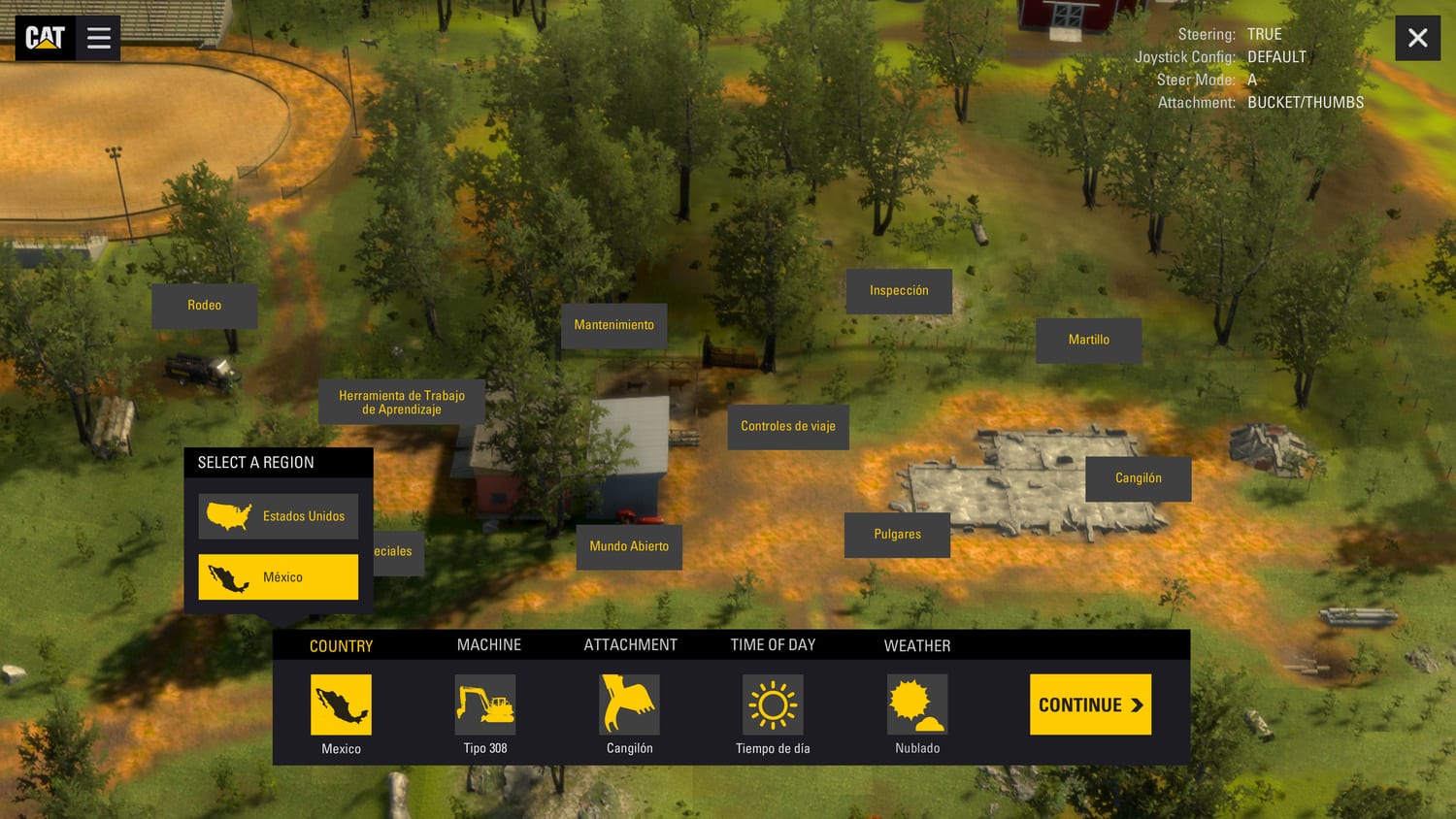
CASE STUDY: CATERPILLAR
Though the feature was not implemented in the final release application, the Caterpillar simulator was originally designed to include both English and
Spanish text.
Global Reach
with a
Local Touch
Supporting multiple languages in a virtual reality (VR) training simulator offers a range of benefits that enhance the learning experience and accessibility for users globally.
§Inclusivity: Users from different linguistic backgrounds can engage with the training content in their native language, which significantly improves comprehension and retention. This is particularly important in complex or technical training scenarios, where understanding nuances is crucial.
§Global collaboration: Trainees from various parts of the world can participate in the same training sessions, promoting a more integrated and diverse learning environment. This aspect is especially beneficial for multinational corporations and organizations that operate across different countries, as it ensures consistent training standards and experiences for all employees.
§Scalability: Organizations may deploy the same training content across multiple regions without the need for customization. This not only saves time and resources but also ensures that the quality and consistency of the training content are maintained across different languages.
§Cognitive engagement and immersion: When users interact with the simulator in their native language, they are more likely to be fully engaged and immersed in the training scenario. This heightened level of engagement enhances the effectiveness of the training, as users are more focused and motivated to learn.
Multi-Language Support
FORGEFX SIMULATIONS
43
Real-World Controls Integration
FORGEFX SIMULATIONS
44
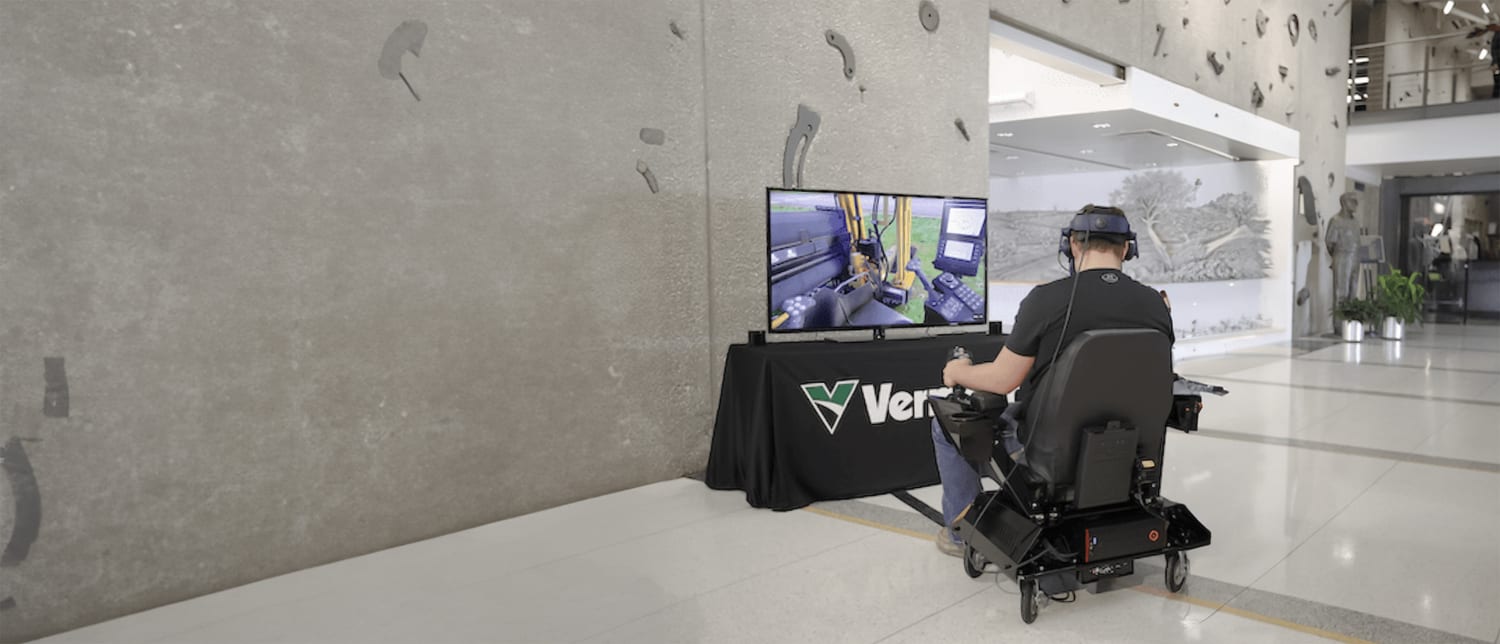
Real-World Controls Integration
Real controls,
Real skills
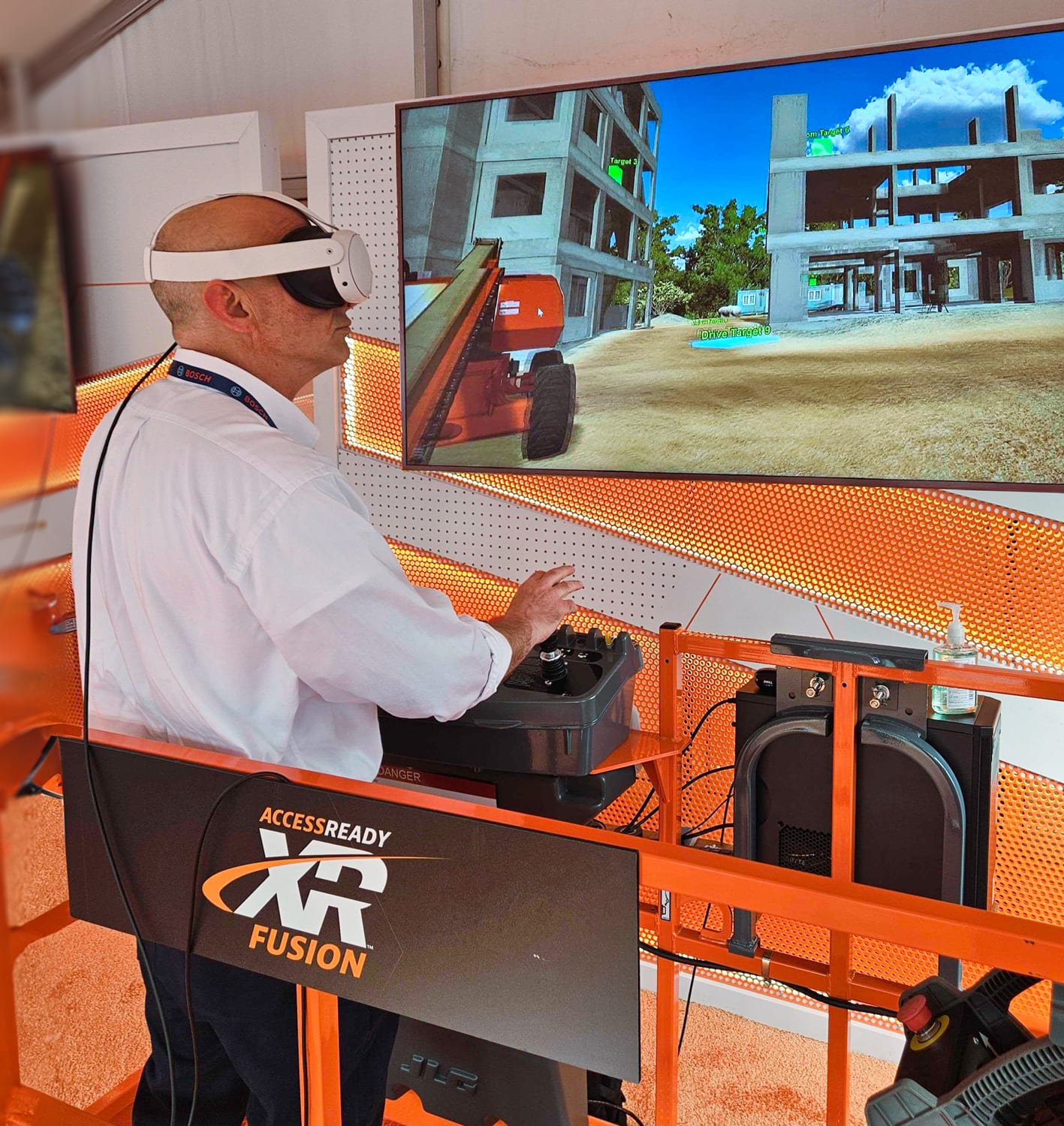
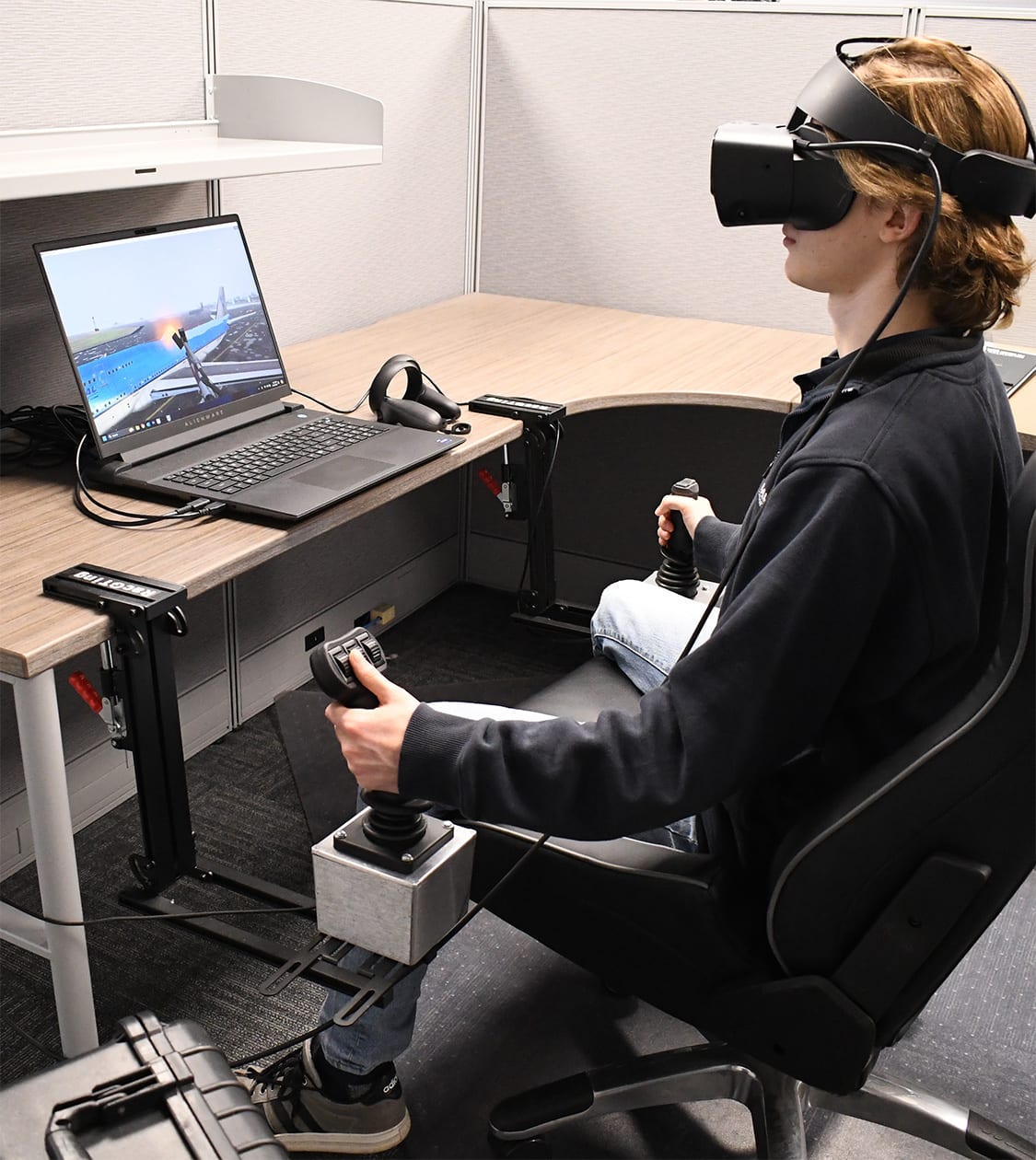
The simulator will be designed with the option to integrate with real-world physical cab controls. This option is a significant aspect of the simulator's design, with benefits including:
§Enhanced Realism: In addition to the robust virtual control setup, the supplementary physical controls feature further enhances the realism of the training experience. Integrating these controls using a CANBUS to USB system supports the seamless blend between virtual and physical elements in the simulator.
§Seamless Transition and Practical Skills: Whether trainees practice with virtual controls or physical controls, the focus remains on ensuring a smooth transition to real-world operations. Virtual controls provide a solid foundation, while the physical controls build upon this base to familiarize trainees with the feel of the physical equipment they will use in the field.
§Adaptable and Comprehensive Training Solution: The simulator will provide a comprehensive and adaptable training solution. The virtual controls serve as the core of the training experience, versatile enough to be effective in various training contexts. The optional physical controls are an enhancement, offering an additional layer of realism for those who seek a more hands-on approach.
The joystick controllers integrated with our training simulator for GGS play a crucial role in building deicing skills, helping the trainee build muscle memory that translated directly to real-world equipment.
CASE STUDY: Global Ground Support
FORGEFX SIMULATIONS
45
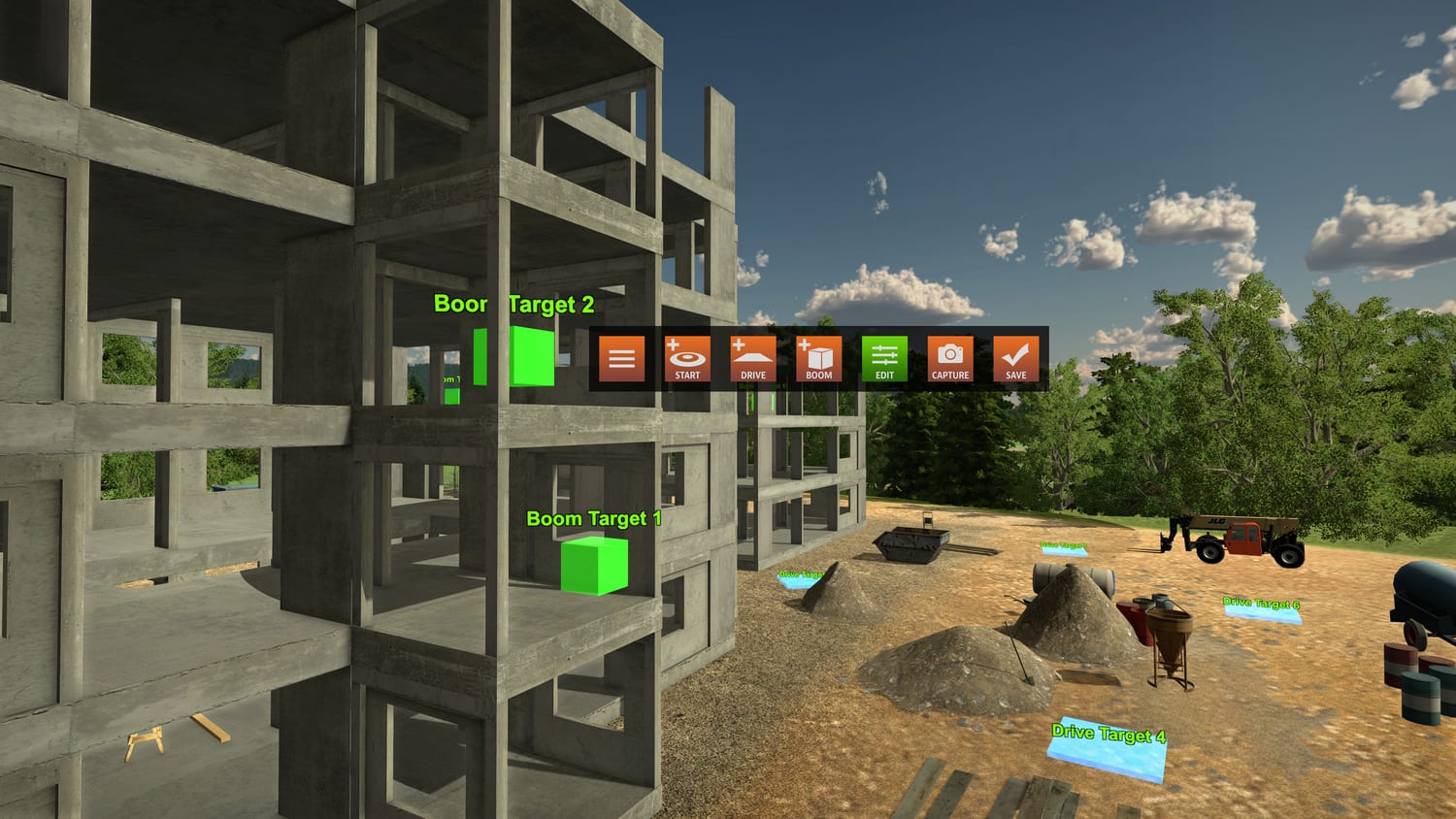
Lesson
Builder
FORGEFX SIMULATIONS
46
Buildable lessons, infinite possibilities
The Lesson Builder is a no-code authoring tool that enables trainers and instructors to create custom training lessons using predefined assets, environments, and interactive elements—all within the simulator’s framework. Users can configure objectives, define step-by-step instructions, and set pass/fail conditions through a user-friendly interface without requiring programming skills. Lessons can be saved locally or shared via an online library, allowing users to browse, download, and integrate community-developed modules. This fosters knowledge sharing and continuous improvement, giving organizations access to a growing repository of ready-to-use training content without extensive development effort. Here's how it works.
§No-Code Lesson Creation: Users can build custom training scenarios using an intuitive drag-and-drop interface without requiring programming skills.
§Predefined Assets & Environments: Leverage built-in simulator assets, environments, and interactive elements to construct realistic training scenarios.
§Step-by-Step Instructions: Define structured workflows, including instructional prompts, tool usage steps, and decision points.
§Pass/Fail Conditions: Set performance criteria, such as time limits, accuracy requirements, or task completion metrics.
§Assessment & Feedback: Integrate automatic performance tracking with real-time feedback and post-lesson evaluation.
§Scenario Testing & Preview: Run and test lessons within the simulator before saving and publishing.
§Online Lesson Library: Browse, download, and utilize lessons created by other users, fostering knowledge exchange and best practices.
§Multi Edit Access: Enable training team members to access, use, and edit created lessons, facilitating collaboration and refinement.
§Version Control & Updates: Allow lesson creators to update and improve their lessons over time, with version tracking for transparency
Lesson Builder
FORGEFX SIMULATIONS
47

Avatar
Virtual Presence


Interactive
Relatable
Impactful
FORGEFX SIMULATIONS
48

Customized
avatars
revolutionized impact
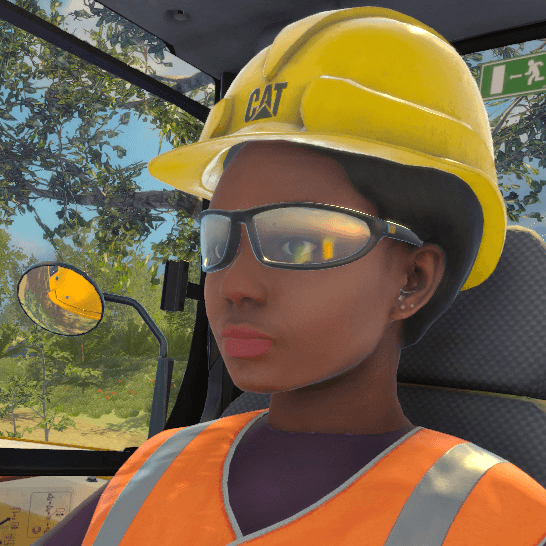
The xxxxx Simulator’s Avatar or team of Avatars will be invaluable for teaching soft skills to hard workers. ForgeFX will custom-create an avatar that virtually embodies the xxxxxxx standards, from its appearance to its language.
Key features of this capability include:
§Customizable Realism: The simulator’s avatars can range from stylized to photographic realism, allowing the avatars’ appearances to be most relatable to teams and enhancing the overall immersive experience.
§Advanced AI Integration: xxxxxxx Simulator’s avatars will utilize the latest advancements in character design software and AI-generated human features, enabling realistic human appearances and behaviors.
§Standardized Interaction Programming: The ability to program avatars to interact and respond based on xxxxx standardized communication expectations ensures that the training scenarios are relevant and impactful.
ForgeFX offers expert guidance to ensure the selected avatar features align perfectly with training objectives, maximizing the effectiveness of the simulation. By working closely with xxxxxxxx ForgeFX will create avatars that are visually realistic and capable of delivering the training interactions desired.
Avatar Virtual Presence
FORGEFX SIMULATIONS
49
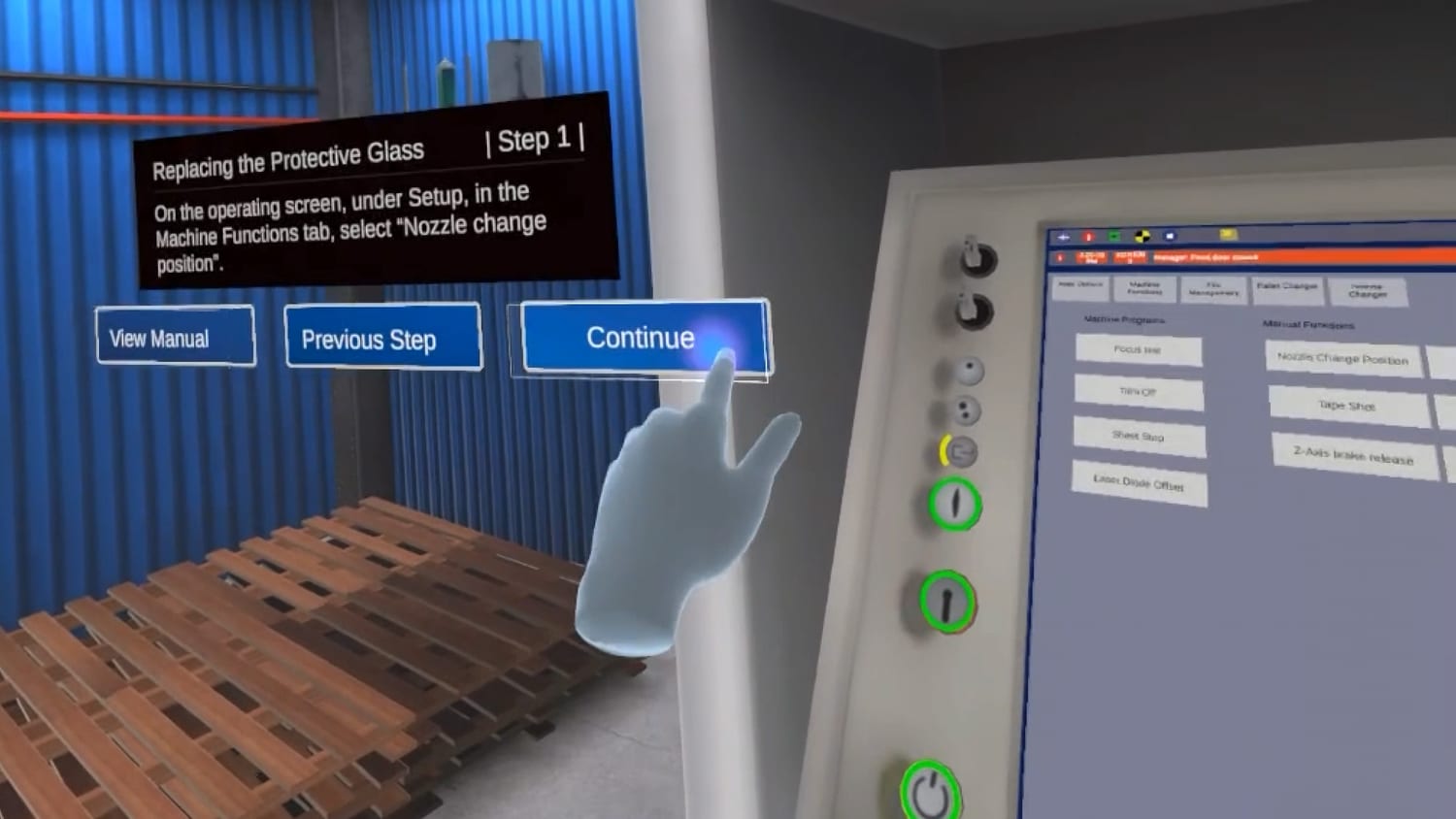
This section describes in more detail the structure and type of lessons that will be included in the proposed simulator.
LESSON CONTENT
FORGEFX SIMULATIONS
50
Defining
Simulator-based lessons
The simulator training lessons are tailored to meet your initiative’s training requirements. The lesson framework supports selecting and including content based on specific training needs and offers the flexibility to expand and integrate additional lessons as the program progresses.
§Objective, Overview, and Learning Outcomes: The simulator lesson will outline what the learner will achieve by the end of the lesson, summarizing the key content, skills, and knowledge areas covered. It will provide a clear statement of the intended learning goals and the specific, measurable outcomes that will indicate the learner’s competence.
§Immersive Instructional Content and Lesson Flow: A typical lesson comprises 10-15 steps, and learners will be guided through these steps using virtual prompts, ensuring a smooth and coherent flow throughout the lesson. The instructional content includes interactive exercises and real-time feedback, all within the simulated environment.
§Assessment and Feedback: In the virtual training lesson, assessment and feedback are seamlessly integrated throughout the experience. As learners progress through each step, the simulation automatically provides real-time assessment, offering feedback on their performance where required. At the end of the lesson, a performance summary report will provide a comprehensive overview of the learner's progress.
Lesson Definition
FORGEFX SIMULATIONS
51
Tailoring
Training to Maximize
Learning
To support the training goals, the simulator will feature a variety of lesson types tailored to different stages of skill development. From low-pressure equipment familiarization to high-impact operational tasks and fault diagnosis, each lesson type is designed to reinforce safe habits, build confidence, and prepare trainees for real-world performance. These formats ensure training is both scalable and adaptive, meeting students where they are in their learning journey.
§Familiarization Lessons: These introductory lessons let trainees explore equipment layouts and UI elements through interactive hotspots, giving them contextual information in a low-pressure environment. They prepare users for hands-on tasks by visually demonstrating controls and system interfaces, eliminating the need for procedural actions.
§Operational and Procedural Lessons: Training begins with a guided, step-by-step simulation that walks the trainee through equipment operation or process-based tasks, reinforcing correct techniques in real time. Once the guided phase is complete, the trainee advances to the unguided version, performing the same task independently without prompts. Ultimately, they receive an automated scorecard with assessment and feedback.
§Guided Troubleshooting Lessons: These guided lessons introduce preset faults or failures into an otherwise standard workflow, requiring users to diagnose and resolve issues as part of the procedure. Learners follow structured steps to identify symptoms, isolate root causes, and apply corrective actions within a controlled scenario.
§ Pre-Programmed Fault Simulations: In these unguided lesson scenarios, fault conditions are embedded into the virtual procedure, requiring users to detect and resolve issues without external prompts. The system evaluates their real-time actions, tracking safety, efficiency, and accuracy.
Lesson Types
(
FORGEFX SIMULATIONS
52

Familiarization
These introductory modules let trainees explore equipment layouts and UI elements through interactive hotspots, giving them contextual information in a low-pressure environment. They prepare users for hands-on tasks by visually demonstrating controls and system interfaces without requiring procedural actions.
2
Model Viewer
Sets the stage with a tappable 3D model experience—letting visitors explore components, layouts, and features in context.
1
Lesson Types
(xxxxxx)
This section outlines the core lesson types available within the simulation, each designed to adapt to your specific training requirements. A complete virtual reality training solution typically includes a combination of lesson types.
Operational and Procedural
Training begins with a guided, step-by-step simulation that walks the trainee through equipment operation or process-based tasks, reinforcing correct techniques in real time. Once the guided phase is complete, the trainee advances to the unguided version, performing the same task independently without prompts. At the end, they receive an automated scorecard with assessment and feedback.
3
5
4
Troubleshooting
These guided lessons introduce preset faults or failures into an otherwise standard workflow, requiring users to diagnose and resolve issues as part of the procedure. Learners follow structured steps to identify symptoms, isolate root causes, and apply corrective actions within a controlled scenario.
Fault Simulation
In these unguided lesson scenarios, fault conditions are embedded into the virtual procedure, requiring users to detect and resolve issues without prompts. The system evaluates their real-time actions, tracking safety, efficiency, and accuracy.
Lesson builder…?
FORGEFX SIMULATIONS
53
the Content with immersive quality
The (xxxxx)training simulator curriculum will be designed to capture the critical details and nuanced features of the (xxxxxxxx) machine. Based on the training goals shared by the (Company) training team, here is a revisable, partial list of potential lessons:
§Lesson One: This lesson comprehensively overviews the main components and their functions within the (Model/ process).
§Lesson Two: This lesson guides trainees through the various features and controls of the machine's control panel and interface.
§Lesson Three: This lesson helps trainees identify and understand the different tooling parts used in the machine and their specific functions.
§Lesson Four: This lesson outlines essential safety procedures and best practices for handling and maintaining tooling to ensure the safe operation and longevity of the equipment.
§Lesson Five: This lesson teaches how to ensure the machine is ready for the next job.
LESSON LIST
Note: This is a broad-strokes lesson description. Final training content will be developed working closely with your subject matter experts.
Generic example to Prompt GPT
FORGEFX SIMULATIONS
54


Generic Operational/ procedural example
Lesson Example
Lesson 3 – Module 1: operational/procedural lesson
§Initiate the Training: The trainee begins by putting on the VR headset and selecting the “BASIC Operational” lesson from the floating menu. Once selected, the simulation transitions smoothly into a full-scale warehouse environment. The forklift appears in front of them, accurately modeled and ready for interaction. A brief orientation begins, delivered through voiceover and subtle visual cues, introducing the trainee to the task, available controls, and key safety reminders. The interface highlights the pallet’s location, designated placement zone, and the path they’ll follow, creating a clear and intuitive entry point into the lesson.
§Preparation and Step-by-Step Execution: Each lesson is presented in a natural step sequence with strategic hints and intuitive flow. The trainee will engage in the lesson learning at their own pace, with the ability to repeat steps as needed.
Lesson Steps:
•Approach the Pallet.
•Identify the pallet’s position.
•Line up forks while maintaining appropriate speed and spacing.
•Fork Adjustment and Insertion.
•Level and raise forks to proper height.
•Insert forks fully beneath the pallet without shifting it.
This VR training lesson introduces new (machine) operators to one of the most fundamental procedures, safely picking up and staging an unloaded pallet. Designed to simulate the full physicality and presence of real-world (machine) work, the lesson immerses the trainee inside a life-sized virtual warehouse, where they practice using an interactive virtual (machine) in a realistic, mistake-tolerant environment.
Generic example to Prompt GPT
FORGEFX SIMULATIONS
55
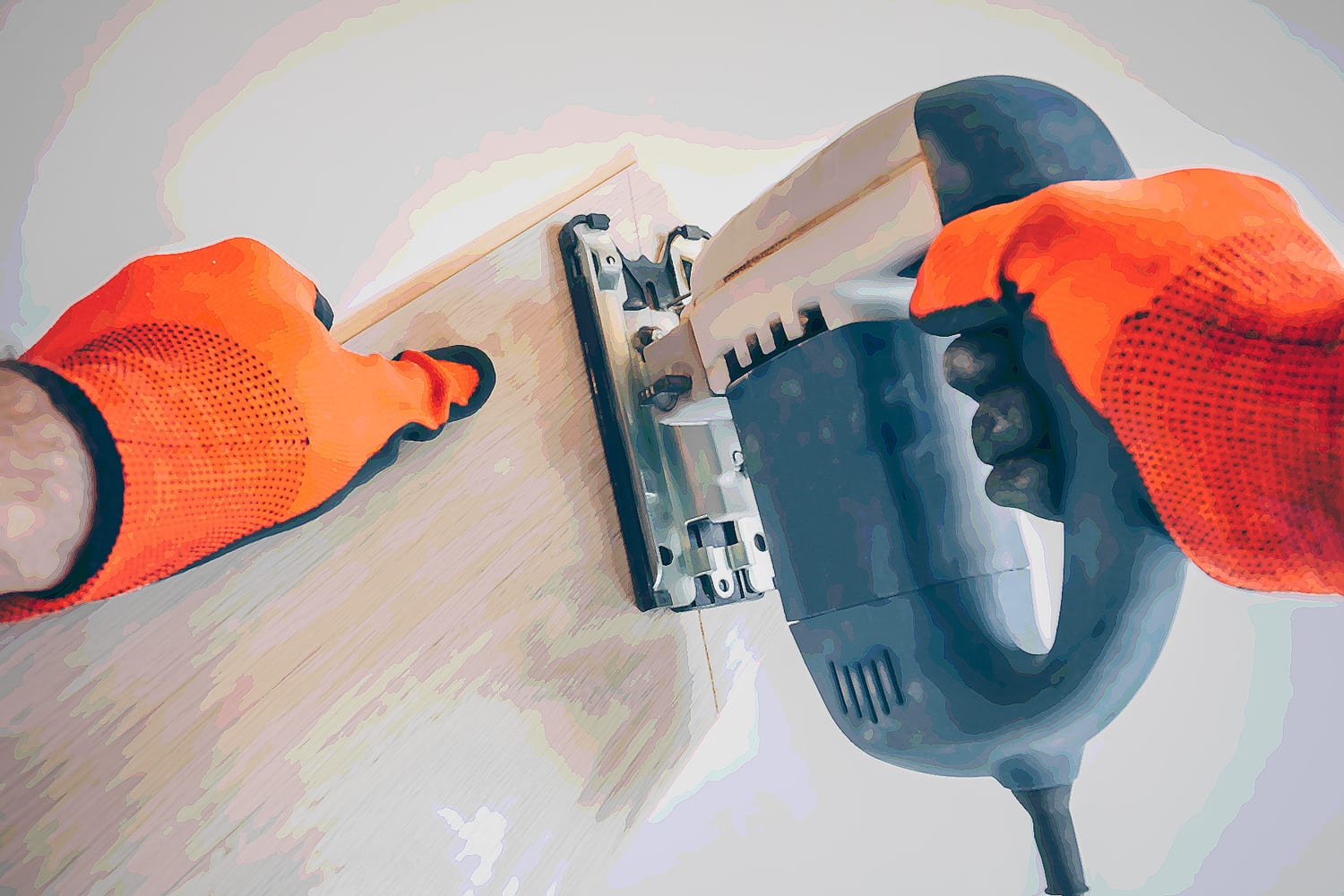
Lesson Example (continued)
§Preparation and Step-by-Step Execution: Continued
•Lift and Check.
•Raise the pallet slightly for transport.
•Pause to verify stability and fork position.
•Transport to Designated Area.
•Navigate the pallet to the designated area using smooth, controlled movement.
•Maintain awareness of aisle boundaries and visibility limitations.
•Placement and Withdrawal.
•Lower pallet to ground markers in the designated zone.
•Back out the forks carefully and confirm correct alignment.
§Lesson Completion: Once the lesson is complete, the trainee’s tracked lesson completion performance and real-time progress feedback data will be generated into a comprehensive report. The report's insight will allow the training team to review the trainee's success and identify areas that may need additional attention.
Note: This is a broad-strokes lesson description. Final training content will be developed working closely with your subject matter experts.
Generic example to Prompt GPT
FORGEFX SIMULATIONS
56

Detail
Lesson example
Lesson Example
Detail Lesson Example
§Initiate the Training: The trainee dons the Meta Quest 3 VR headset, instantly immersing them in a realistic virtual warehouse. Ambient sounds of machinery and distant conversations enhance the sense of presence. From the main menu, the trainee will use hand gestures to select the “Unsetting the Wrapper” module. As the selection is made, the environment transitions smoothly, and a user interface appears, providing a brief overview of the training objectives and what to expect in the module.
§Preparation and Set Up: In this step, the trainee is guided through a detailed review of the tools, molds, and forms that will be manipulated while “unsetting” the machine. The simulator identifies critical tool requirements and the impacting variables, while interactive elements highlight the specific areas where these adjustments on the machine will be made. The trainee can watch short animated scenarios demonstrating the implications and applications of the form and mold elements installation, including visual indicators (e.g., flashing warnings), increasing trainee observation and orientation toward accuracy.
§Removing (steps to be created): In this set of steps, the trainee is set to engage with the Virtual machine. They will be guided through the detailed step-by-step process of removing the top form. During the initial orientation of the process, the simulator may feel like a guided tour, with visual highlights of each step as it could be performed. The steps will be articulated in as simple or explicit detail as required. Following is an example of how the steps for this task could appear.
(continued on next page)
The (Simulator) will offer scalable lessons that enhance the familiarization and operations process of (company) machine. Below is a basic example of a VR training lesson.
Detail example to Prompt GPt
FORGEFX SIMULATIONS
57
Lesson Example (continued)
Detail Lesson Example (continued)
•Identify the wrapper form and spotter form.
•Identify the wind block generally covered with Teflon.
•Loosen the clips mounted to the top side of the form.
•Move the loosened form clips up out of the way.
•Loosen the form bolts that hold the form tight to the machine.
•Using the Control Panel, select the “Manual Tab” to enable the form/mold.
•Ensure the machine is in the proper position to start movement.
•Verify or Re-Select the “mold” option on the control panel.
•Use the hand wheel attached to the control panel to slowly spin the form downwards, allowing access to the form’s bolt and spring clip.
•Depress the plate on the backside of the yoke to allow the form to release.
•Check the control panel screen to ensure the mold is still enabled.
•Reverse direction to move the form to an accessible position.
•Gently remove the form. (lesson complete)
Lesson Completion
Once the lesson is complete, the trainee’s tracked lesson completion performance and real-time progress feedback data will be generated into a comprehensive report. The insight provided by the report will allow the training team to review the success of the trainee and the areas that may need additional attention.
Note: This is a broad-strokes lesson description. Final training content will be developed working closely with your subject matter experts.
Detail example to Prompt GPt
FORGEFX SIMULATIONS
58
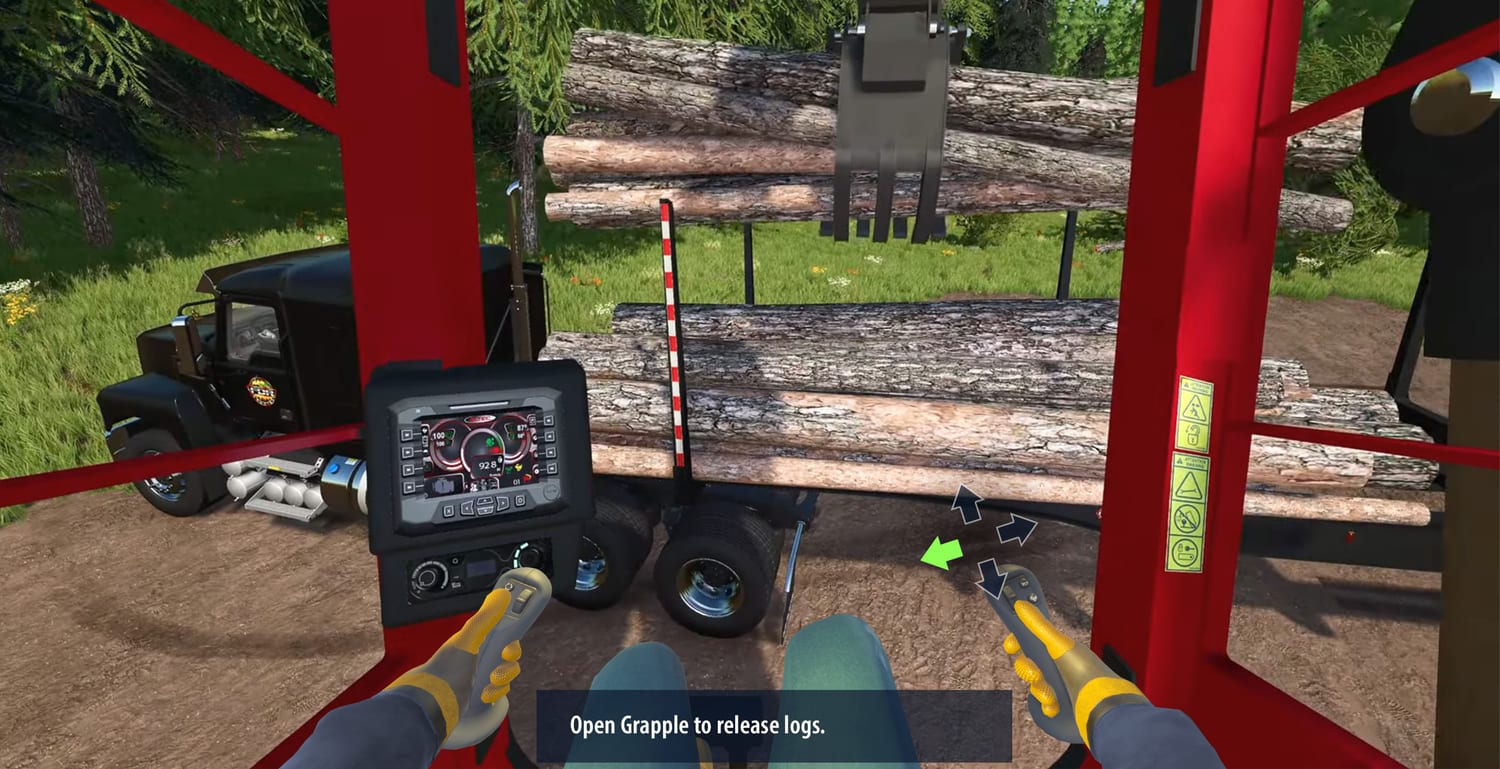
Once a trainee puts on a VR headset and enters the training application, they will be in a 360° simulated environment. The following elements are anticipated to be included in your project:
•As with the mechanical controls, the cab computer will be realistically interactive. Inputting instructions on the touchscreen will cause the expected results on the machine.
•The user will be able to see representations of their arms and hands as they operate the real-world controls. The hand-tracking capability of the VR unit ensures accurate replication of finger motions.
•Lesson step instructions are visible on a panel within the trainee’s reach. The panel can be repositionable by the user to a location that is convenient to them.
•In Guided Mode or when a hint is needed, animated graphic prompts appear superimposed over the levers, pedals, and other control surfaces.
•The environment, equipment, trees, and logs will be full scale models that move and sound like their real-world counterparts.
E
D
C
B
A
Fig. 1: Lesson Mockup
[PROJECT]
FORGEFX SIMULATIONS
59
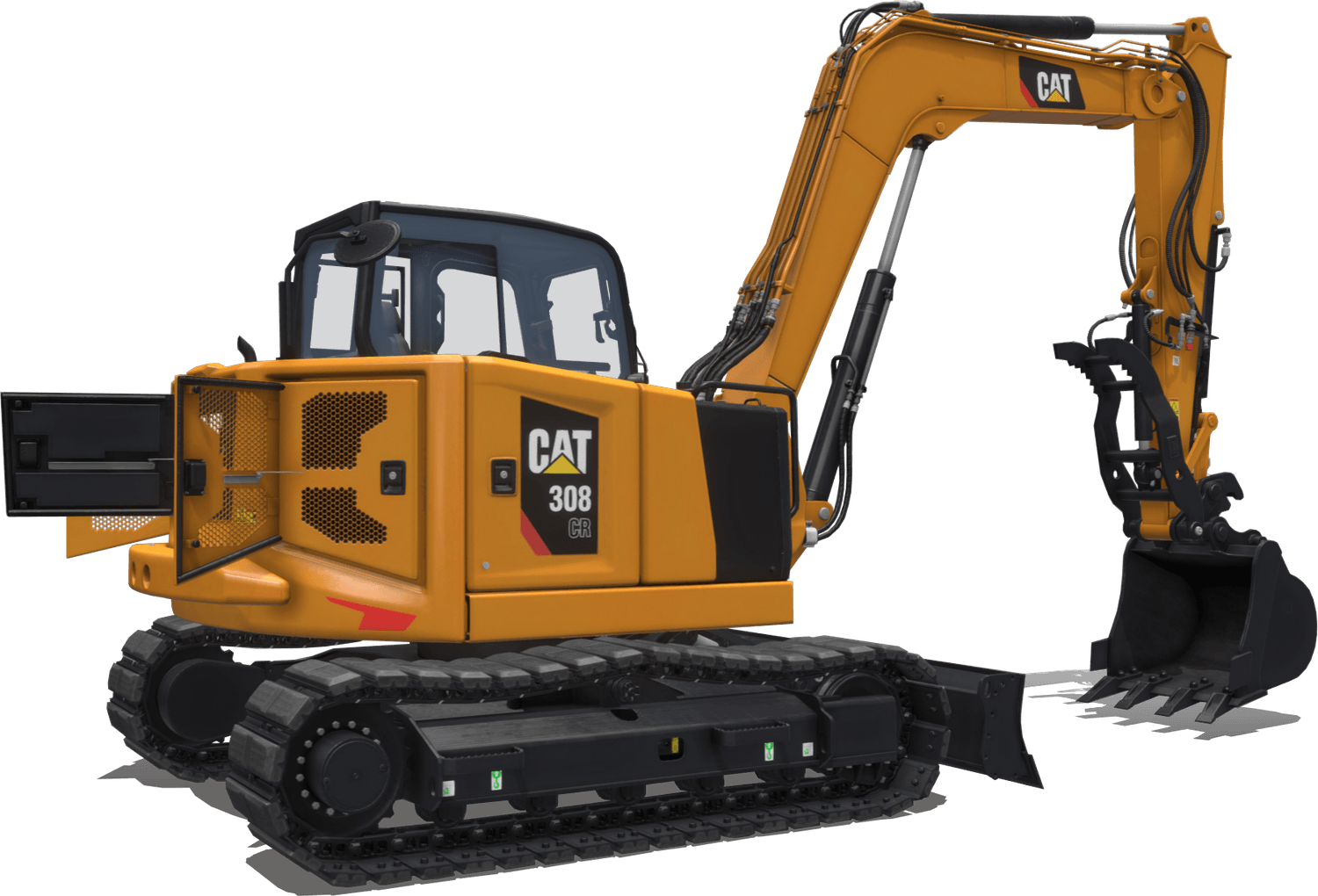
Once a trainee puts on a VR headset and enters the training application, they will be in a 360° simulated environment. The following elements are anticipated to be included in your project:
•As with the mechanical controls, the cab computer will be realistically interactive. Inputting instructions on the touchscreen will cause the expected results on the machine.
•The user will be able to see representations of their arms and hands as they operate the real-world controls. The hand-tracking capability of the VR unit ensures accurate replication of finger motions.
•Lesson step instructions are visible on a panel within the trainee’s reach. The panel can be repositionable by the user to a location that is convenient to them.
•In Guided Mode or when a hint is needed, animated graphic prompts appear superimposed over the levers, pedals, and other control surfaces.
•The environment, equipment, trees, and logs will be full scale models that move and sound like their real-world counterparts.
7
9
5
4
4
3
2
1
Digging Bucket
Optimum wrapper angle and no sharp corners promote superior bucket fill and reduce material packing.

E
D
C
B
A
Fig. 1: Lesson Mockup
[PROJECT]
Click & hold to rotate

Add options in playground
FORGEFX SIMULATIONS
60

Our proposal offers a range of scope sizes and pricing options, a comprehensive product ownership model, and a clear focus on delivering a compelling return on investment.
PRICE OPTIONS
FORGEFX SIMULATIONS
61

One cost,
infinite
potential
Our clients own all the assets that we create for their projects. ForgeFX Simulations develops all assets in non-proprietary development tools, which ensures that you are not locked into any specific platform and have the freedom to modify, update, or expand your projects as needed.
One-time development cost: We believe in straightforward financial transactions without hidden fees. This means that when you commission a project with us, you're charged only once for the development of your assets.
No licensing: With ForgeFX, you don't have to worry about ongoing licensing fees for the assets we develop for you. Once the project is completed, the assets are yours to use as you wish, free from any additional licensing costs that can often accumulate over time.
No per-seat costs: Whether your team is large or small, our development approach does not include per-seat costs. This ensures that your entire team can utilize the assets without incurring additional charges based on the number of users or seats, facilitating a more collaborative and inclusive environment.
ForgeFX takes pride in fostering long-term relationships that span many years with our clients. Our comprehensive range of services includes initial consultation to understand your vision, bespoke design and development tailored to your unique requirements, as well as ongoing maintenance and support to ensure longevity and success for your projects.
Product Ownership



FORGEFX SIMULATIONS
62
Simulator ROI
[PROJECT]
When considering any project, it’s important to determine the return on investment so that stake holders know where the money is going and what they can expect to receive in return. Simulators are no different, and the ROI can be significant. Listed below are the leading benefits of utilizing simulation-based training and the associated returns.
§Reduced Wear and Tear on Physical Equipment
By conducting portions of training on simulated equipment, there is less wear and tear on real-world equipment and a reduced incidence of accidents and their associated repairs.
§Reduced Use of Consumables
Simulators require zero fuel, oil, or other materials to be used in training. Conducting training without the expense of consumables greatly decreases the cost of training.
§Increased Operator Familiarity
Training with physical equipment will always be necessary; however much of the basic training can be conducted within the simulator so operators are familiar with the equipment before real-world training begins. They can practice a procedure or task over and over until they’ve mastered it, acquiring mastery without incurring expenses or risking injury.
§Reduce Training Time & Expenses
Getting access to real-world equipment can be challenging, costly and time consuming. Removing the need to travel to get operators on the equipment can quickly have a positive effect on a company’s bottom line.
§Increased Throughput
Regardless of industry or type of equipment, all companies struggle with throughput of trainees. There are only so many trainers, equipment available for training, and hours where conditions are correct for training. Simulators remove these barriers and allow trainees to train regardless of trainer or equipment availability; and remove any environmental or geographical limitations that are out of an organization’s control.
§Sales and Marketing Opportunities
While simulators are typically built for training departments, sales and marketing departments love them because they provide excellent opportunities to put people behind the controls of a virtual machine in a setting where that is not possible with real-world machines. People want to try before they buy, and simulators give customers that ability.
FORGEFX SIMULATIONS
63
These components are integral to a robust, compelling simulator. The following pages describe in more detail how these features work to achieve a rewarding educational experience.
ROI
Benefits
[PROJECT]
Full Asset Ownership
Clients retain full ownership of all developed assets, ensuring complete control and the freedom to modify, update, or expand projects without restrictions.

Unlike other services, ForgeFX doesn’t charge recurring licensing fees for developed assets, which are fully transferred to the client.
No licensing costs

Long-term flexibility, ensuring that the simulation can grow and adapt with future needs and technologies without incurring additional costs.
Future proof development
Maximize the number of trained operators without requiring additional physical resources, increasing training capacity.
Increased Training Productivity
Creates a powerful sales tool that enables potential customers to "try before they buy," increasing engagement and sales opportunities.
Sales and Marketing

Simulators streamline the training process, reducing time spent waiting for access to real equipment and eliminating the need for travel to specific locations.
Reduced Training Cost

Reduces the learning curve, minimizes operational risks, and improves operator performance before hands-on use.
Increased Operator Familiarity
Simulators eliminate the need for consumables like fuel, oil, and other materials required in real-world training. Lowers operational expenses by eliminating recurring costs for training sessions.
Reduced Use of Consumables
Training on simulators minimizes wear and tear on real equipment by reducing the number of training hours conducted on physical machines. It extends the lifespan of expensive equipment, reducing repair and replacement costs.
Reduced Wear and Tear

EDIT/review


FORGEFX SIMULATIONS
64
FORGEFX SIMULATIONS
| Scope Package Features |
| |
Option 1
| •Virtual 3D Art Components (Qty ) •Critical Component Theoretical Operation Simulations (Qty) •Familiarization Lesson (Qty ) •Guided Operational Lesson (Qty ) •Network, Multi-User Support Framework •10 Meta Quest Headsets | Duration | mo |
ROM Cost |
| ||
Loyalty Discount | % | ||
Final ROM Cost |
| ||
| |||
Option 2
| •Virtual 3D Art Components (Qty ) •Critical Component Theoretical Operation Simulations (Qty) •Familiarization Lesson (Qty ) •Guided Operational Lesson (Qty ) •Guided Troubleshooting Lesson (Qty ) •Unguided Operational Scenario Lesson (Qty ) •Network, Multi-User Support Framework •Multi-Language (English + 1 additional Language) •Expanded Scoring, Assessment, & Gamification •10 Meta Quest Headsets |
| |
Duration | mo | ||
ROM Cost |
| ||
Loyalty Discount | % | ||
Final ROM Cost |
| ||
|
|
|
|
Option 3
| •Virtual 3D Art Components (Qty ) •Critical Component Theoretical Operation Simulations (Qty) •Familiarization Lesson (Qty) •Guided Operational Lesson (Qty) •Guided Troubleshooting Lesson (Qty ) •Unguided Operational Scenario Lesson (Qty ) •Network, Multi-User Support Framework •Multi-Language (English + 1 additional Language) •Expanded Scoring, Assessment, & Gamification •Marketing Video •10 Meta Quest Headsets |
| |
Duration | mo | ||
ROM Cost |
| ||
Loyalty Discount | % | ||
Final ROM Cost |
| ||
SCOPE OPTIONS
& ROM PRICING
Below are three potential scope options, each designed to address different aspects of your requirements. However, we greatly value your feedback and welcome any suggestions or adjustments. If you'd like to explore other possibilities, we would be happy to collaborate on creating an alternative solution that more closely aligns with your vision and specific needs.
Baker Hughes VR SWA training simulator
FORGEFX SIMULATIONS
65
FORGEFX SIMULATIONS
SCOPE OPTIONS
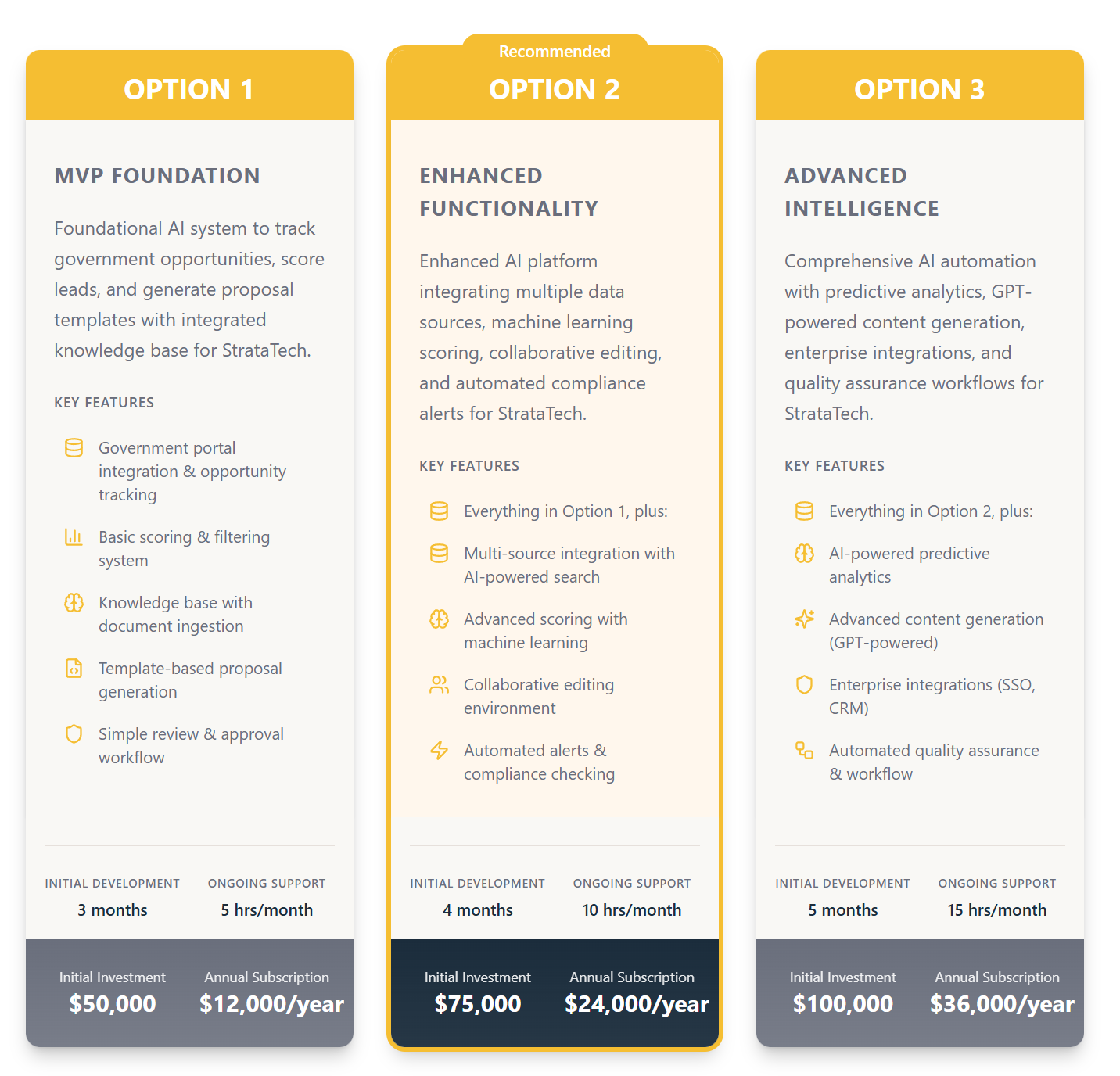
We've prepared three scope options to meet your requirements. Each option builds upon the previous tier, offering increasing levels of sophistication and automation. This proposal provides flexible starting points—we welcome your feedback and are happy to collaborate on customizing any aspect to align with your vision. .
FORGEFX SIMULATIONS
66
To closely match [COMPANY’s] requirements, here are four degrees of scope for the initial release of the [PROJECT]. Please feel free to suggest an option we haven’t proposed, and we will update our proposal and quote to match your requirements.
Scope & Cost Options
[PROJECT]
# | FEATURE | OPTIONS | |||
|
|
|
| ||
1 | Simulation Framework §ForgeSIM™ Framework §Requirements Verification §User Interface §Audio Effects & Voiceover Narration §Performance Tracking §Parts Familiarization §Essential AI Voice Commands (e.g., “Start lesson #1”) |
|
|
|
|
2 | Virtual Equipment |
|
|
|
|
3 | Virtual Environment |
|
|
|
|
4 | Extended Reality (XR) §Qty 1 Meta Quest 3 Headset |
|
|
|
|
5 | Instruction Modes: Guided and Unguided Support for both a structured step-by-step guided mode as well as unguided mode that allows users to advance through the training without assistance. |
|
|
|
|
7 | Real-world Controls Integration |
|
|
|
|
8 | Voice Commands Support for a voice command system driven by a state-of-the-art large language model (LLM). |
|
|
|
|
9 | Languages |
|
|
|
|
10 | LMS Integration |
|
|
|
|
11 | Networked Multi-user Training Collaborative environment for instructors and students. Includes/requires $199/mo. ongoing support service. |
|
|
|
|
12 | Training Lessons scenarios |
|
|
|
|
Development Time (Months) |
|
|
|
| |
Cost per Lesson |
|
|
|
| |
Economies of Scale |
|
|
|
| |
Total Cost |
|
|
|
| |
# | FEATURE | SSAB PILOT |
1 | Simulation FrameworkCore architecture for the SSAB pilot.▪ Expandable ForgeSIM™ framework supporting future equipment, stations, lessons, and scenarios▪ SSAB subject-matter-expert requirements verification and workflow validation▪ User interface and virtual control interactions▪ Guided prompts, visual highlights, and instructional explanations▪ Performance tracking with a trainee scorecard or report card▪ Equipment and critical-component familiarization▪ Audio narration, AI voice commands, and other AI features were not confirmed | ✓ |
2 | Virtual EquipmentDigital recreation of the ladle-operator platform and core continuous-casting equipment, including the ladle, tundish, ladle cars, mold area, operator stations, virtual pendant and panel, slide gate, shroud system, upgraded manipulator, oxygen lance, stop rod, and related controls. | ✓ |
3 | Virtual EnvironmentRealistic recreation of the upper caster and ladle platform and the initial continuous-casting work area, structured for future expansion to additional stations and work areas. | ✓ |
4 | Extended Reality (XR)Standalone immersive VR application for hands-on practice around molten-steel operations without interrupting production or exposing personnel or equipment to risk. The pilot is expected to run on an affordable mobile VR headset without a connected PC. Headset model and quantity remain to be confirmed. | ✓ |
5 | Instruction Modes: Guided and UnguidedGuided Operation will provide step-by-step prompts, highlights, and explanations. Unguided Assessment Mode will require trainees to recognize hazards, make operational decisions, and experience the consequences of correct or incorrect actions. A separate open Practice Mode was not confirmed. | ✓ |
6 | Real-World Controls IntegrationNot included in the pilot. Controls are expected to be virtual and software-based using headset controllers or hand tracking. Physical pendant or control integration may be considered later. |
|
7 | LanguagesNo additional-language localization was requested or discussed. |
|
8 | Training Lessons / ScenariosInteractive training curriculum centered on ladle exchange and mold filling, including start-cast and end-cast procedures, equipment inspection, troubleshooting, abnormal and high-risk events, decision-based responses, and scored assessment. Final pilot lesson and scenario quantities remain to be confirmed. | ✓ |
| Development Time (Months) |
|
| Cost per Lesson |
|
| Economies of Scale |
|
| Total Cost |
|
FORGEFX SIMULATIONS
67
To closely match [COMPANY’s] requirements, here are four degrees of scope for the initial release of the [PROJECT]. Please feel free to suggest an option we haven’t proposed, and we will update our proposal and quote to match your requirements.
Scope & Cost Options
[PROJECT]
# | Feature Title | Feature Description | Option A | Option B | Option C |
1 | ForgeSIM Framework & Instruction Modes | Expandable ForgeSIM™ pilot framework with UI, virtual controls, guided prompts, assessment, scorecard, equipment familiarization, and SSAB workflow validation. | $25,000 | $140,000 | $140,000 |
2 | Virtual Equipment | Ladle-operator platform and continuous-casting equipment, controls, slide gate, shroud system, manipulator, lance, stop rod, tundish, and mold area. | $35,000 | $120,000 | $120,000 |
3 | Virtual Environment | Upper caster and ladle-platform work area, structured for later expansion to additional stations and work areas. | $30,000 | $60,000 | $60,000 |
4 | Extended Reality (XR) | Standalone immersive VR application for mobile-headset practice around molten-steel operations without production interruption or physical risk. | — | $40,000 | $40,000 |
5 | Training Lessons / Scenarios | Ladle exchange and mold filling with start-cast, end-cast, inspection, troubleshooting, high-risk events, decisions, and scored assessment. | — | $100,000 | $100,000 |
6 | Real-World Controls Integration | Physical pendant or control integration as a future expansion beyond the virtual/software-based pilot controls. | — | — | $80,000 |
7 | Additional-Language Localization | Localized interface and training content for one additional language; no localization was requested for the pilot. | — | — | $35,000 |
8 | Audio Narration & AI Voice | Audio narration, AI voice commands, and related AI assistance as an expansion; these features were not confirmed for the pilot. | — | — | $60,000 |
9 | Open Practice Mode | Separate unprompted practice mode beyond Guided Operation and scored Assessment Mode; not confirmed for the pilot. | — | — | $40,000 |
10 | Additional Training Scenarios | Expansion allowance for additional abnormal, high-risk, inspection, troubleshooting, and decision-based scenarios beyond the pilot set. | — | — | $80,000 |
| TOTAL |
| $90,000 | $460,000 | $755,000 |
FORGEFX SIMULATIONS
68

On Target?


Cost
Features
Goals
Once our understanding is clear in terms of project goals, features, and budget requirements, we’ll be in position to move forward with next steps towards kicking off the development of your project.
FORGEFX SIMULATIONS
69
ForgeFX Simulations
2109 N Street, Suite N
Sacramento, CA 95816
(415) 788-5725 www.forgefx.com
Executive Director of
Enterprise Partnerships
Mary Pierce
Mary consults with our clients, studies their business, and generates creative solutions for their training needs.


(415) 788-5725, ext. 703

ForgeFX Simulations looks forward to working with you to design and develop your training simulator. If our proposal is in line with your requirements and you would like to hire us, please contact Mary Pierce to discuss development options and she will send you a project agreement for this proposal to review.
Let’s Get Started!